Click the Status toggle to enable/disable a form. | |
|---|---|
 |
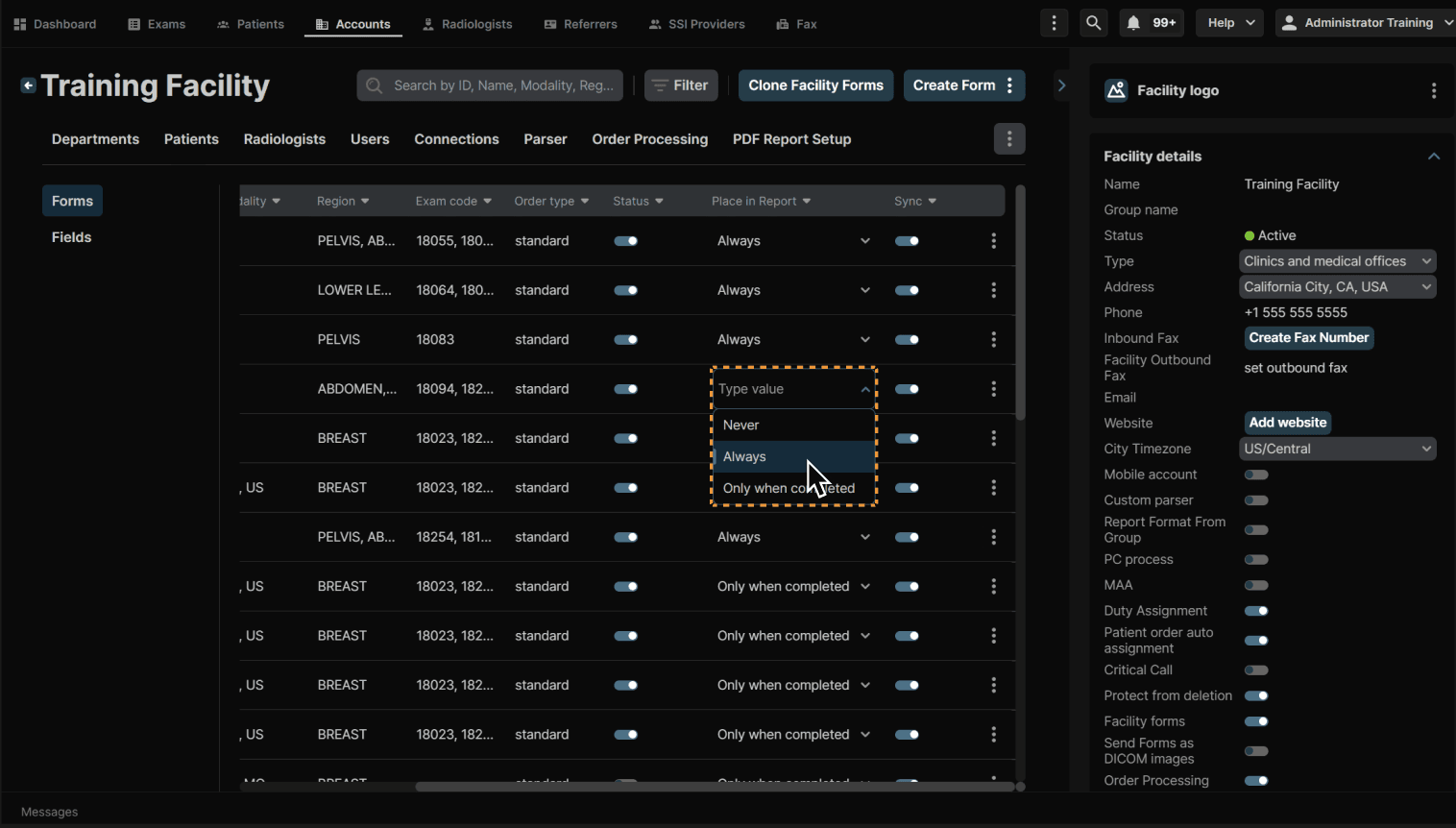
Click the dropdown under Place in Report to change when the form appears in the report. You have the options of Never, Always and Only when completed. | |
|---|---|
 |
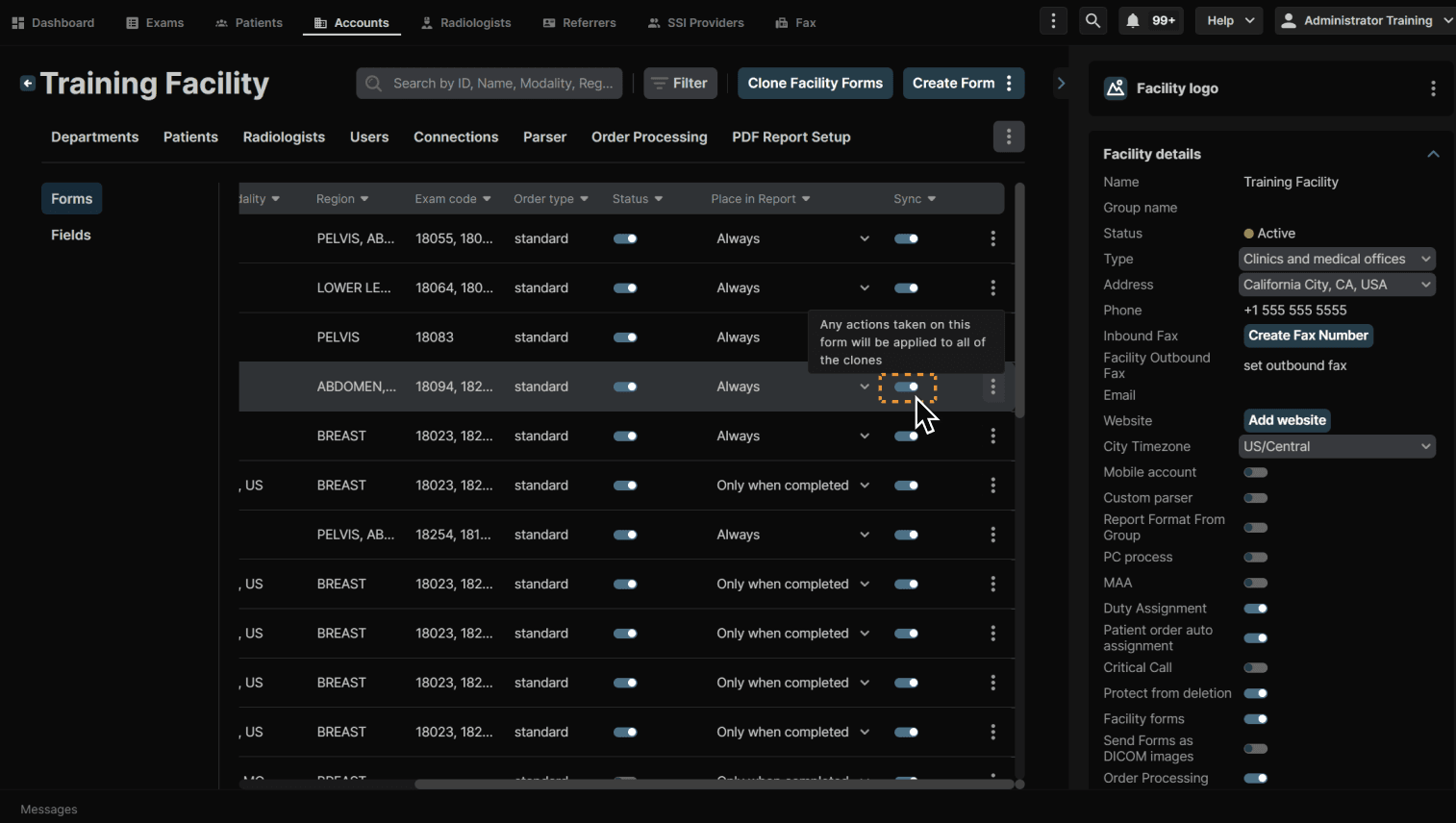
Click the toggle under Sync to sync all clones of the form. This means that any edits made to the form or form settings will be copied across all clones. | |
|---|---|
 |
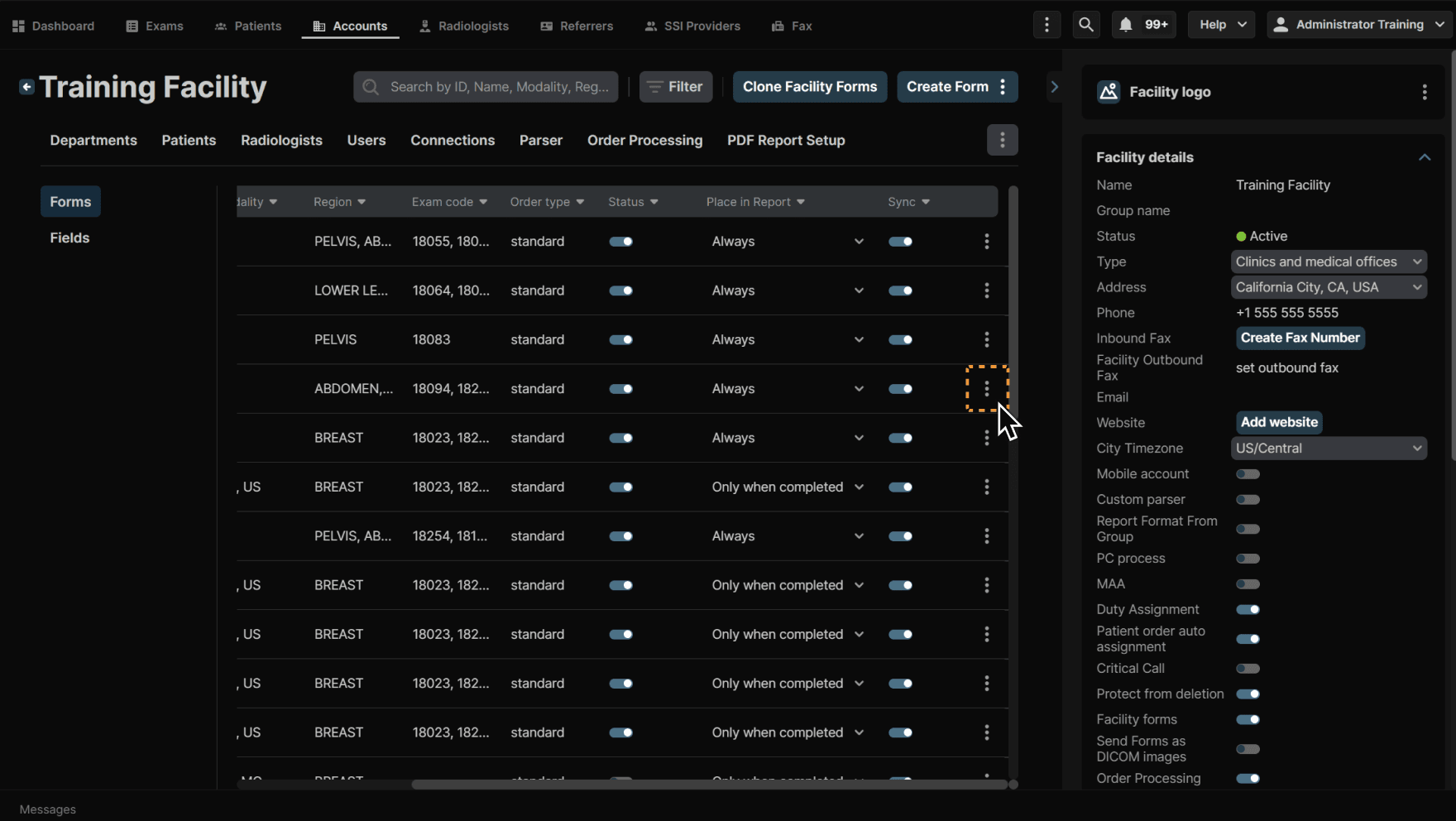
To clone, edit or delete a form, click the three dots at the end of a line item. | |
|---|---|
 |