Effective date:
Oct 23, 2025
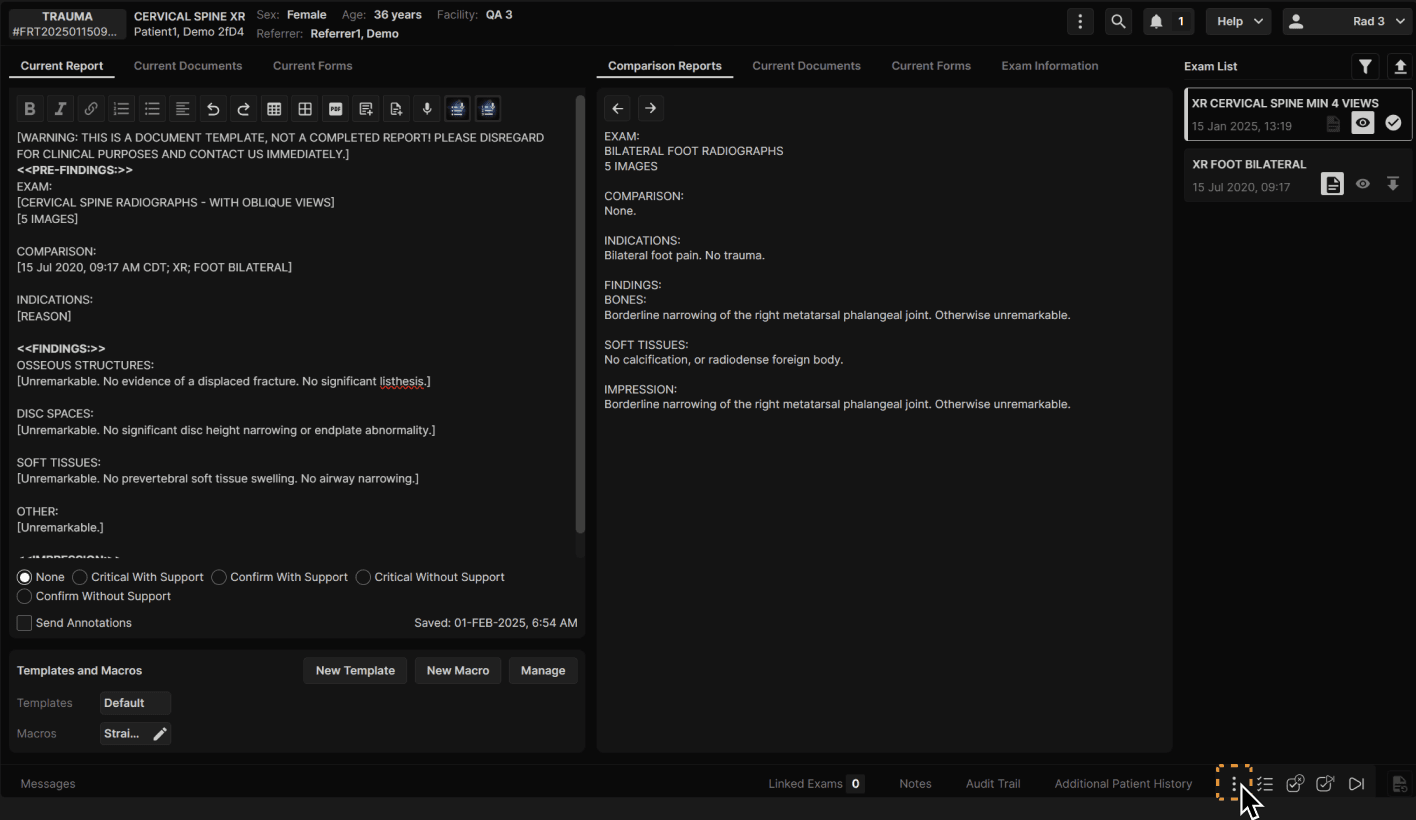
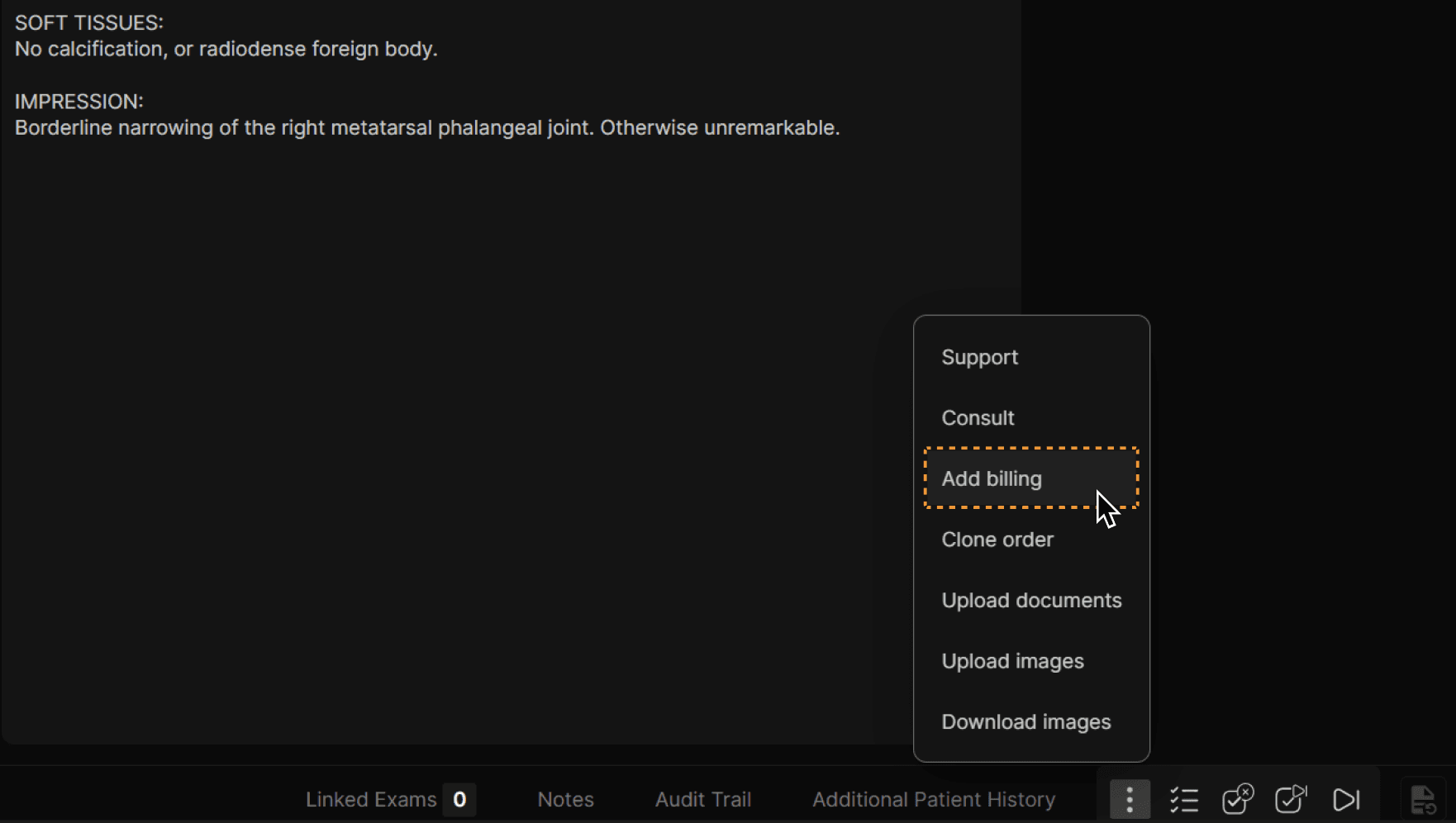
Click the three dots at the bottom of the Reporting Screen to access all exam actions.
Click “Consult.”
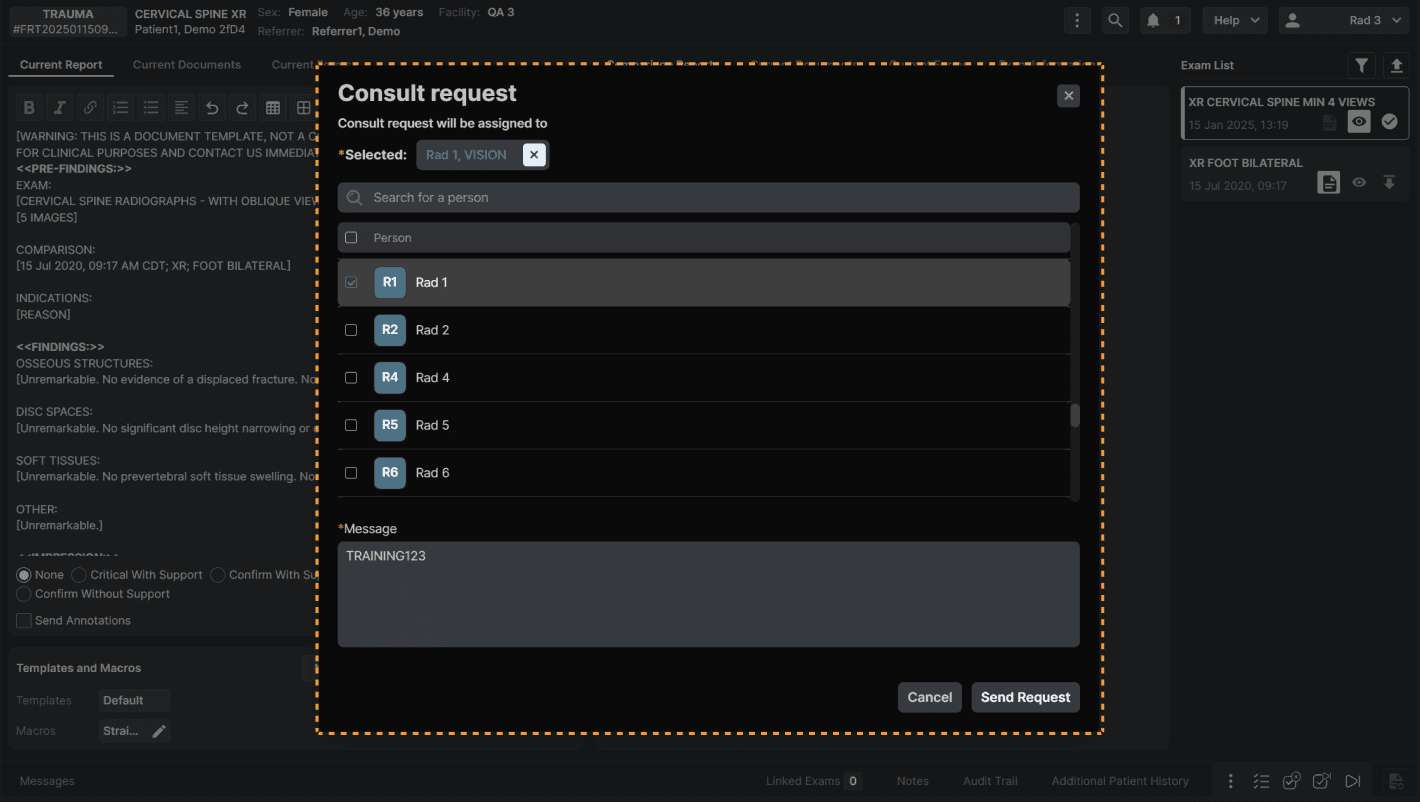
Select a recipient/recipients for the consult request and add a message if necessary. Click “Send Request” when complete.