Administrator workflows
Managing facility’s/facility groups: Update department information and report settings
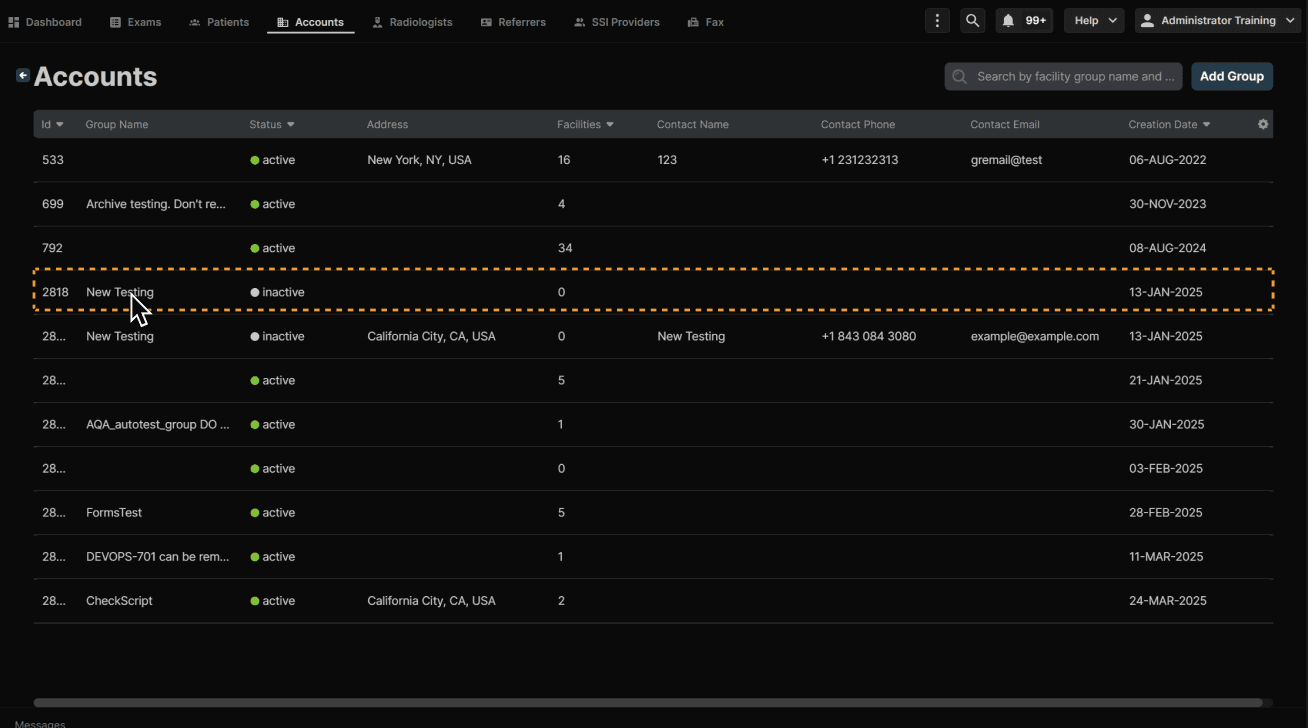
Enter a facility group. | |
|---|---|
 |
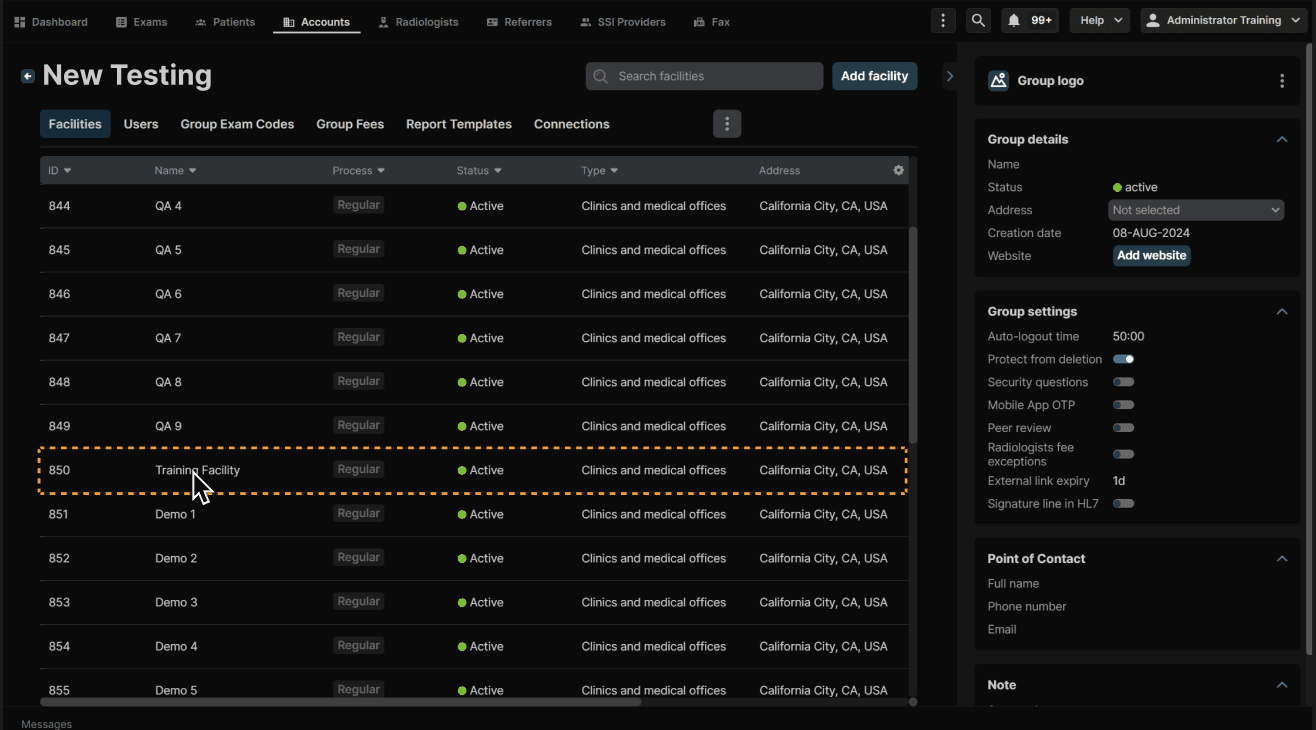
Select a facility. | |
|---|---|
 |
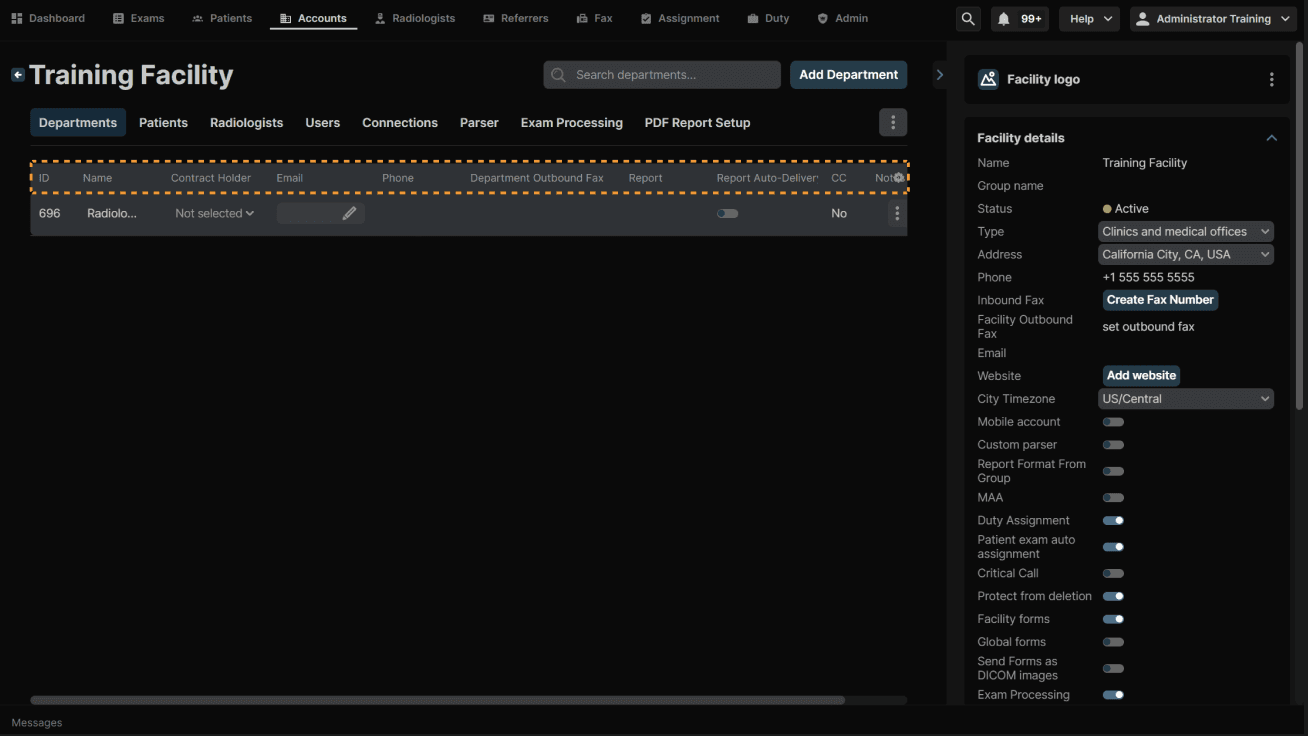
Edit all department information by clicking the desired column. | |
|---|---|
 |
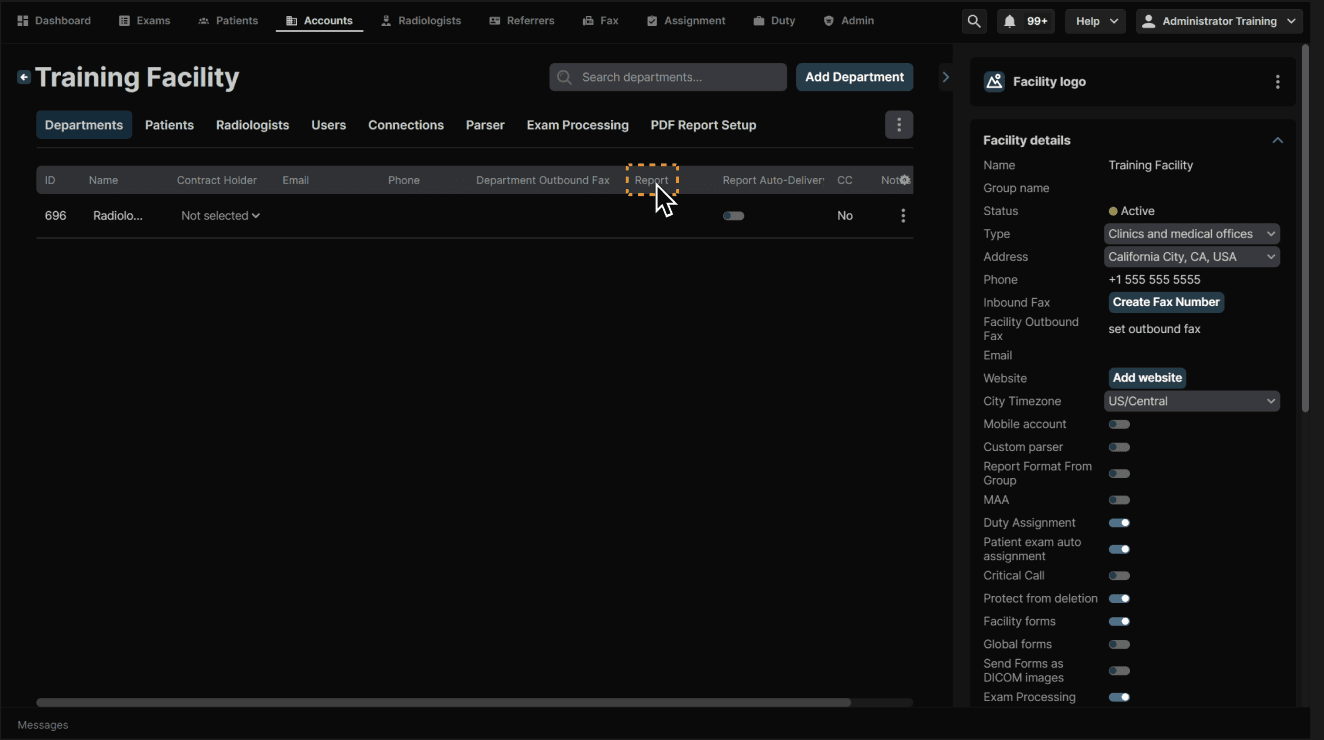
You can also update the report settings for the department. Click the Report column for that facility. | |
|---|---|
 |
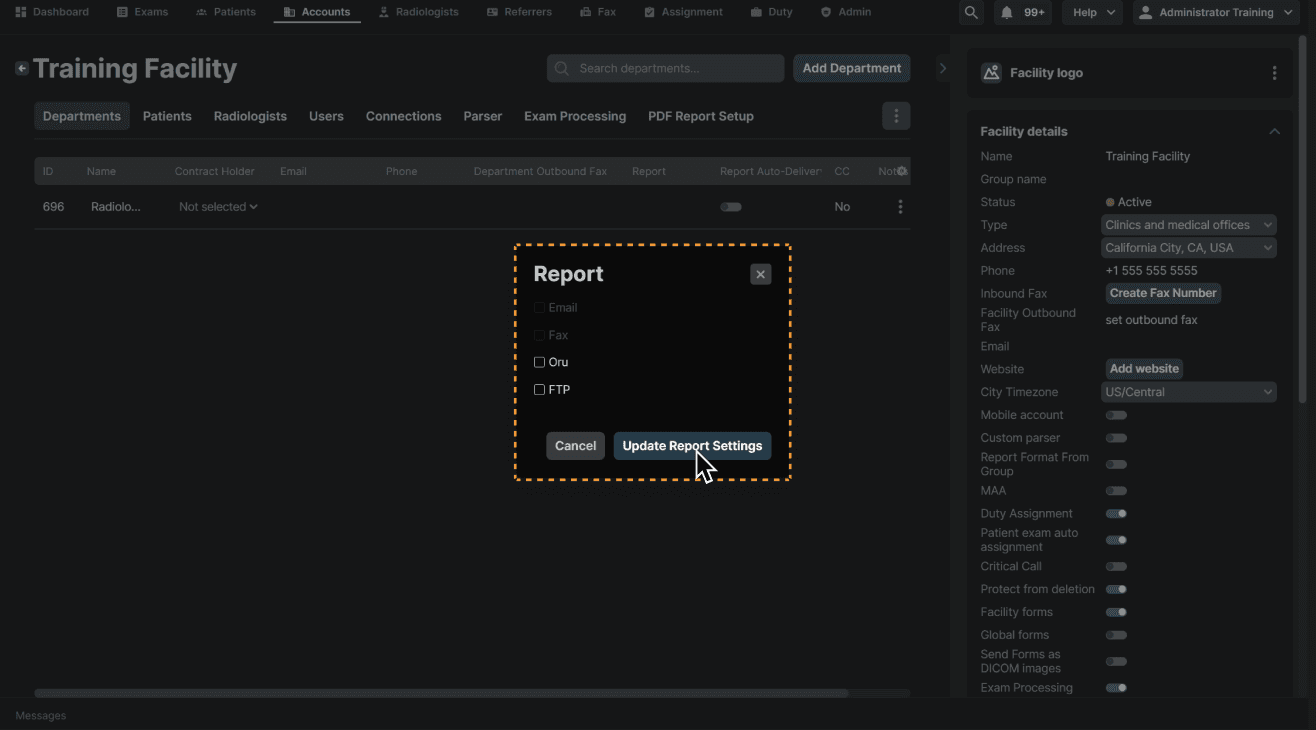
Check/uncheck the necessary boxes. Click “Update Report Settings” when complete. | |
|---|---|
 |
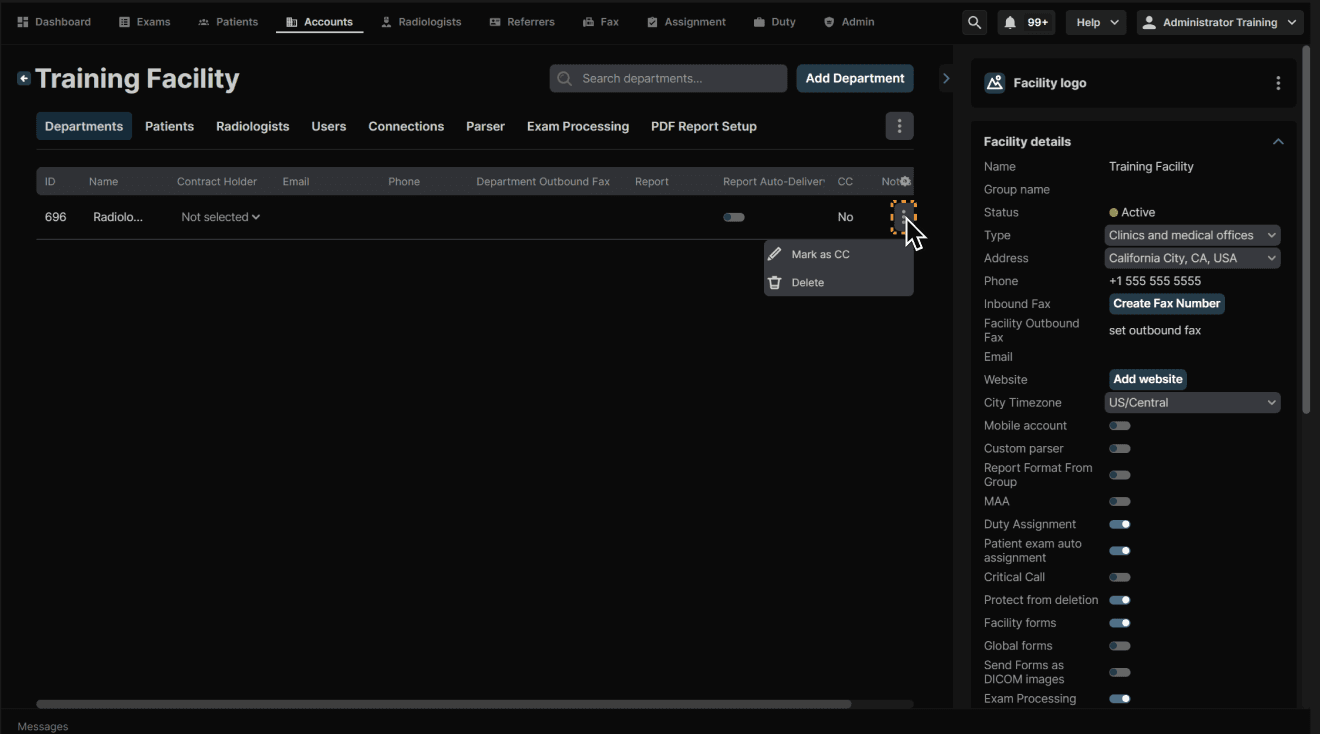
Click the 3 dots at the end of a department to Mark as CC or Delete the department. | |
|---|---|
 |
Enter a facility group. | |
|---|---|
|
Select a facility. | |
|---|---|
|
Edit all department information by clicking the desired column. | |
|---|---|
|
You can also update the report settings for the department. Click the Report column for that facility. | |
|---|---|
|
Check/uncheck the necessary boxes. Click “Update Report Settings” when complete. | |
|---|---|
|
Click the 3 dots at the end of a department to Mark as CC or Delete the department. | |
|---|---|
|