Administrator workflows
Managing reading physician accounts: Create/Configure preset filters
Note: This different from users being able to create their own presets. Users will NOT be able to see these presets or turn them on and off themselves. | |
|---|---|
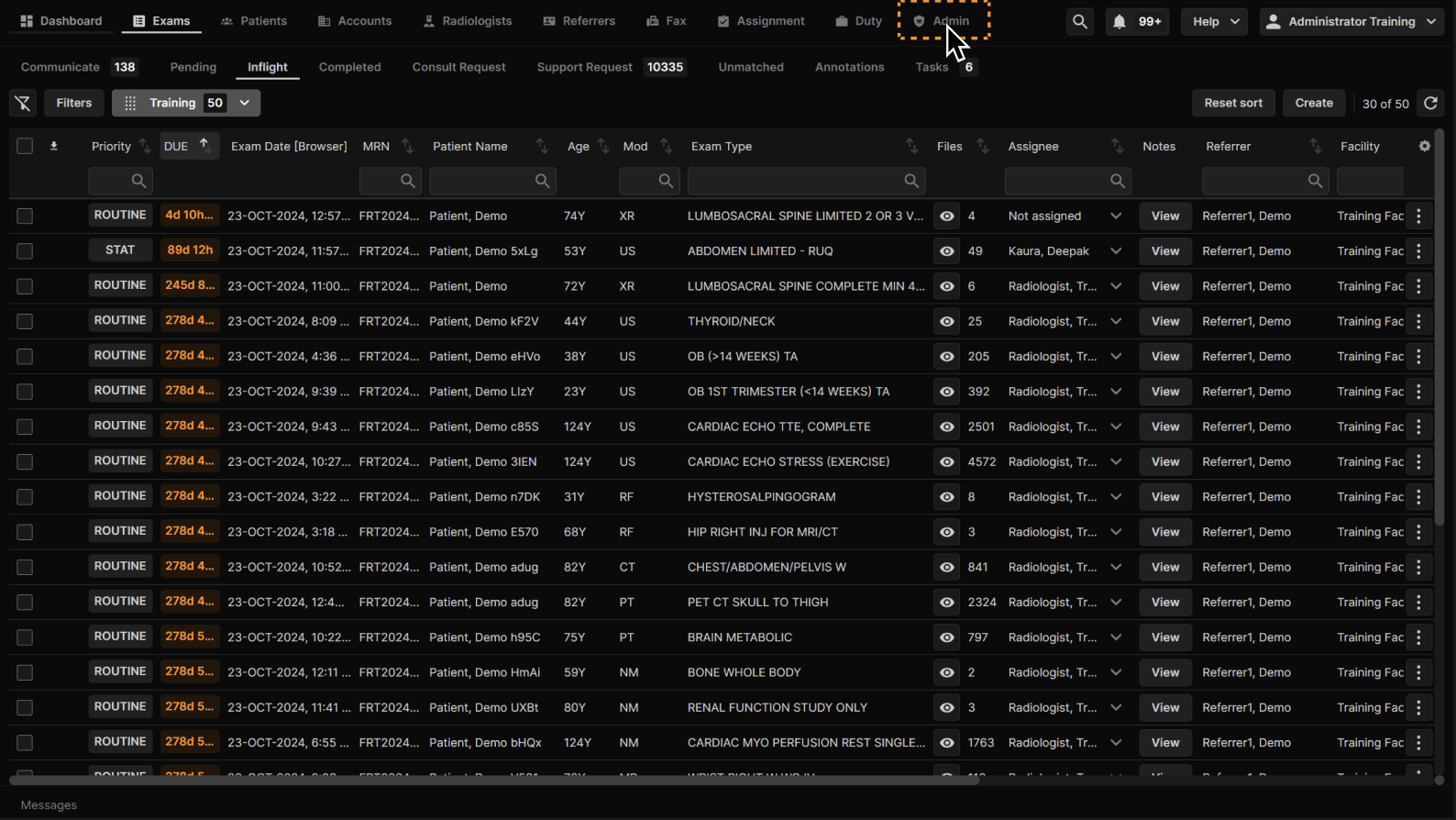 |
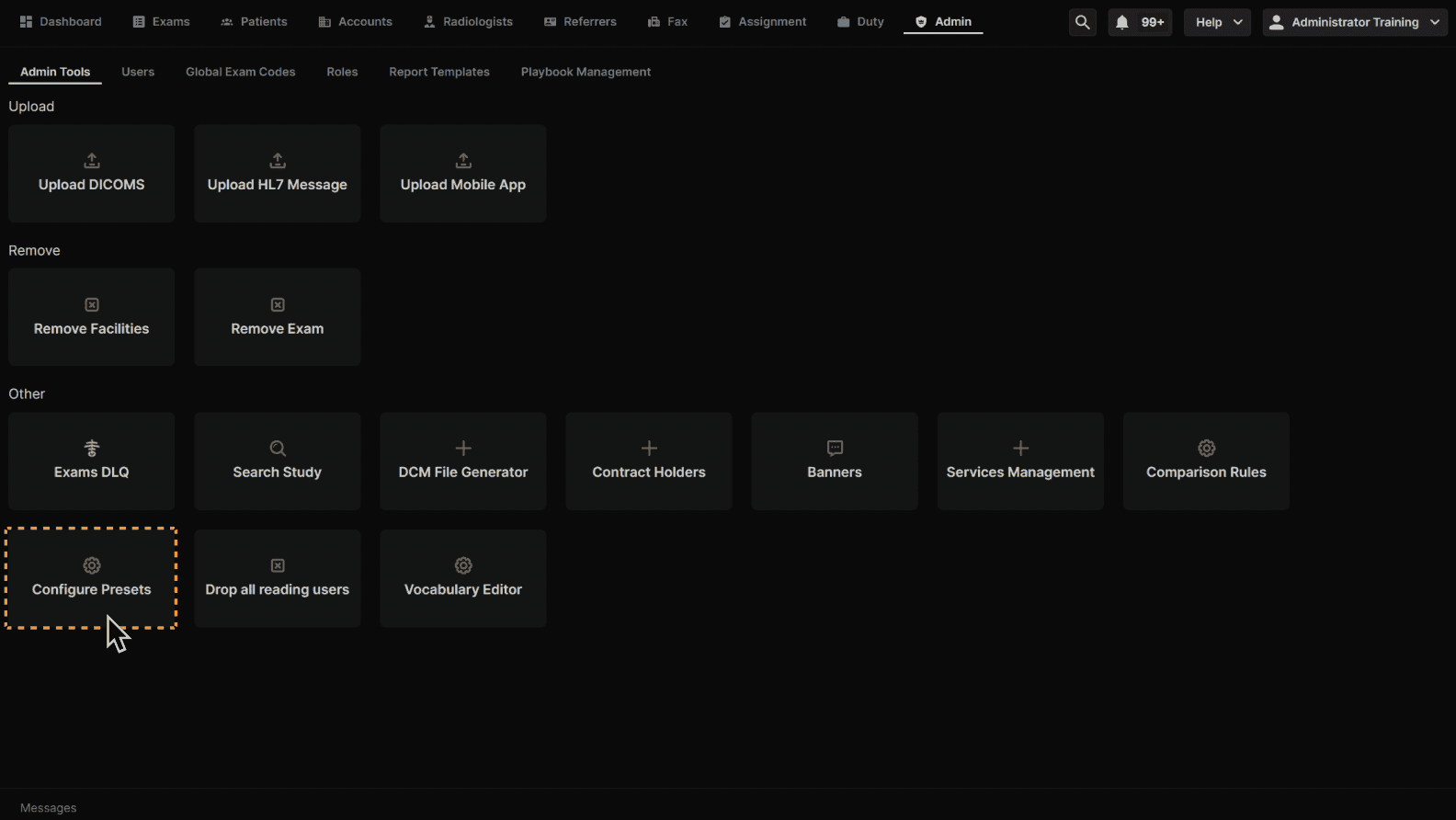
Click "Configure Presets." | |
|---|---|
 |
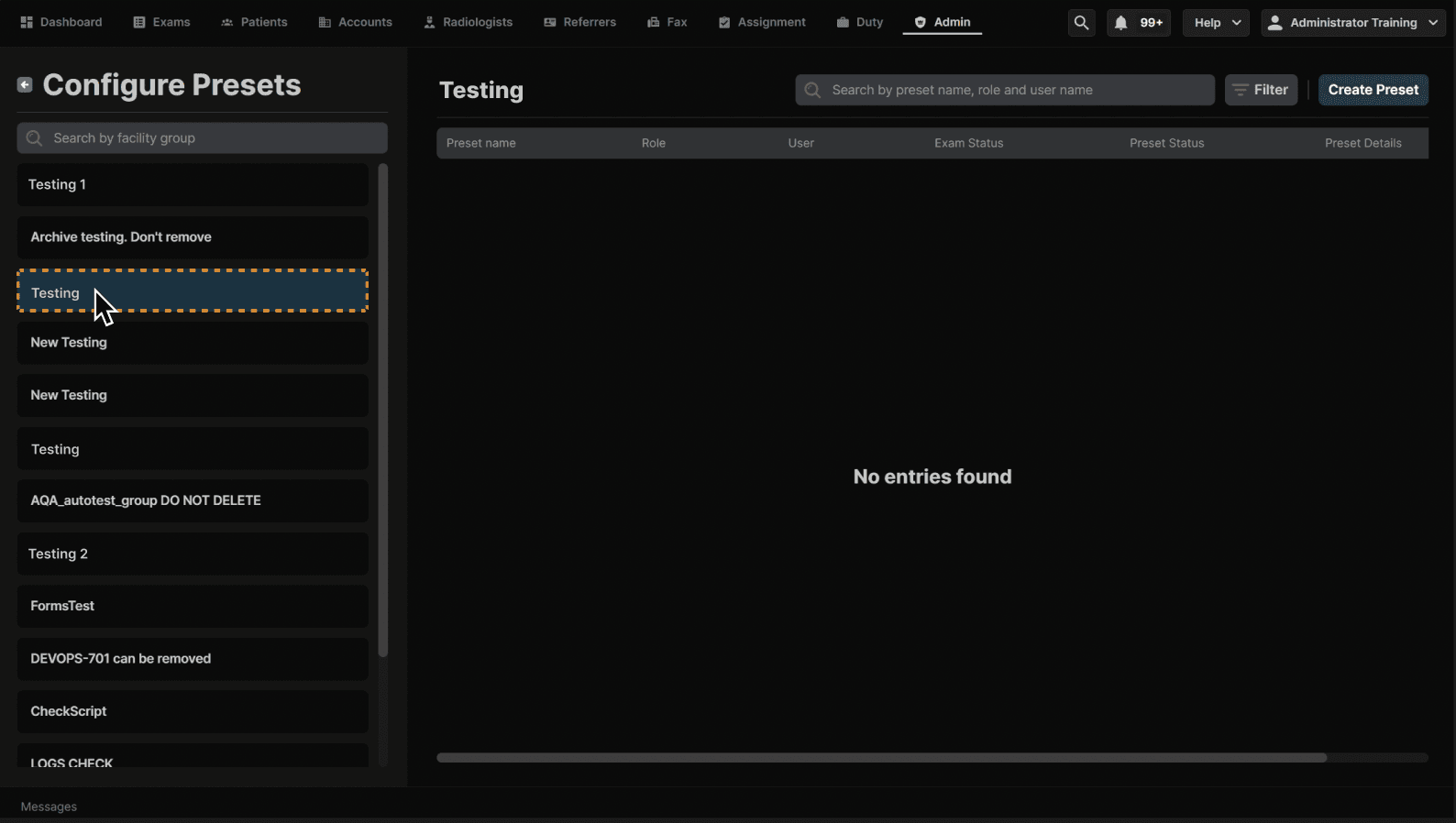
Click the facility group. It is recommended to use the user's primary facility in order to make the preset easy to find later. | |
|---|---|
 |
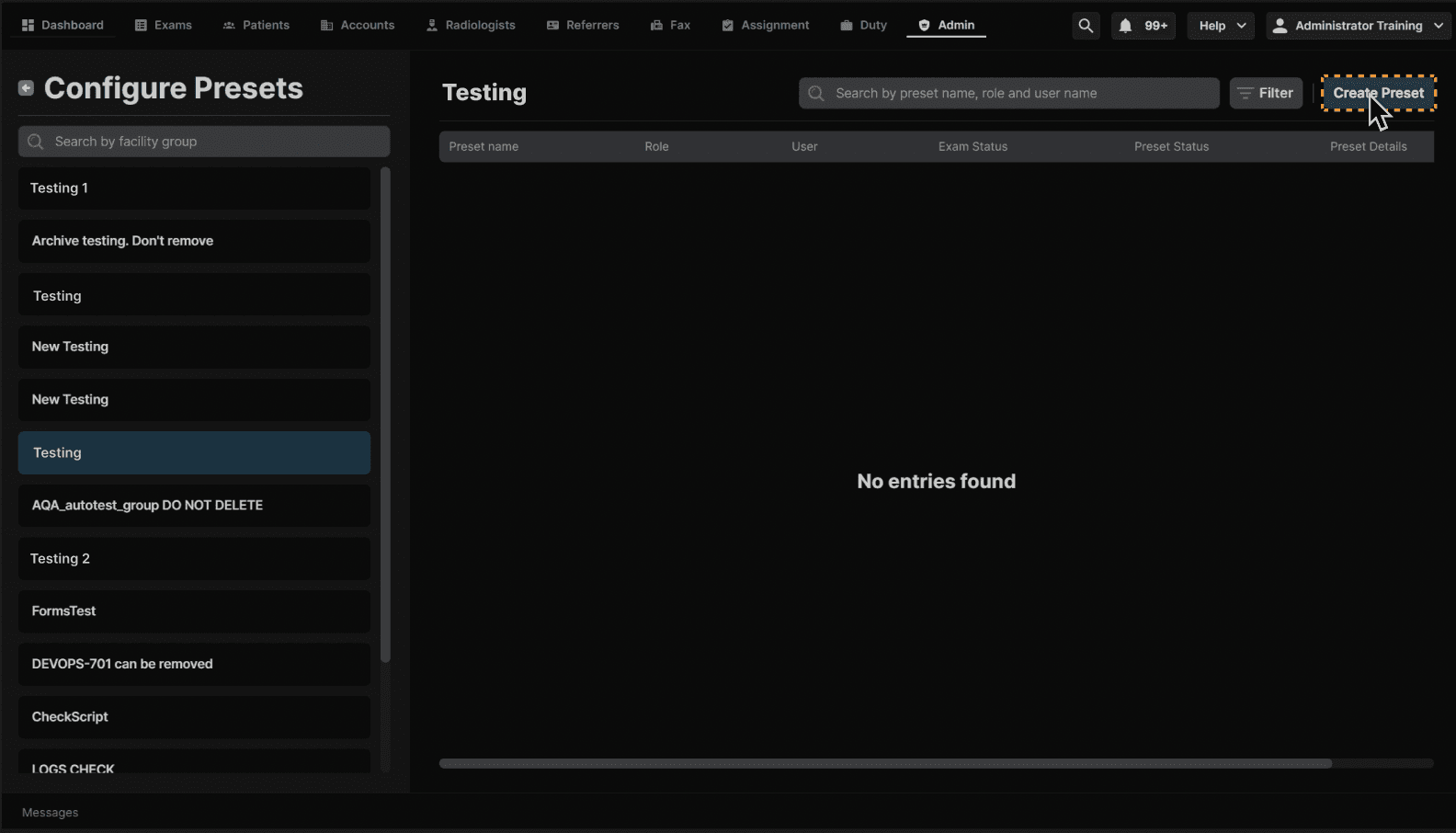
Click "Create Preset." | |
|---|---|
 |
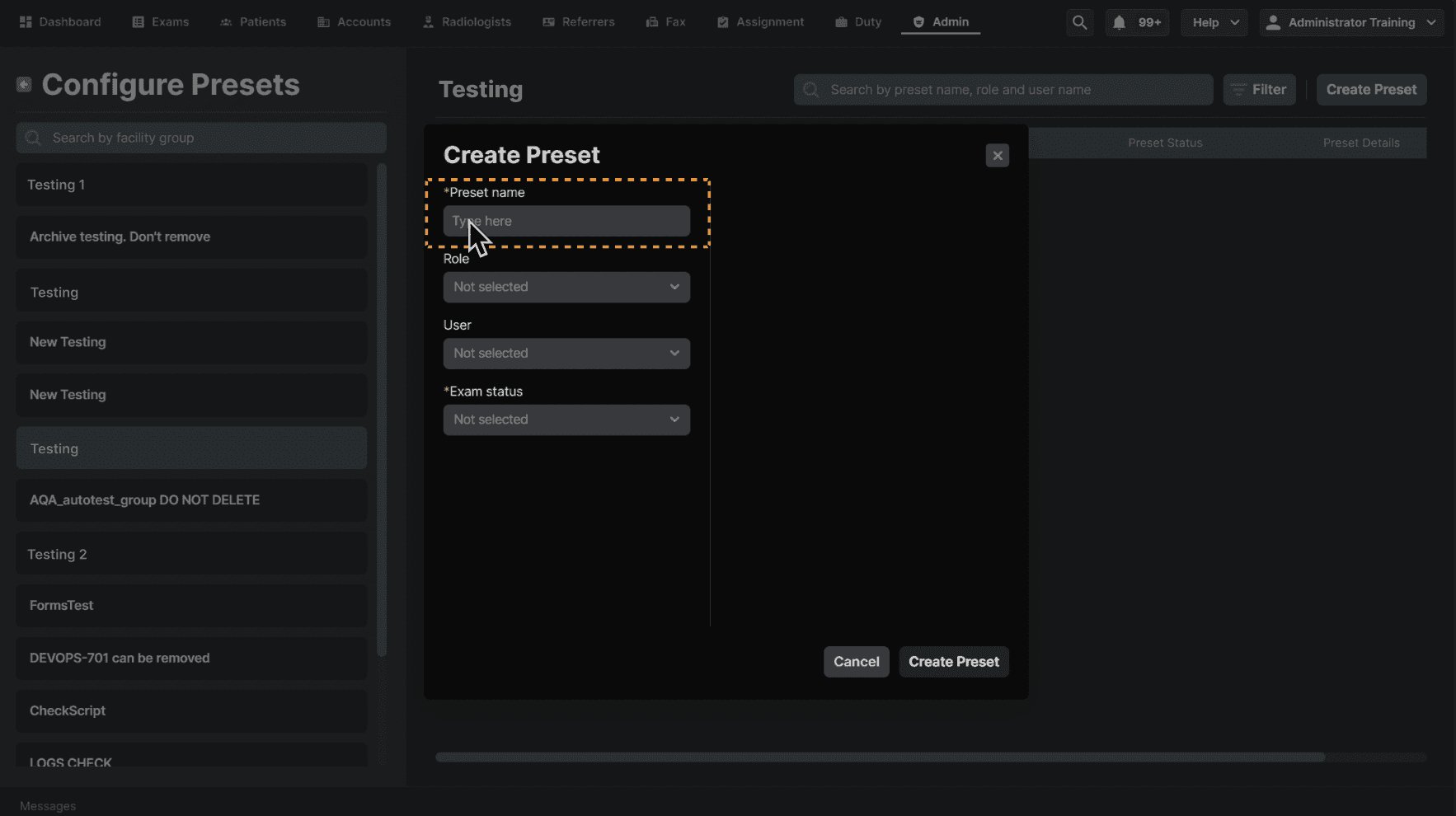
Fill out the Preset name. | |
|---|---|
 |
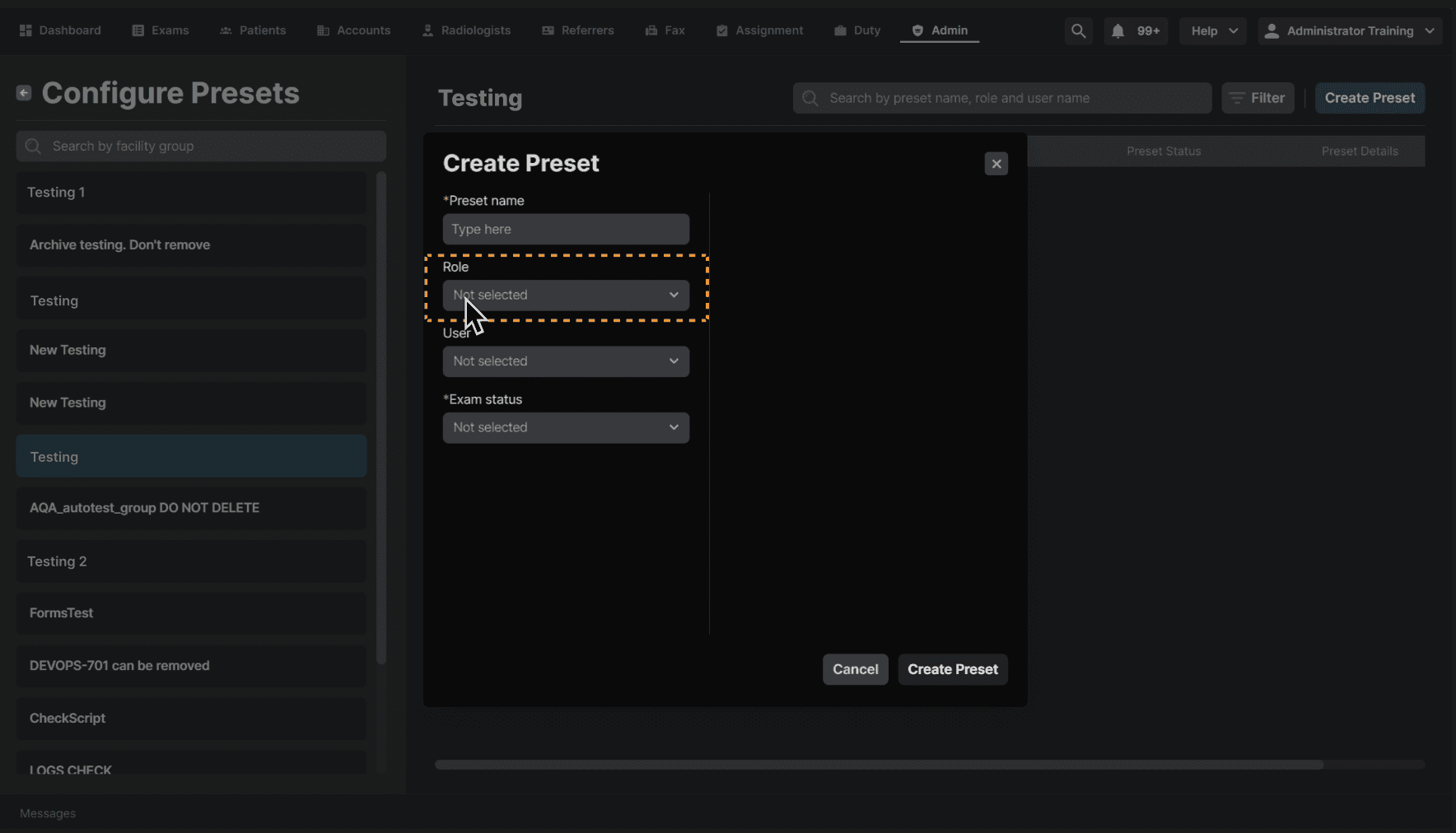
Select the user's role using the drop-down menu. | |
|---|---|
 |
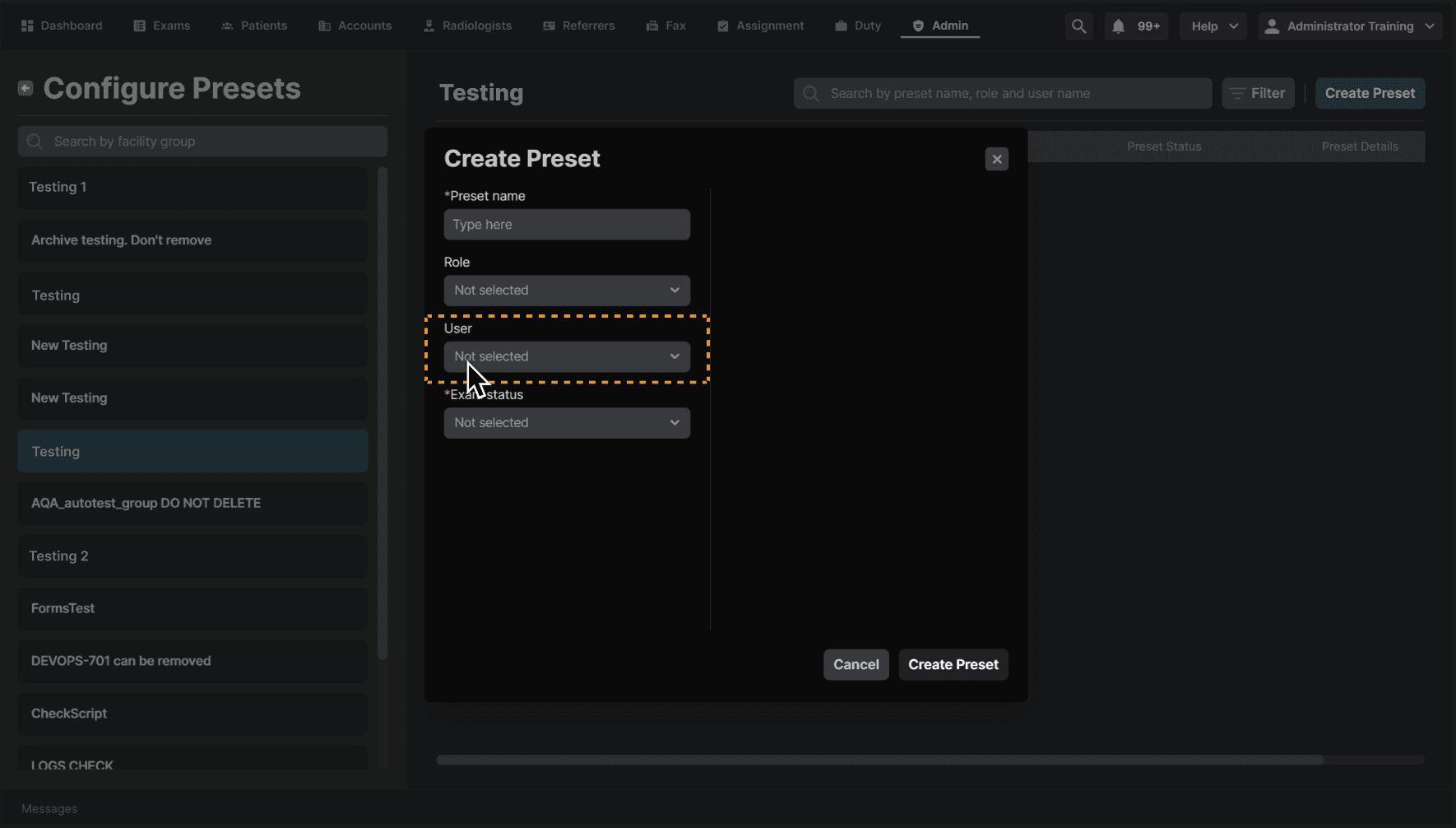
Select the user/users. | |
|---|---|
 |
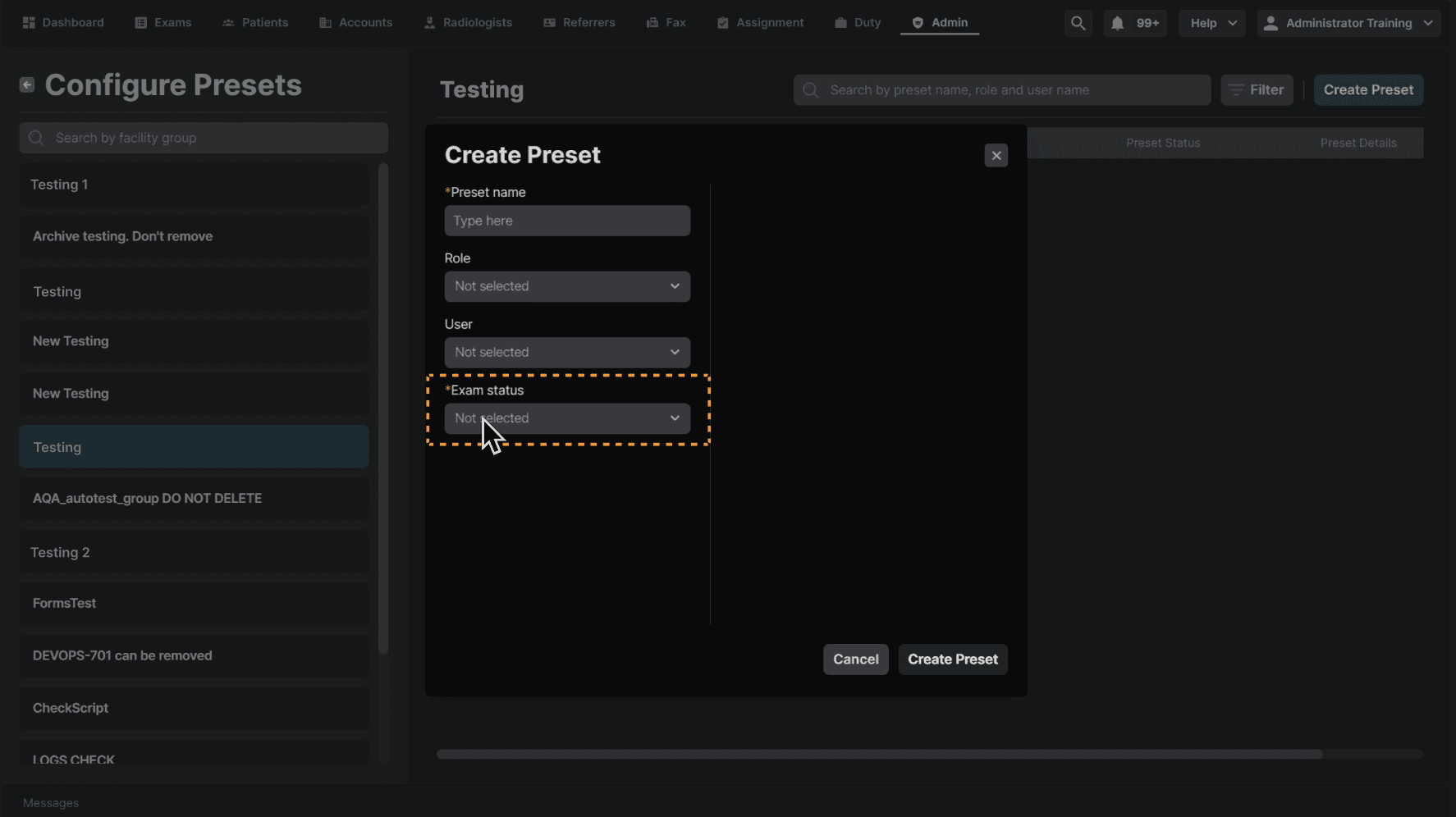
Select the tab the preset will be used in. | |
|---|---|
 |
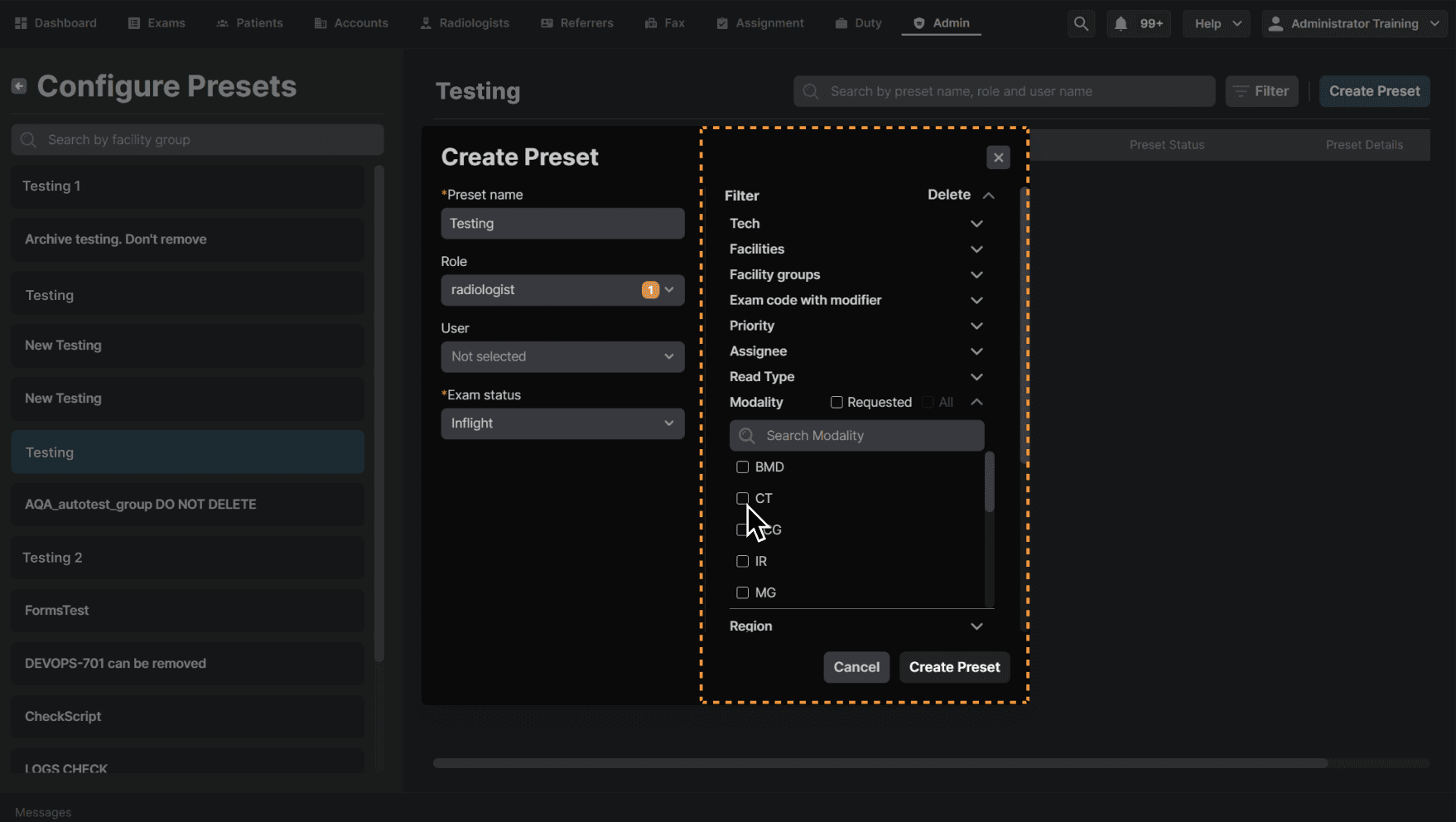
Fill out the filter as need. For example, you can select modalities. | |
|---|---|
 |
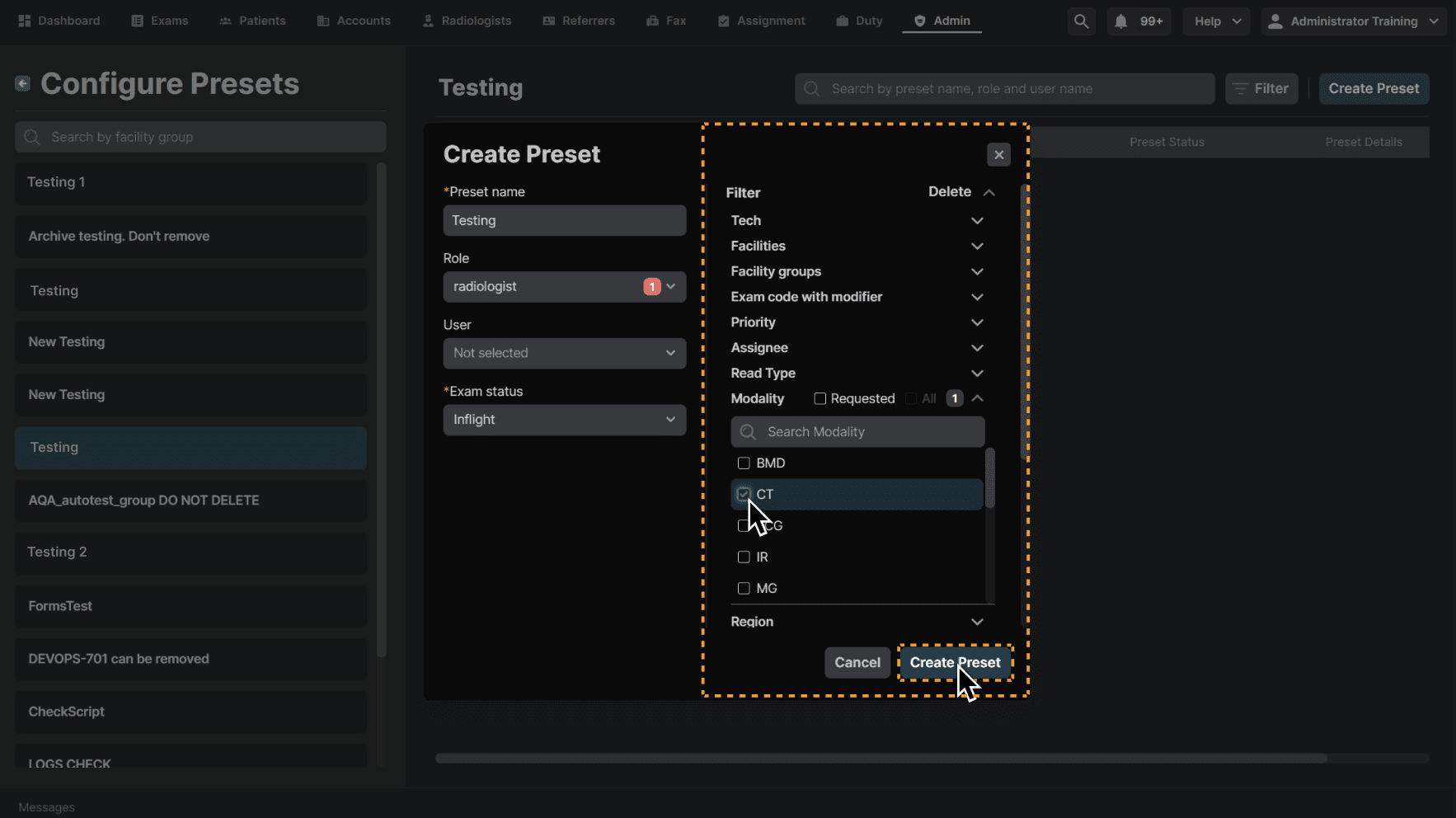
Click "Create Preset." | |
|---|---|
 |
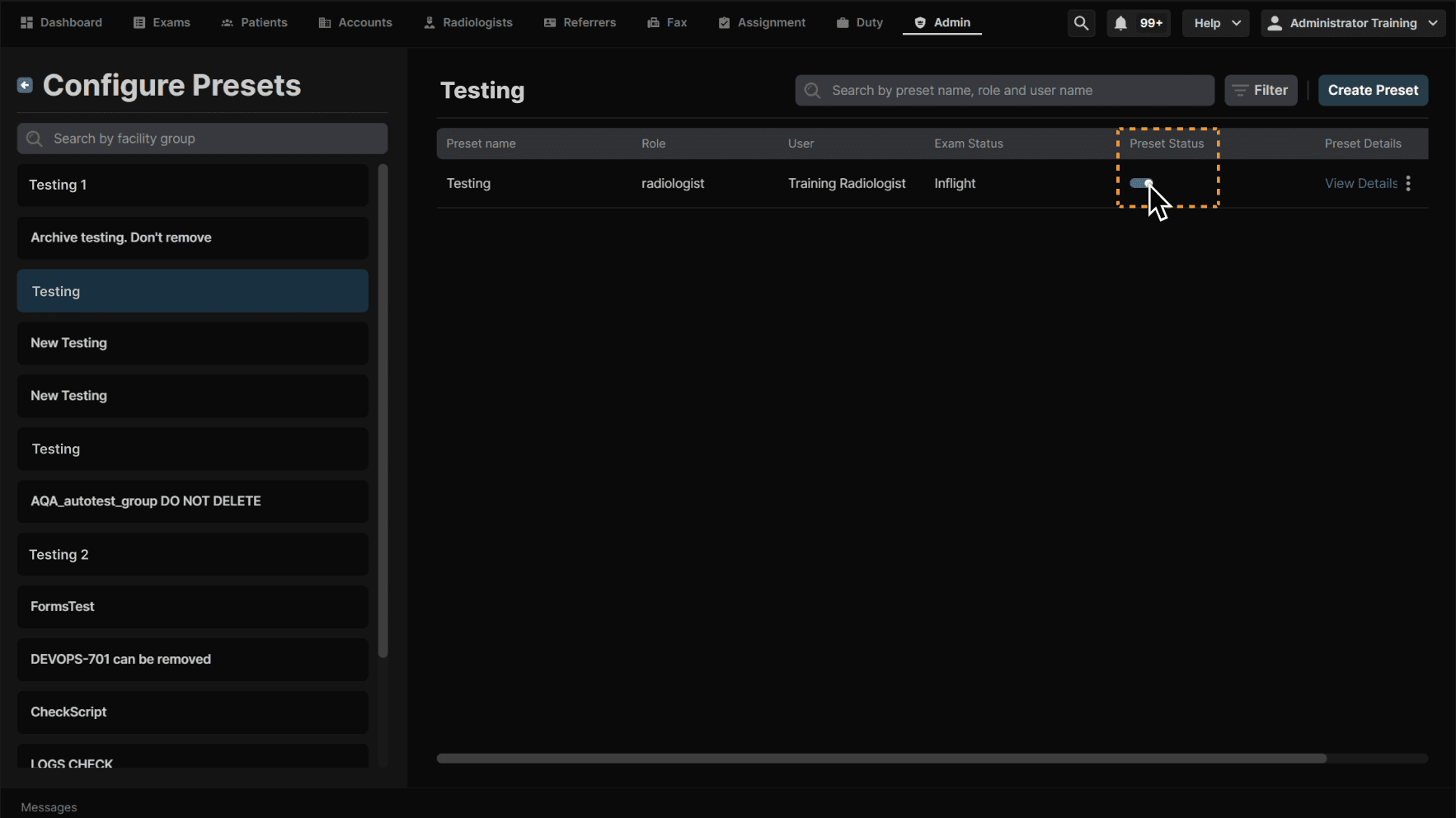
Click the toggle under Preset Status to enable/disable the preset. | |
|---|---|
 |
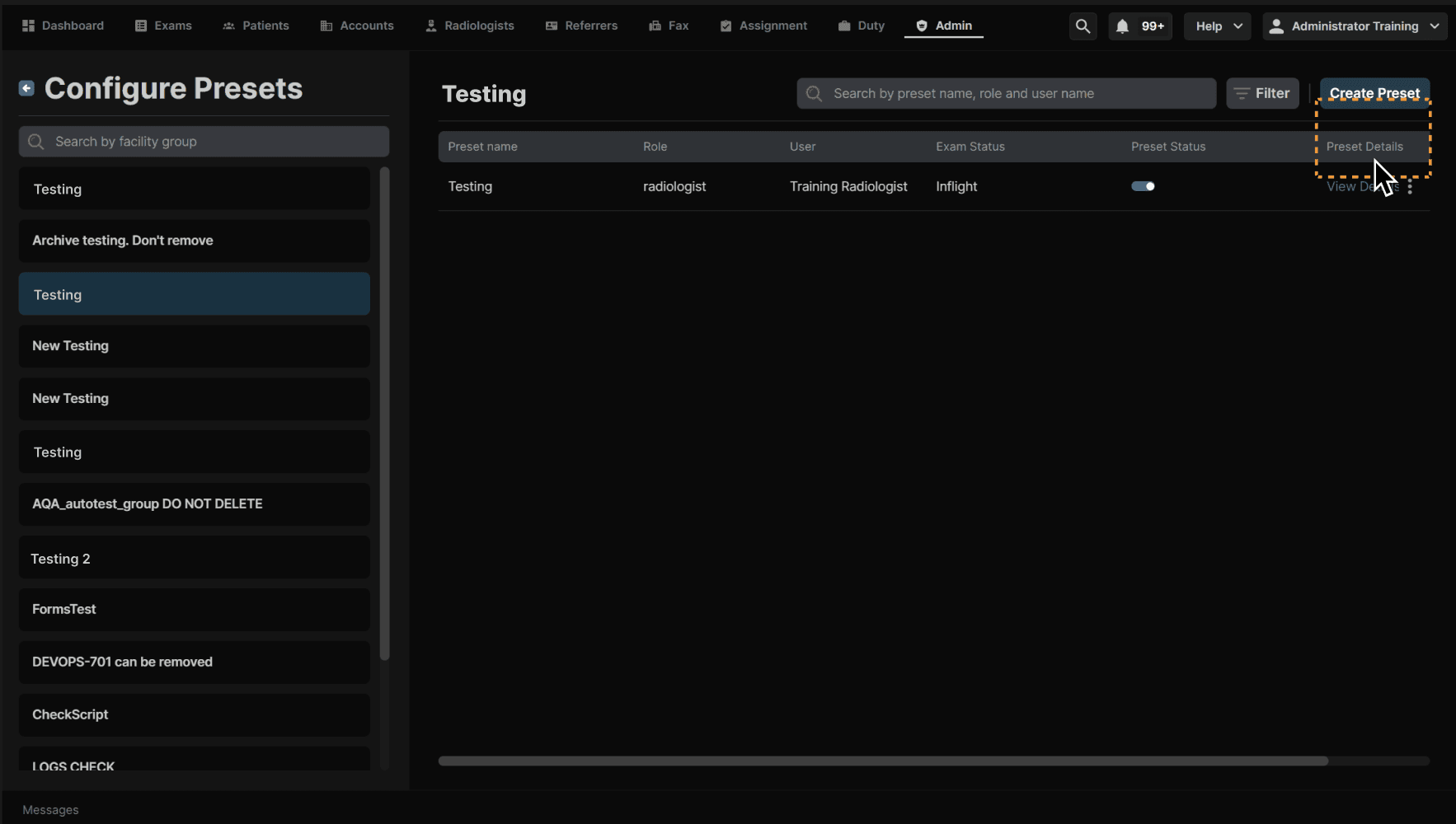
Click "View Details" to see the preset. | |
|---|---|
 |