Reporting

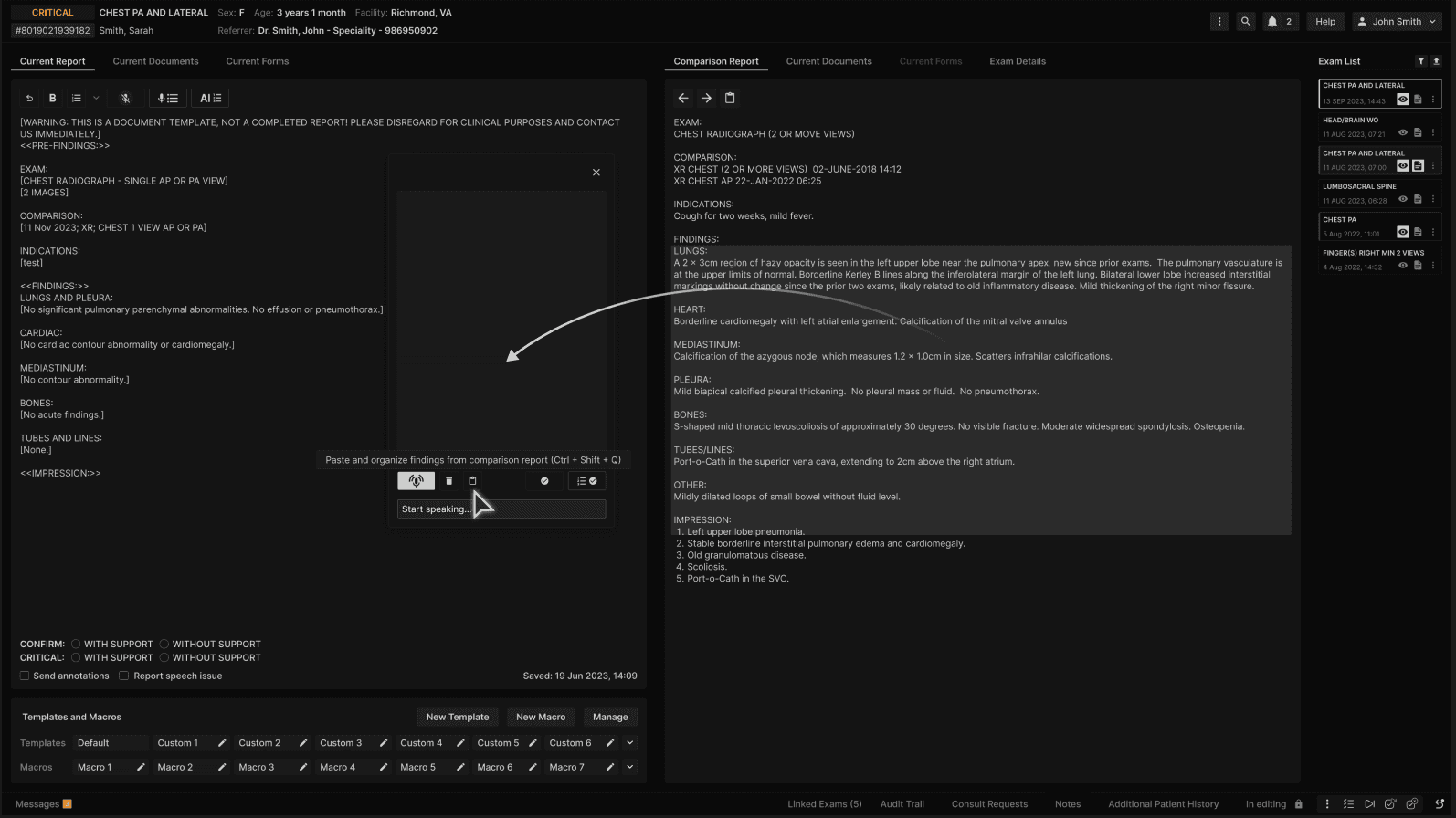
Paste prior findings: Copy and automatically organize findings from the comparison report

Oct 23, 2025


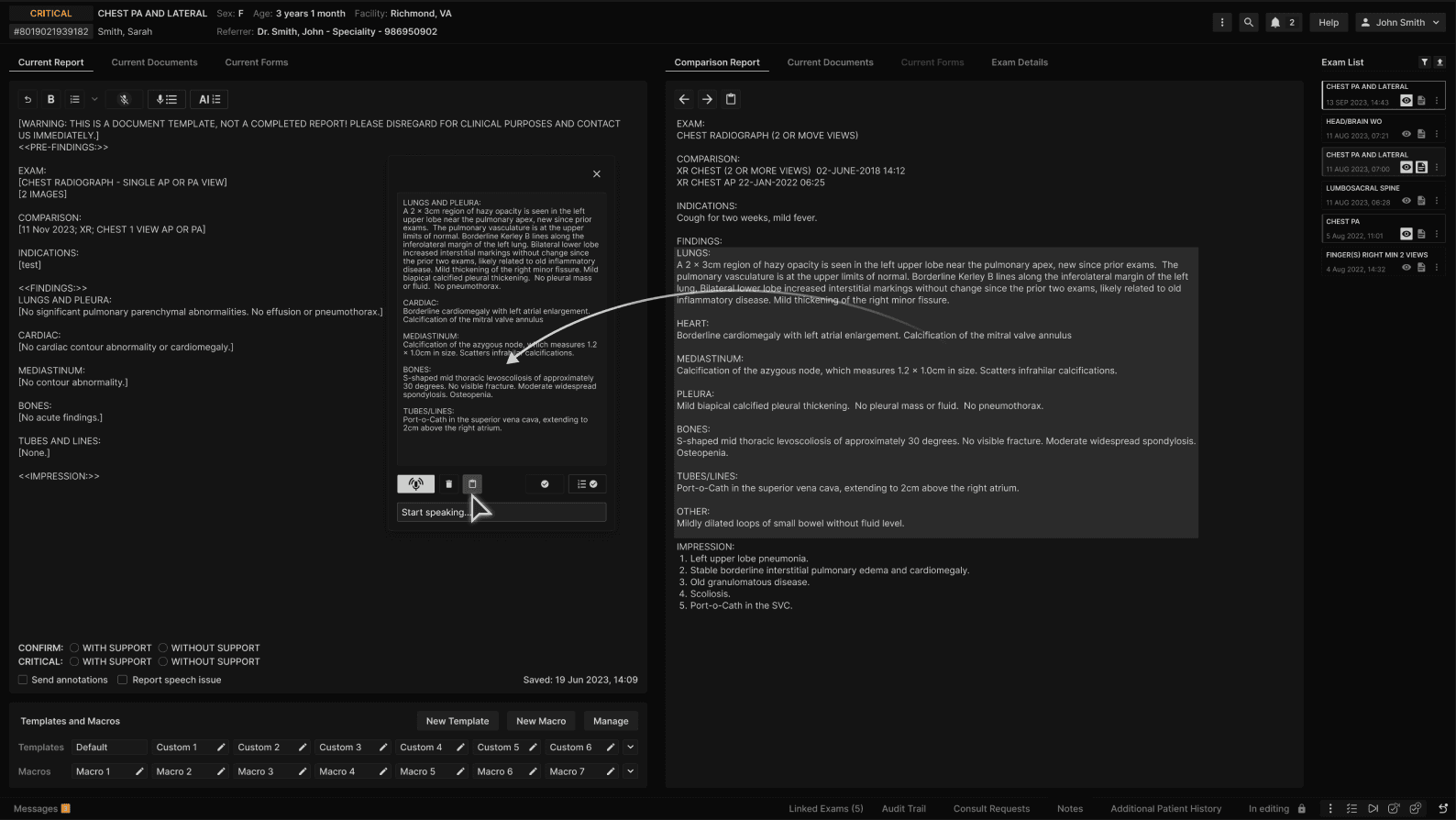
Open the speech organization window and click on the "Paste findings from comparison report" button to copy/paste and organize the findings from the comparison report (or apply the keyboard shortcut: "Ctrl + Shift + Q").


Findings are copied from the comparison report and organized in the speech organization window. If there was previous text in the speech organization window, it will be overwritten by the prior findings.


When dictating in the speech organization window, the user may wish to append text to an existing finding item or replace the text associated with a finding item.

As with all speech organization, processing occurs after the user has completed a sentence (indicated by dictating "period" or “question mark.”)​

Add to existing text in a finding item:
Dictate a sentence – the sentence will match to one of the finding items and will be appended as the last sentence of the paragraph. ​

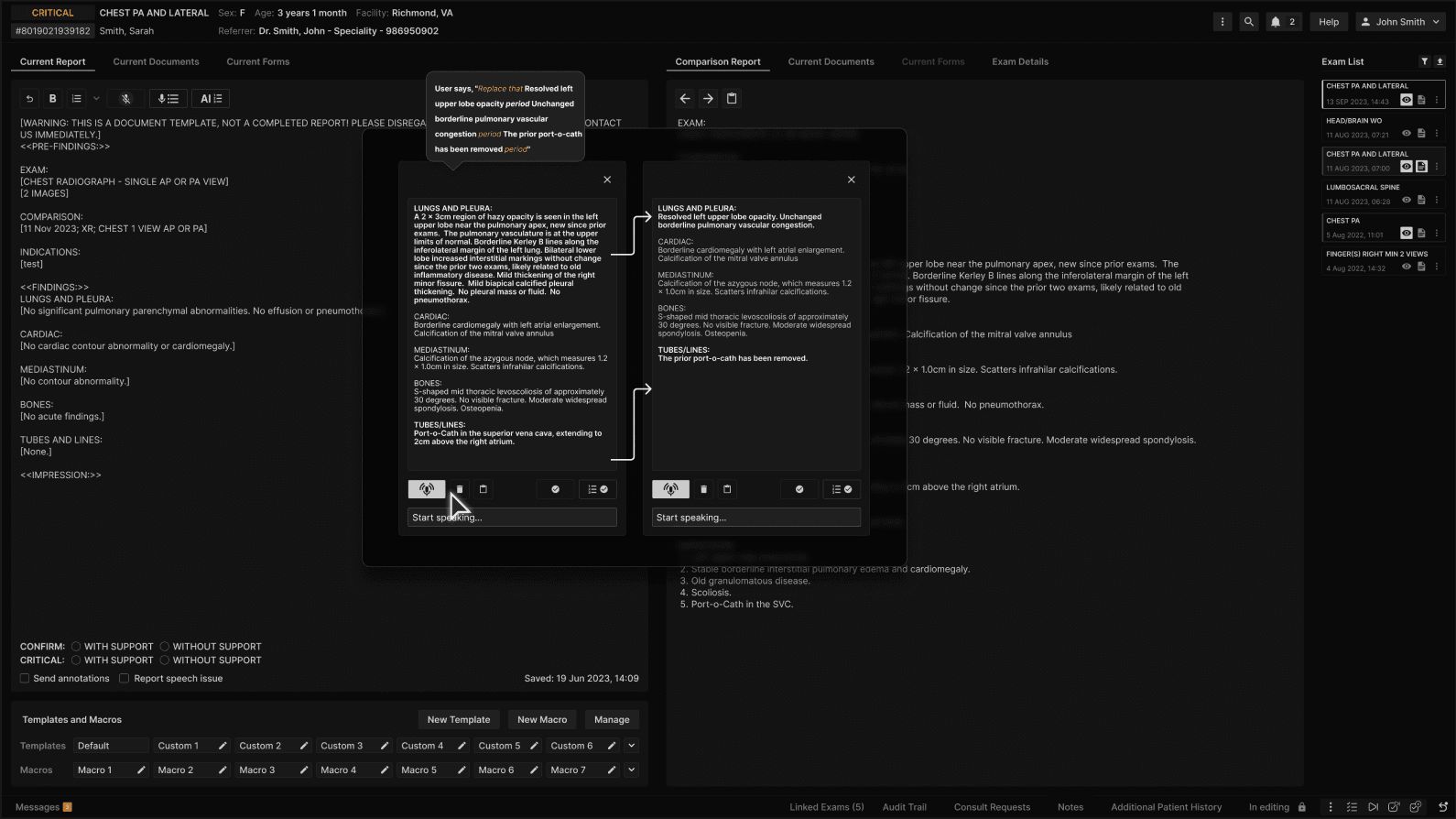
Replace existing text in a finding item:
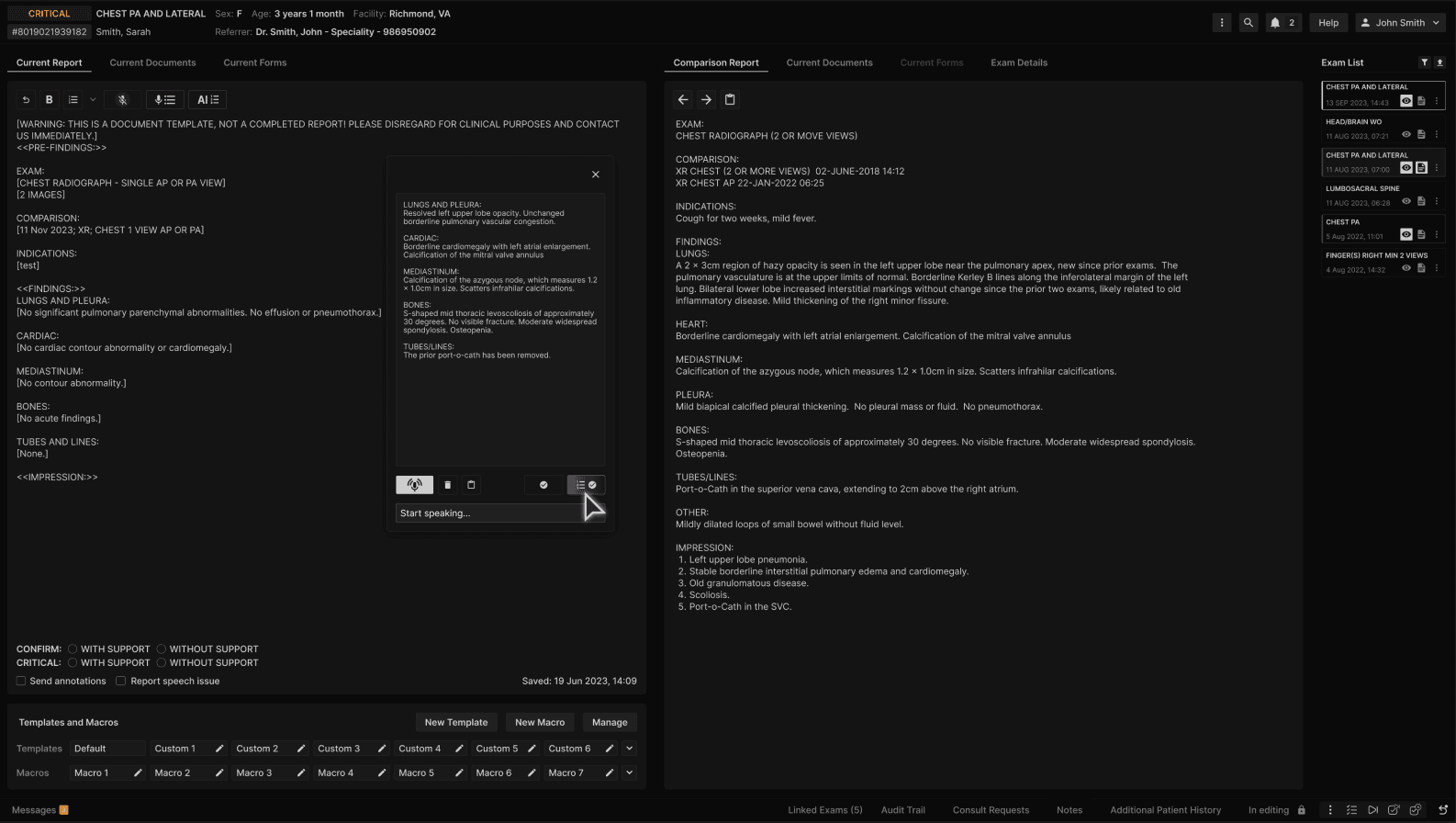
Say the command "Replace that" and then dictate the desired sentence – the sentence will match to one of the finding items and replace all previous text from that finding item in the speech organization window.​ The "Replace that" command must be stated at the beginning of each sentence if the desire is to replace all text in a finding item.


By default, when the user clicks "Submit" or "Submit and Impress" in the speech organization window, the finding item contents are submitted to the current report editor, replacing any previous content in the editor’s finding items.


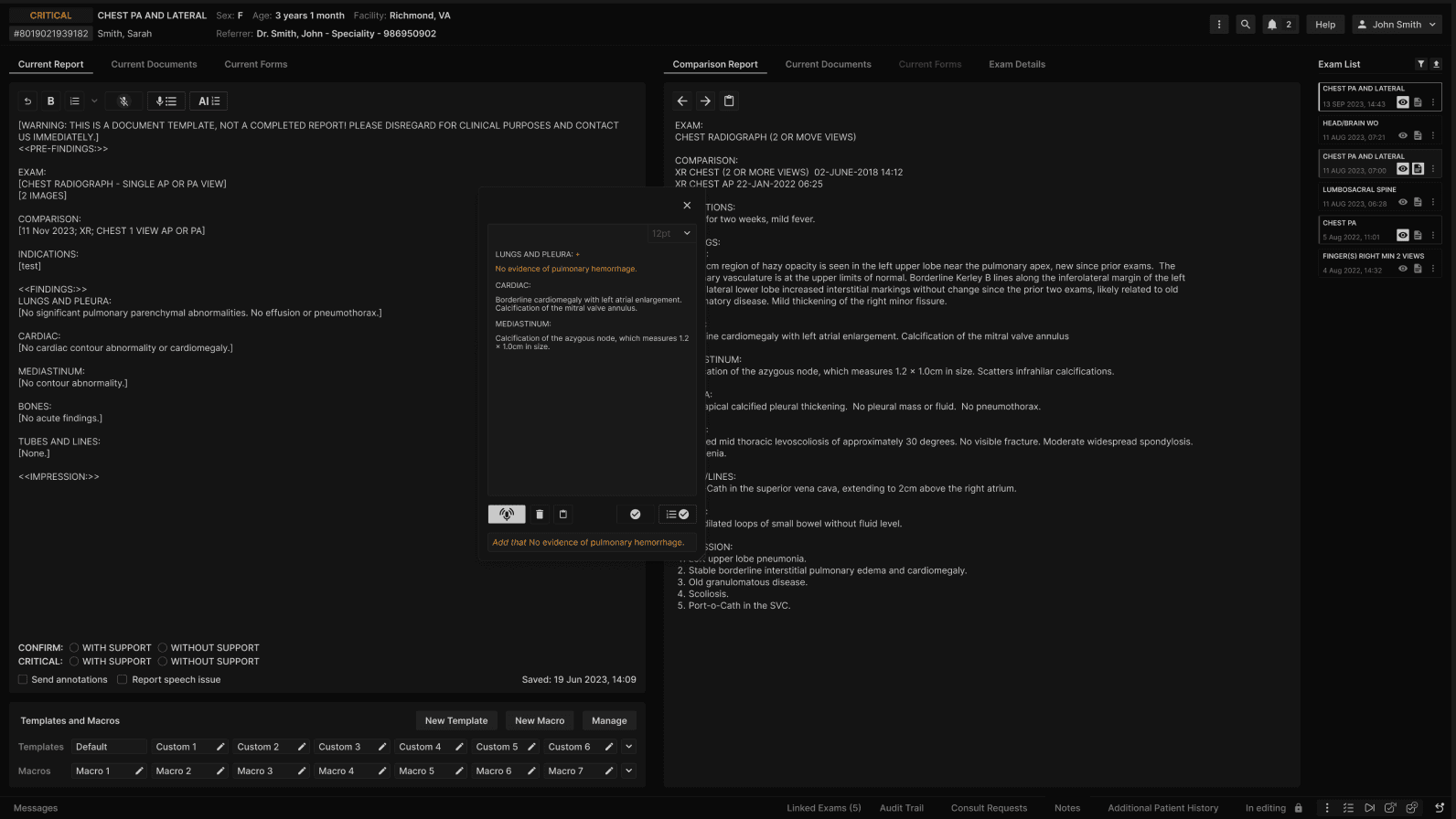
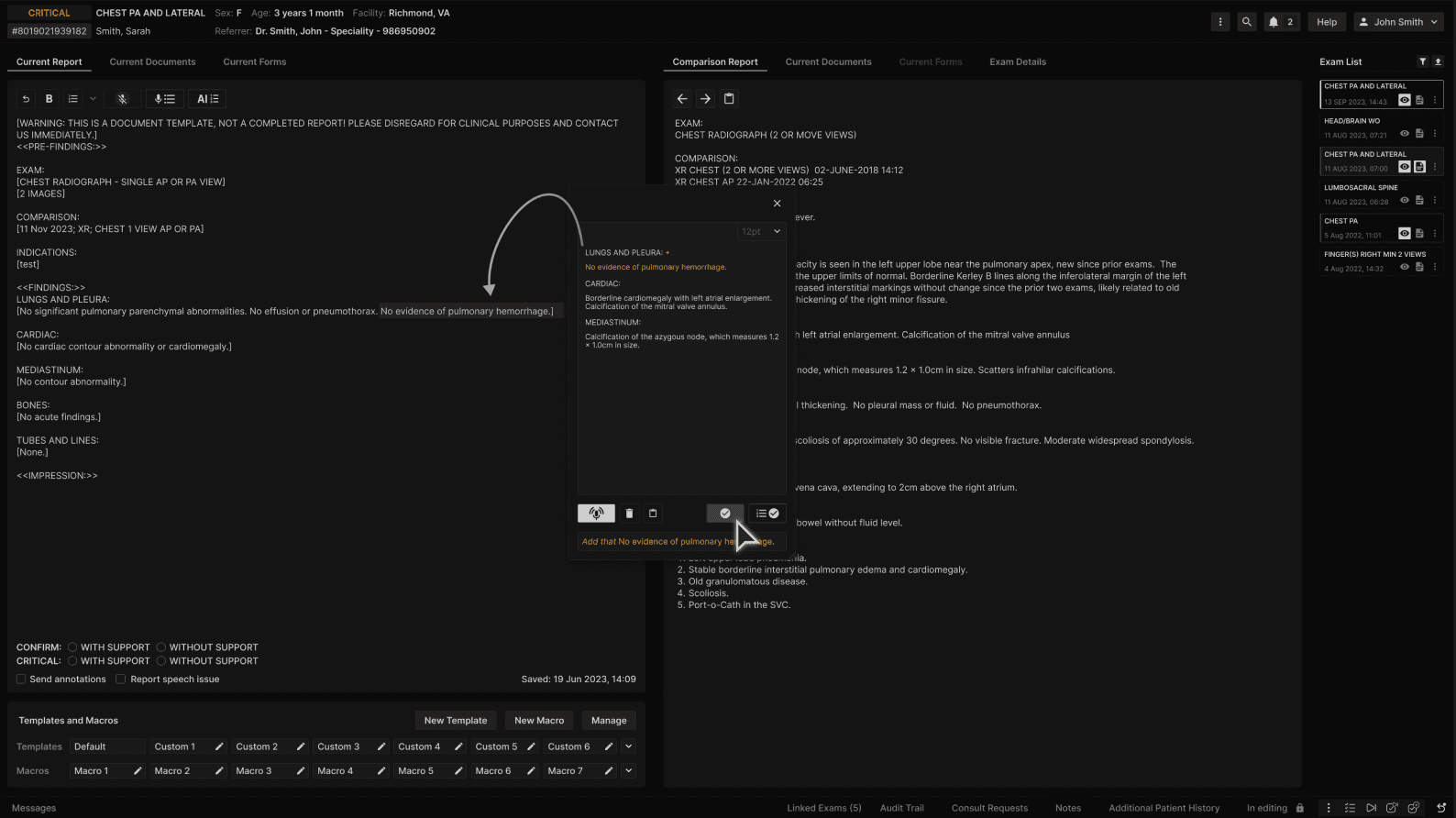
If you wish to add and not replace the content from a specific finding item to the report editor, say the command "Add that" and then dictate the desired sentence.

Due to the "Add that" command, a "+" sign is added to the right of the finding item in the speech organization window where the sentence is organized, in this case, LUNGS AND PLEURA.​


Click "Submit" or "Submit and Impress." The finding contents from LUNGS AND PLEURA in speech organization will be added to the contents of that finding item in the report editor.

Since multiple sentences can be organized under the same finding item, when the user dictates the "Add that" command for at least one of the sentences in a finding item, then that finding item will be marked with the + sign so that the user knows that all contents in that finding item will be added to the report editor instead of replacing the text.​

Additionally, if the user forgets to dictate the "Add that" command at the beginning of the sentence, they can manually add the + sign next to the desired finding item and the result will be the same.


Welcome to the Learning Center