Reporting
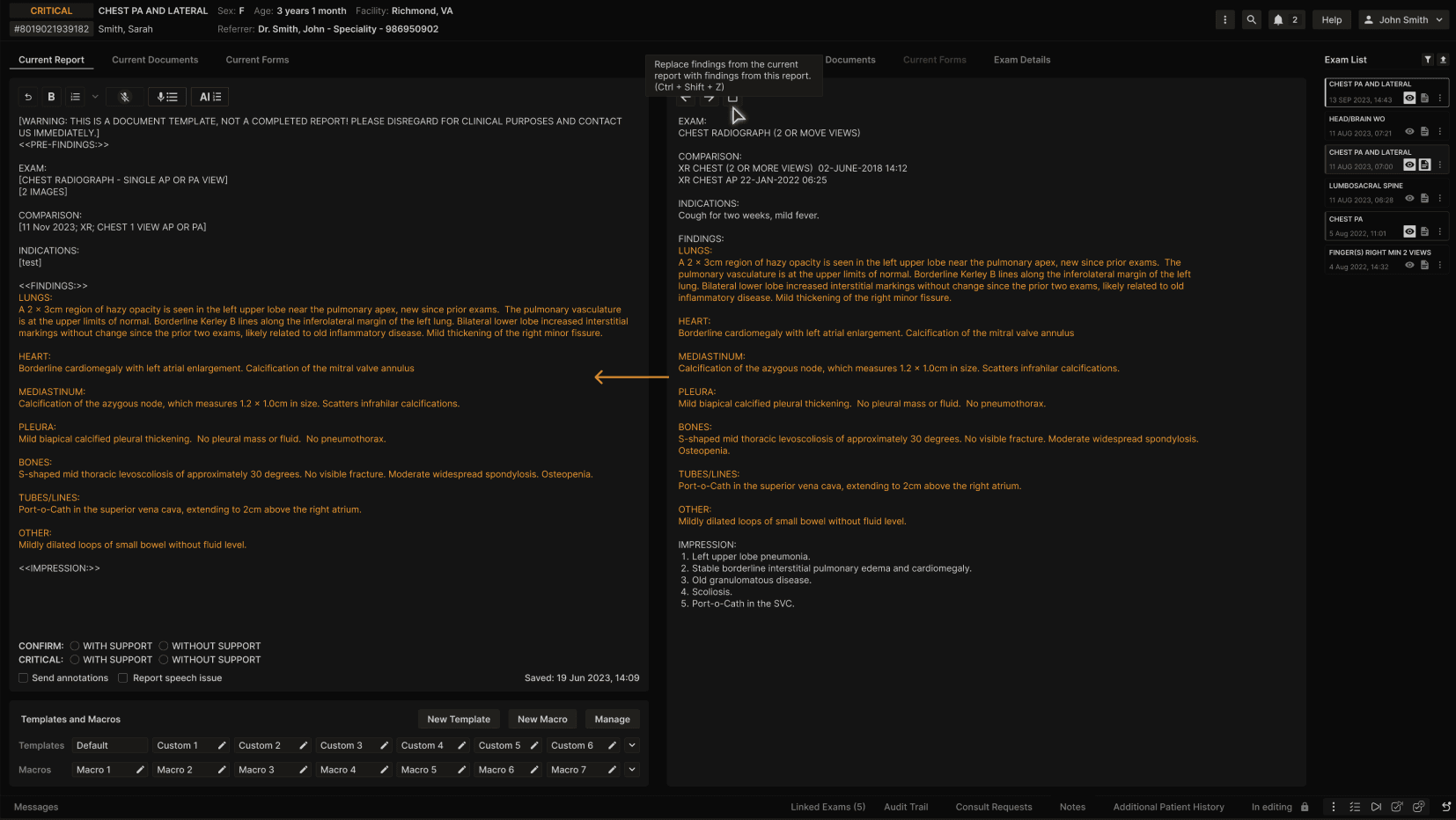
Paste prior findings: Copy findings from the comparison report directly into the current report
Select the replace findings button in the Comparison Report tab or use the keyboard shortcut "Ctrl + Shift + Z". Findings will be copied from the currently displayed comparison report and pasted into the report editor. The system will copy all text between "FINDINGS:" and "IMPRESSION:" from the comparison report and paste it into the "<<FINDINGS:>>" section of the current report. If there was previous text in the "<<FINDINGS:>>" section of the current report, it will be overwritten by the comparison findings. Alternatively, the user may select specific text from the findings section of the comparison report, in which case only the selected text will be copied when the button is clicked. | |
|---|---|
 |