Reporting
Peer review: Creating a peer review when viewing completed reports
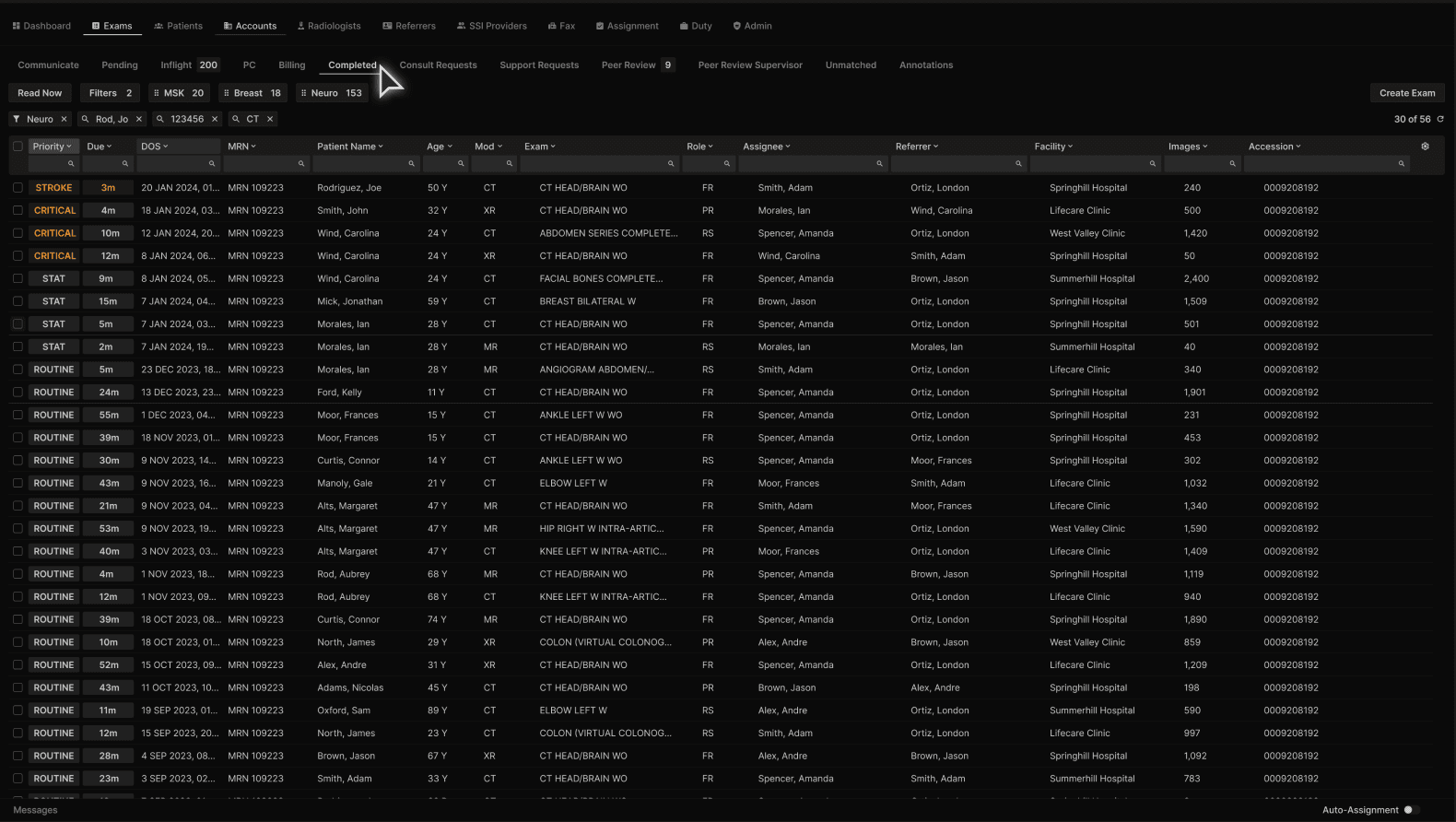
From the completed tab on the Exams List screen... | |
|---|---|
 |
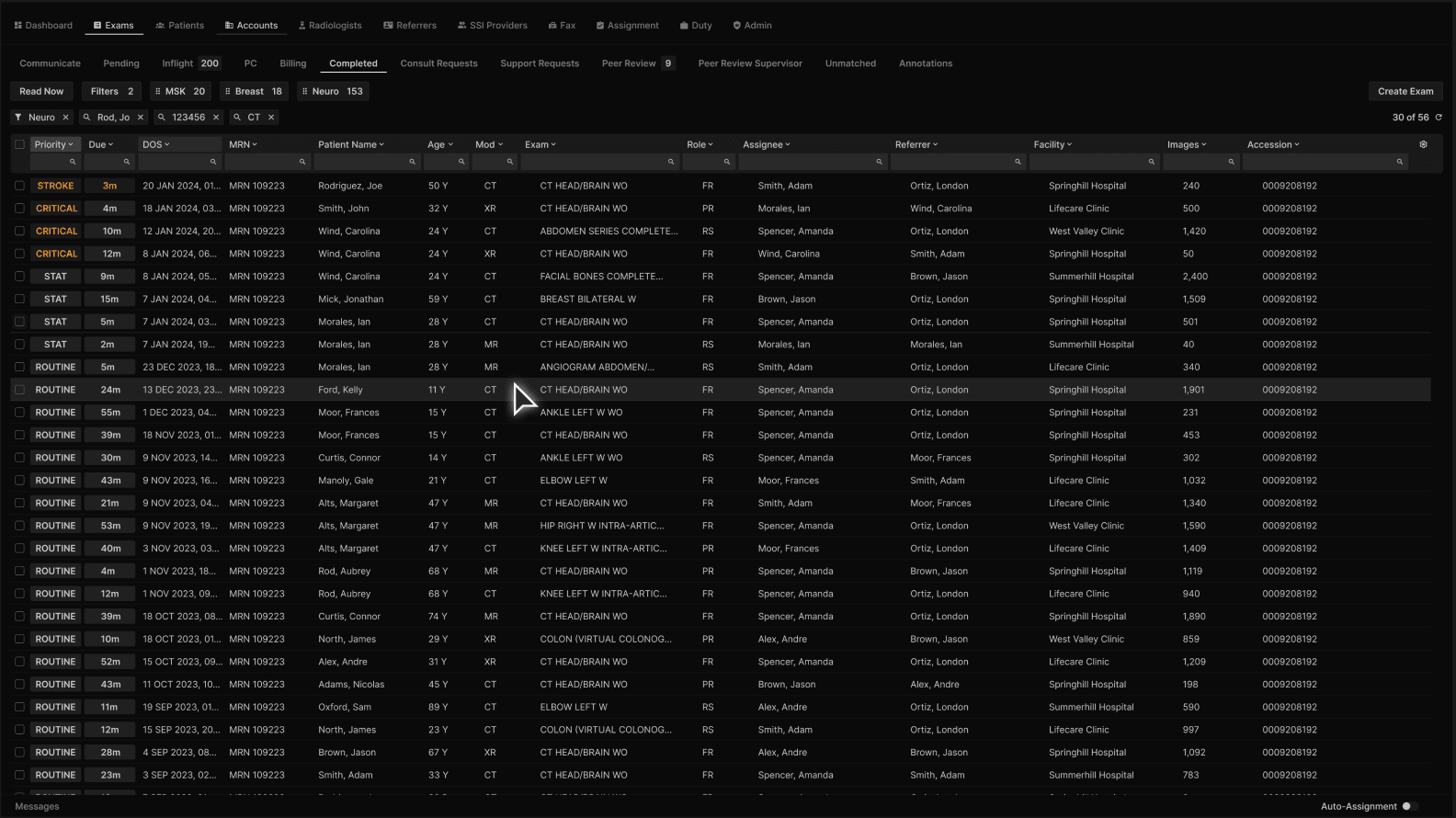
Click to open the exam. | |
|---|---|
 |
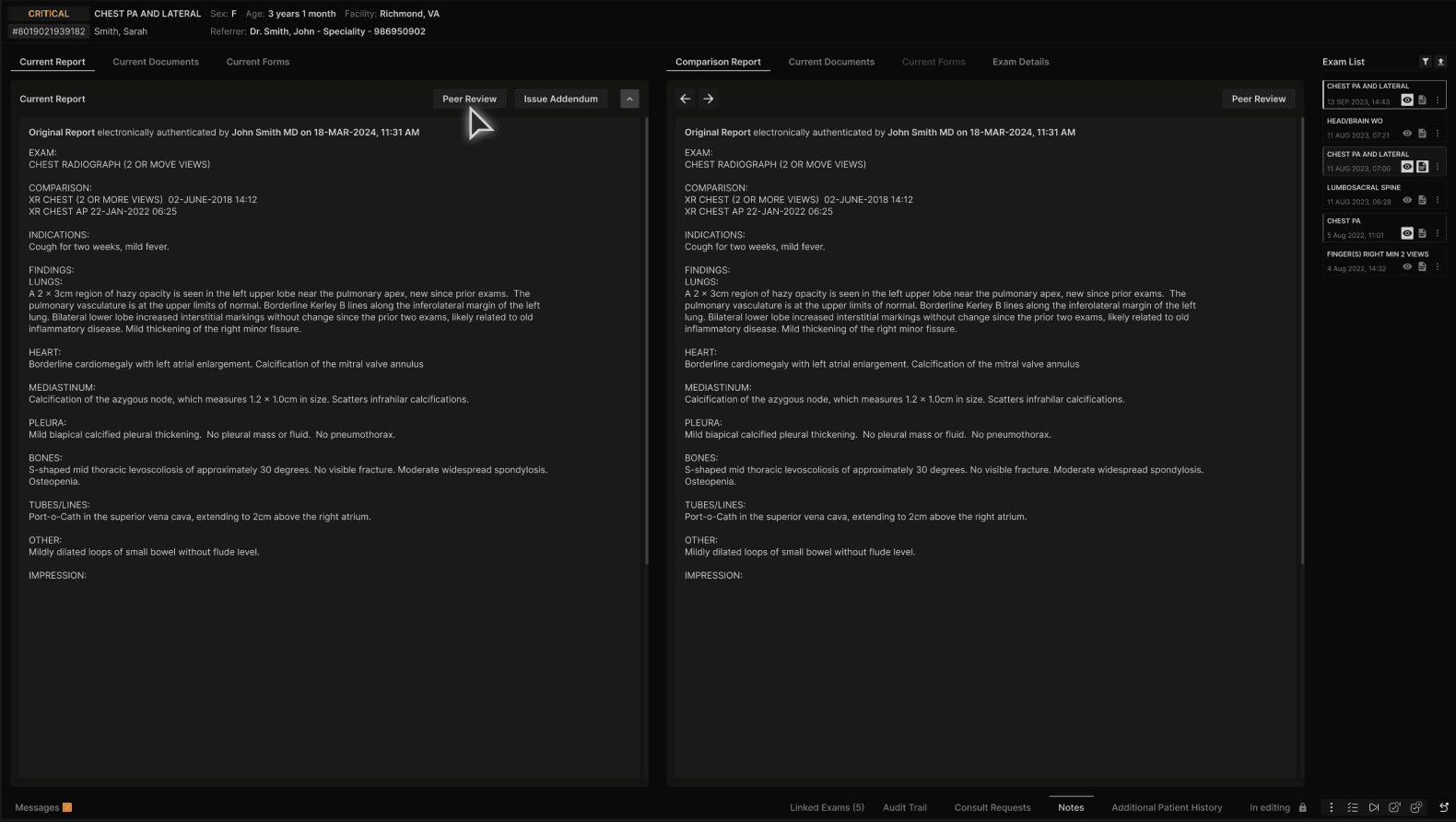
In the “Current Report” tab in the left panel in the reporting screen, click on the “Peer Review” button. | |
|---|---|
 |
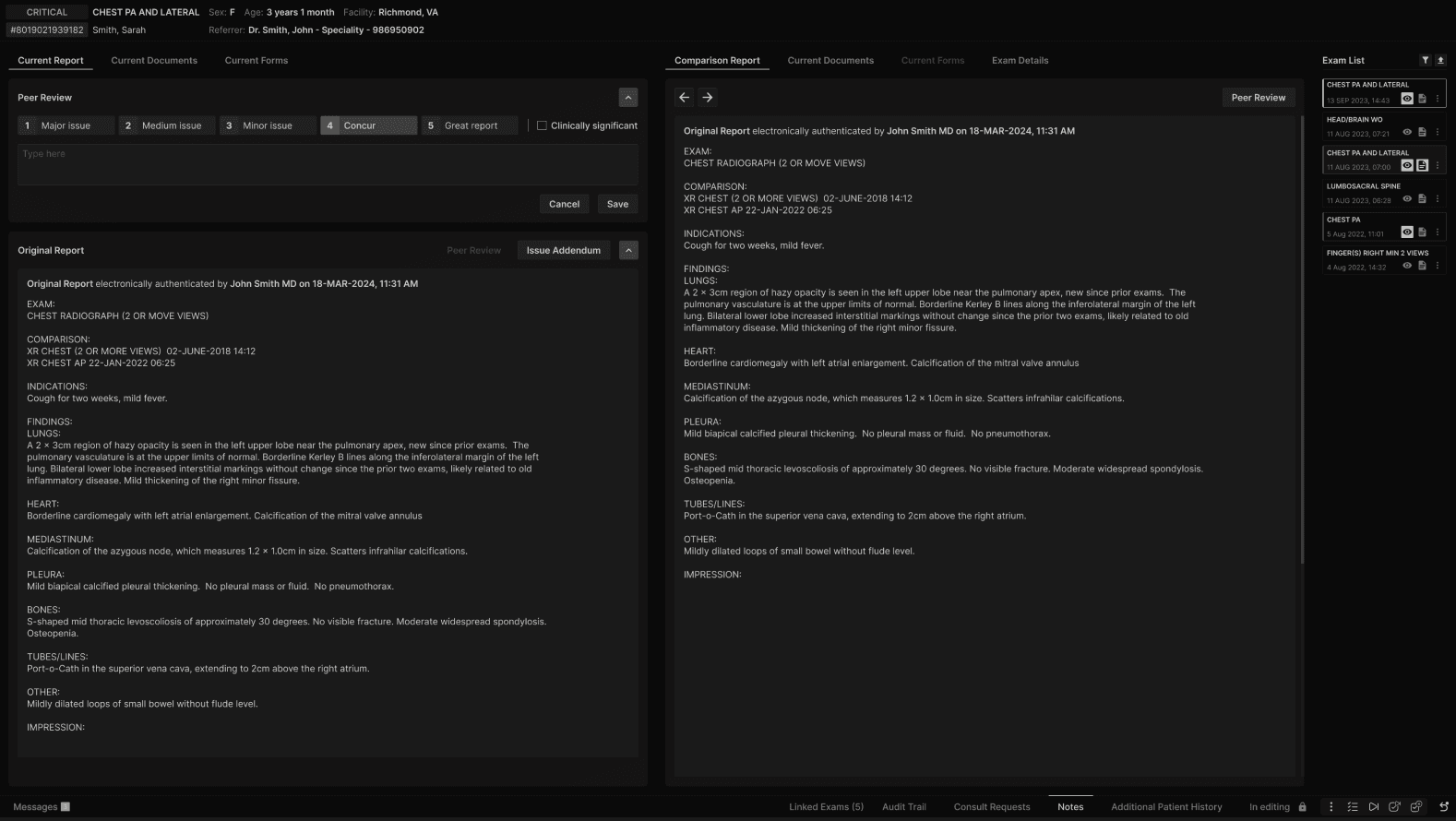
After clicking Peer Review, the Peer Review dialog opens. The default option is Concur. | |
|---|---|
 |