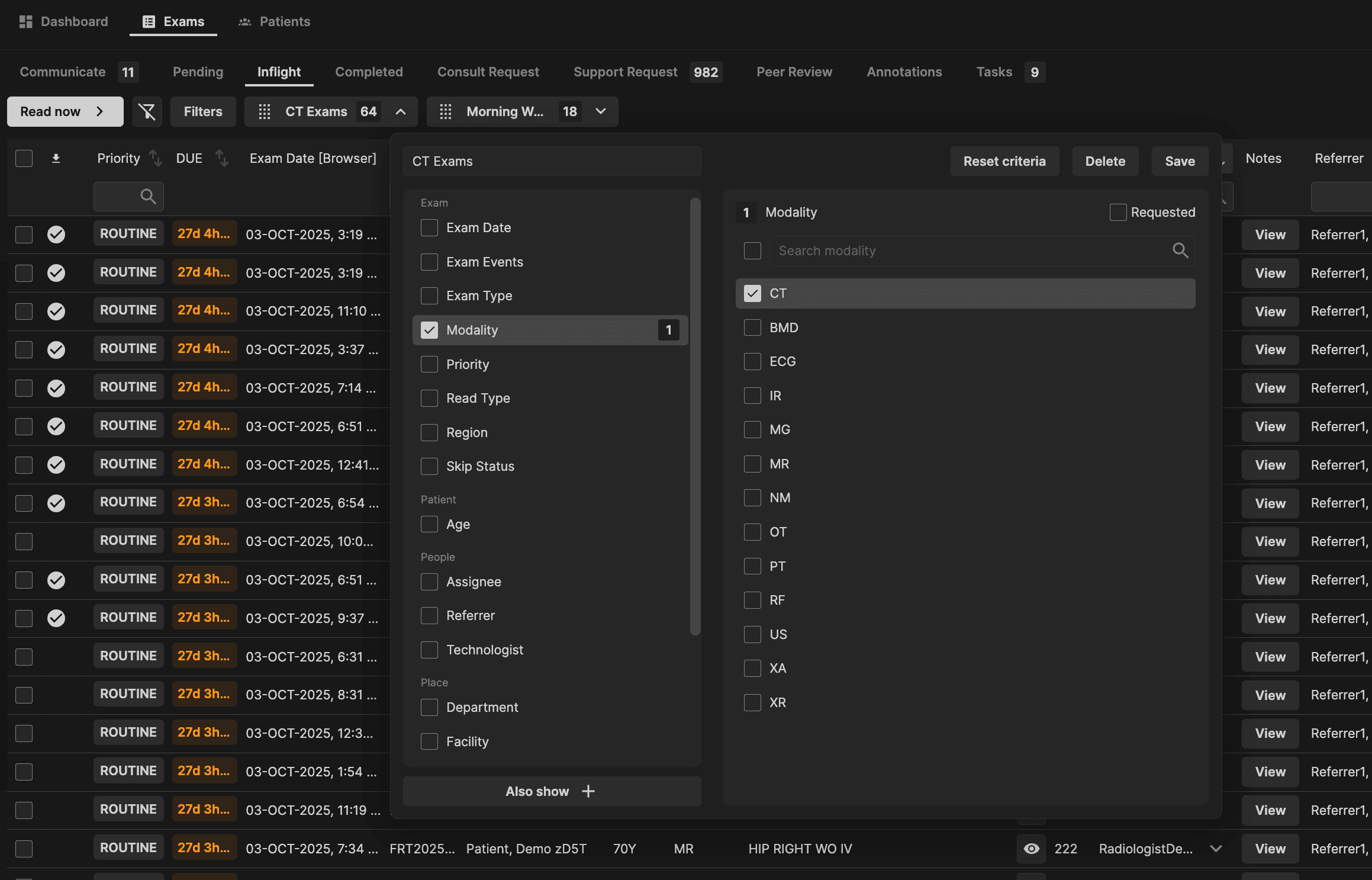
Edit a preset by clicking the drop down icon within the preset (in this example preset named: CT Exams). After editing, click "Save" to update the preset. | |
|---|---|
 |
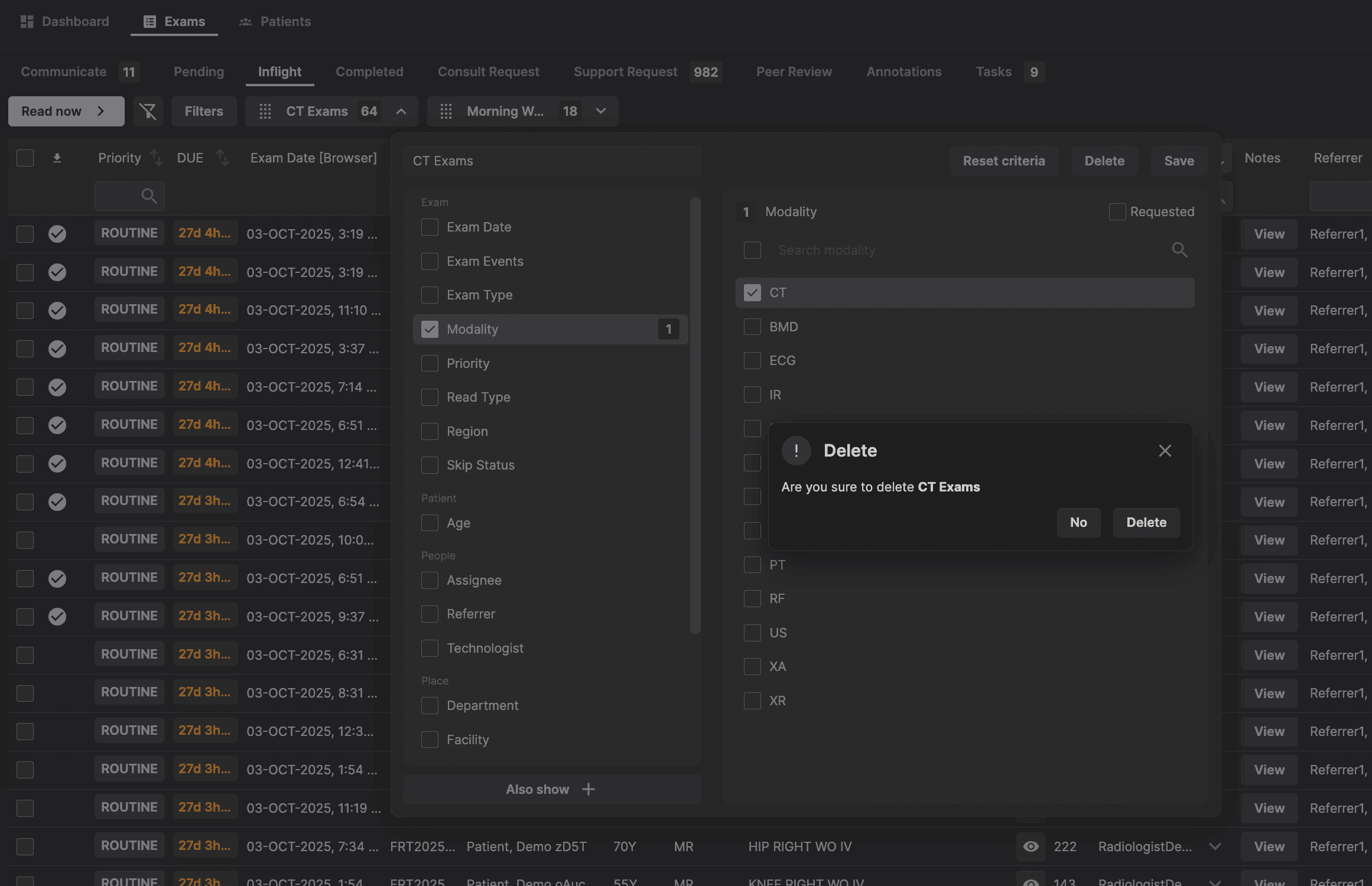
Delete the preset filter by clicking on "Delete". | |
|---|---|
 |
Edit a preset by clicking the drop down icon within the preset (in this example preset named: CT Exams). After editing, click "Save" to update the preset. | |
|---|---|
|
Delete the preset filter by clicking on "Delete". | |
|---|---|
|