User Guide
Report Impression 1.0
Gap | Reading physicians can face inconsistency and variability in impression statements due to time constraints, fatigue, or differences in dictation style. |
|---|---|
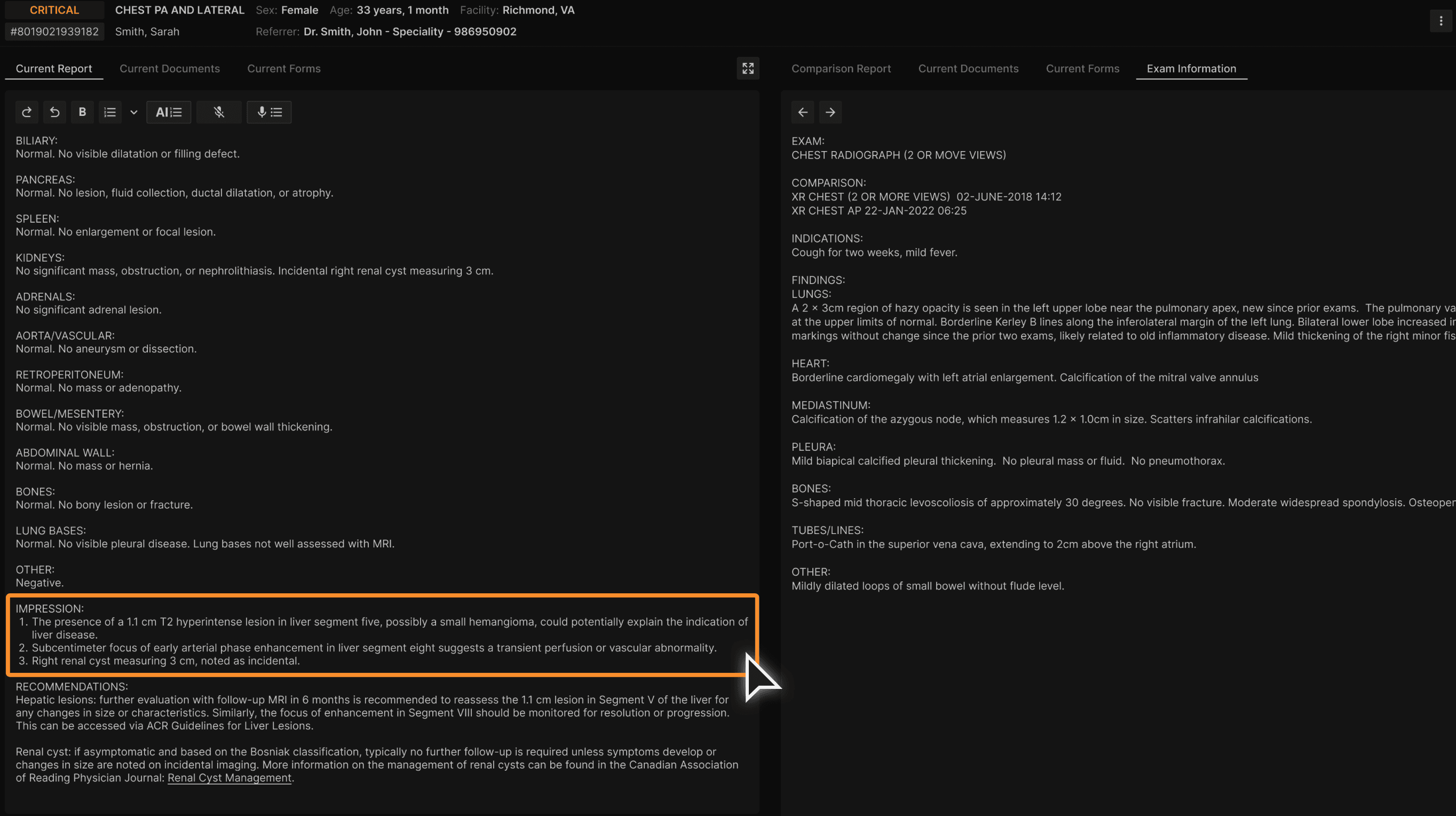
Solution | The Impression Agent converts report findings into consistent, concise, and clinically accurate list of impression statements. |
User Flow:
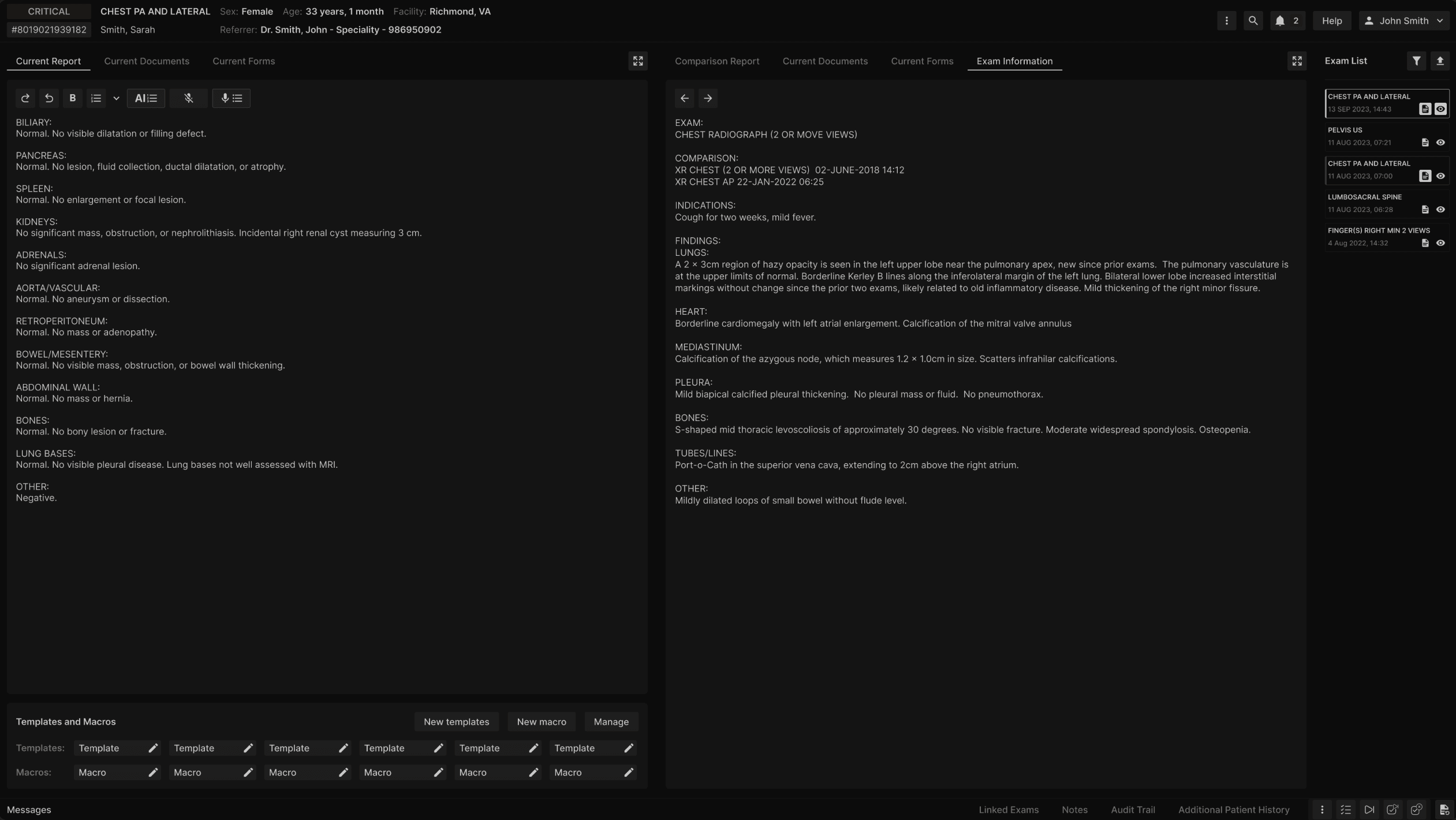
Login and access the radiology report. | |
|---|---|
 |
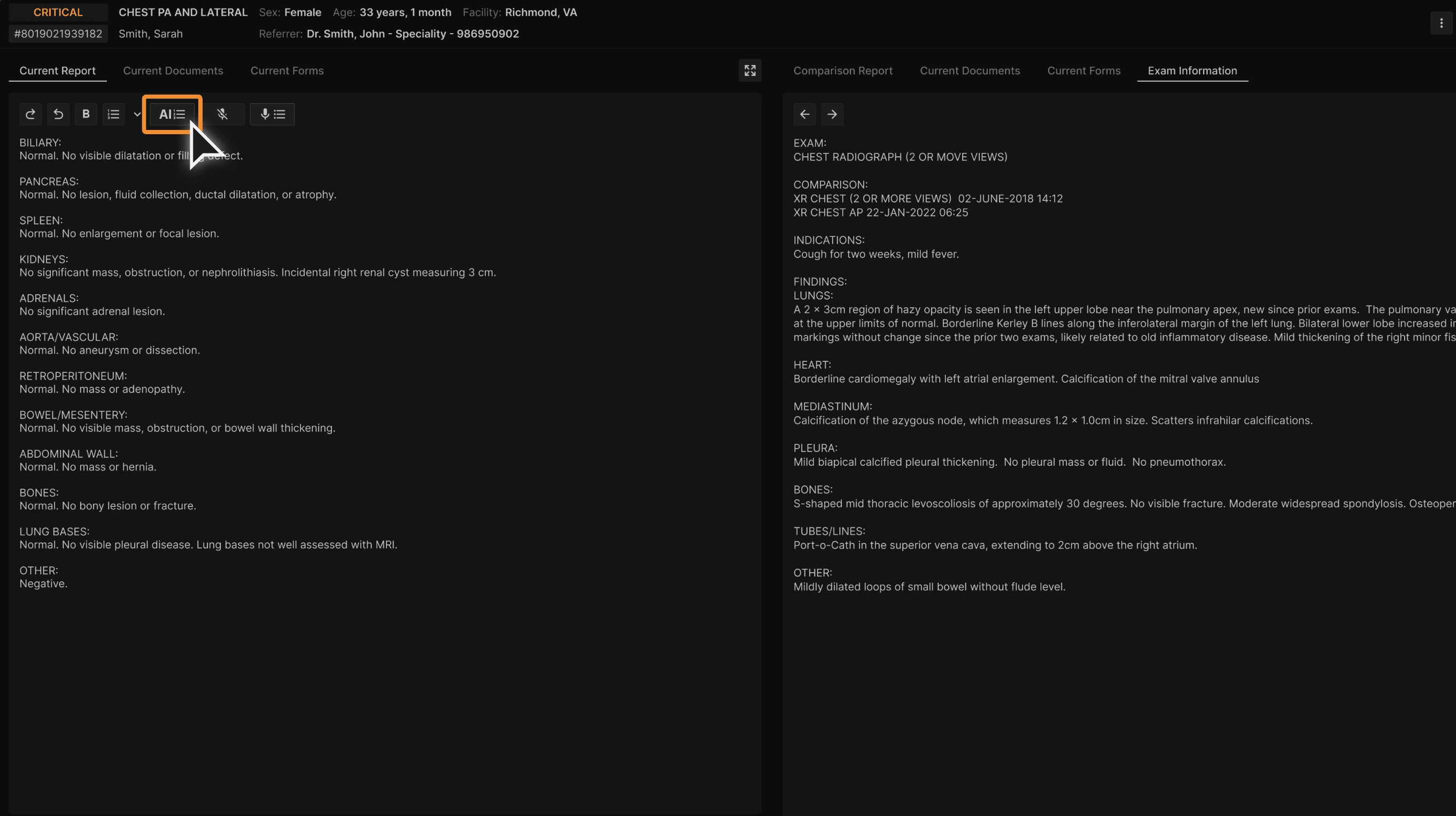
Select the "Impress" button. | |
|---|---|
 |
Consistent and clear list of impressions are generated in the IMPRESSION section. | |
|---|---|
 |
Report Recommendation 1.0
Gap | Gathering all the recommendations in the report can be time-consuming for the reading physicians. |
|---|---|
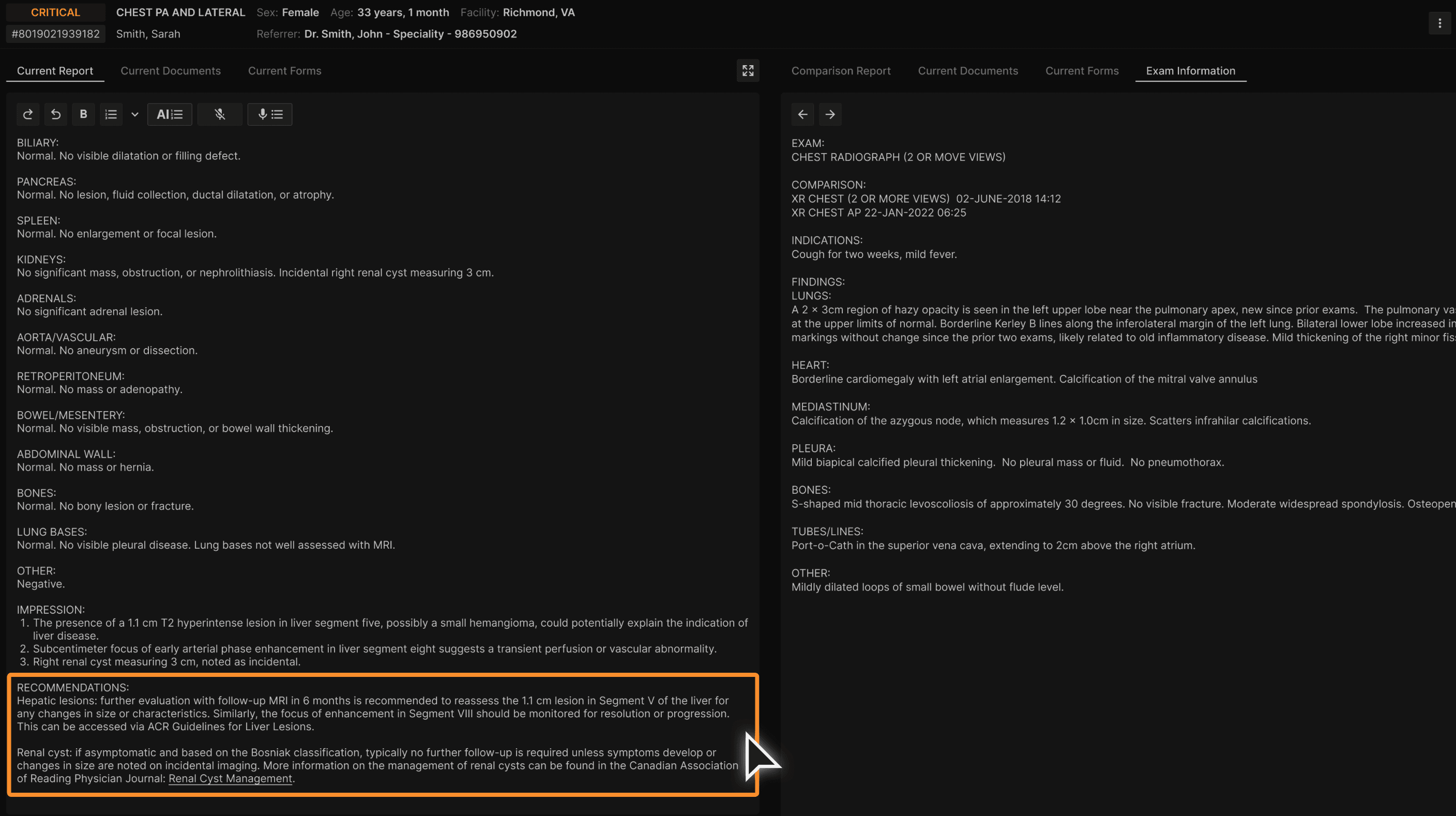
Solution | The Recommendation Agent extracts any mention of recommendations from the report and generates a list of concise recommendations that is organized under a new section in the report. |
User Flow:
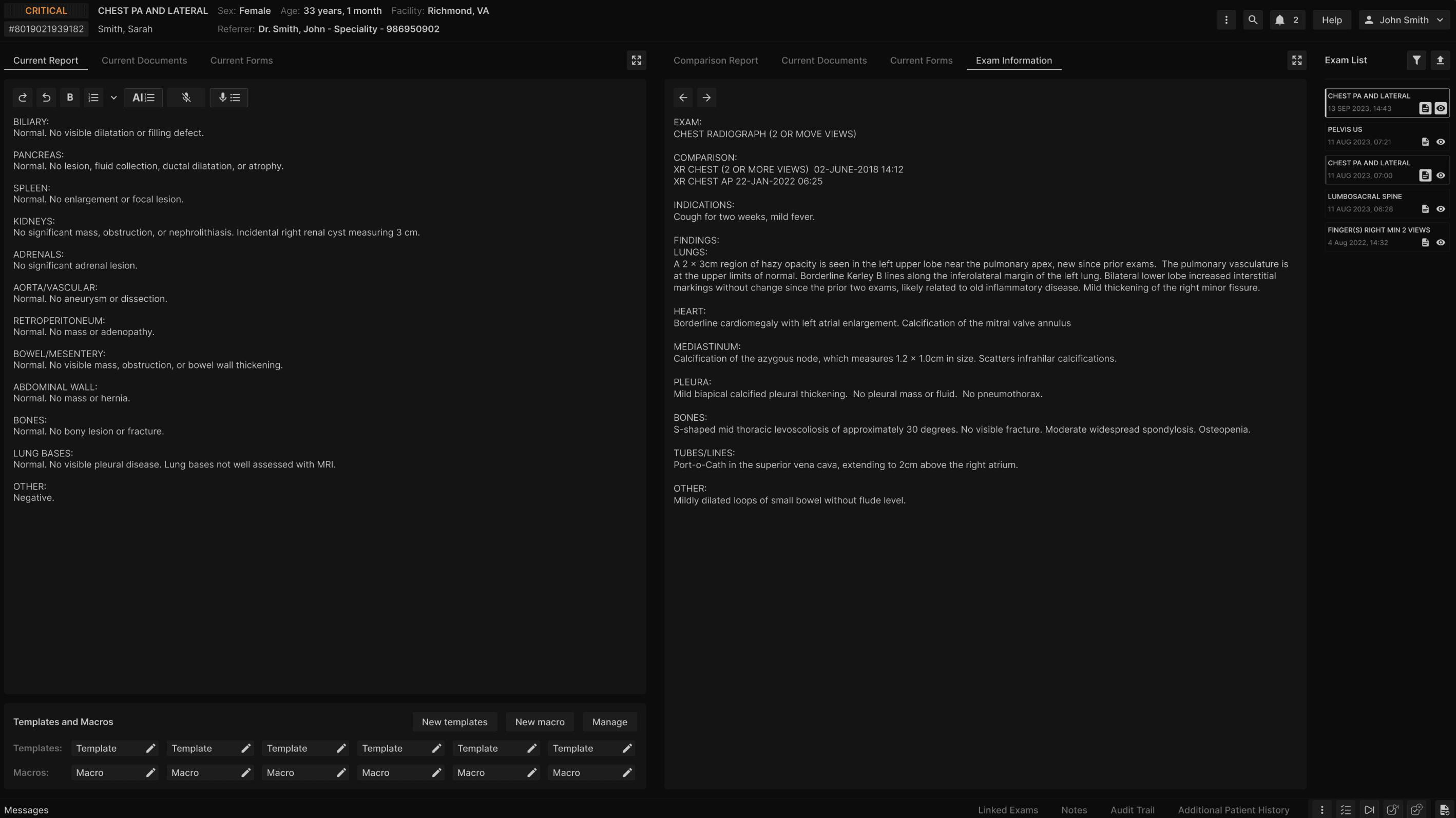
Login and access the radiology report that contains recommendations. | |
|---|---|
 |
Select the "Impress" button. | |
|---|---|
|
Consistent and clear list recommendations is generated in the RECOMMENDATIONS section. | |
|---|---|
 |