Reporting
Tags and tasks: Access tags and tasks from the exam list or reporting screen
Reporting diagnostic and screening breast imaging exams, including mammography, ultrasound, and MRI.
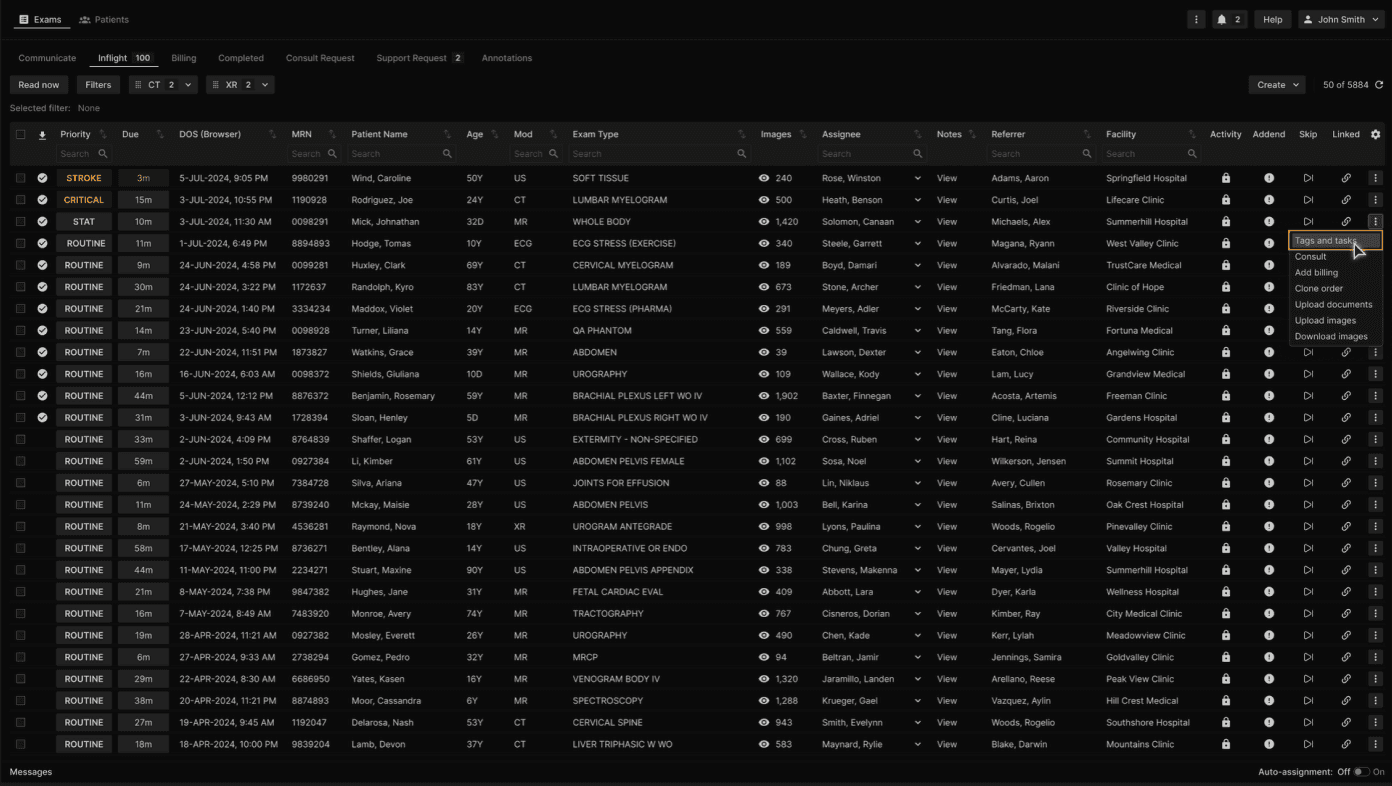
To view Tags or Tasks related to an exam in the Exams list, click on the three-dotted menu button at the right of a row or right click on the row. Available in the following tabs: Communicate, Pending, Inflight, Completed, Consult Request, Support Request, and Unmatched. | |
|---|---|
 |
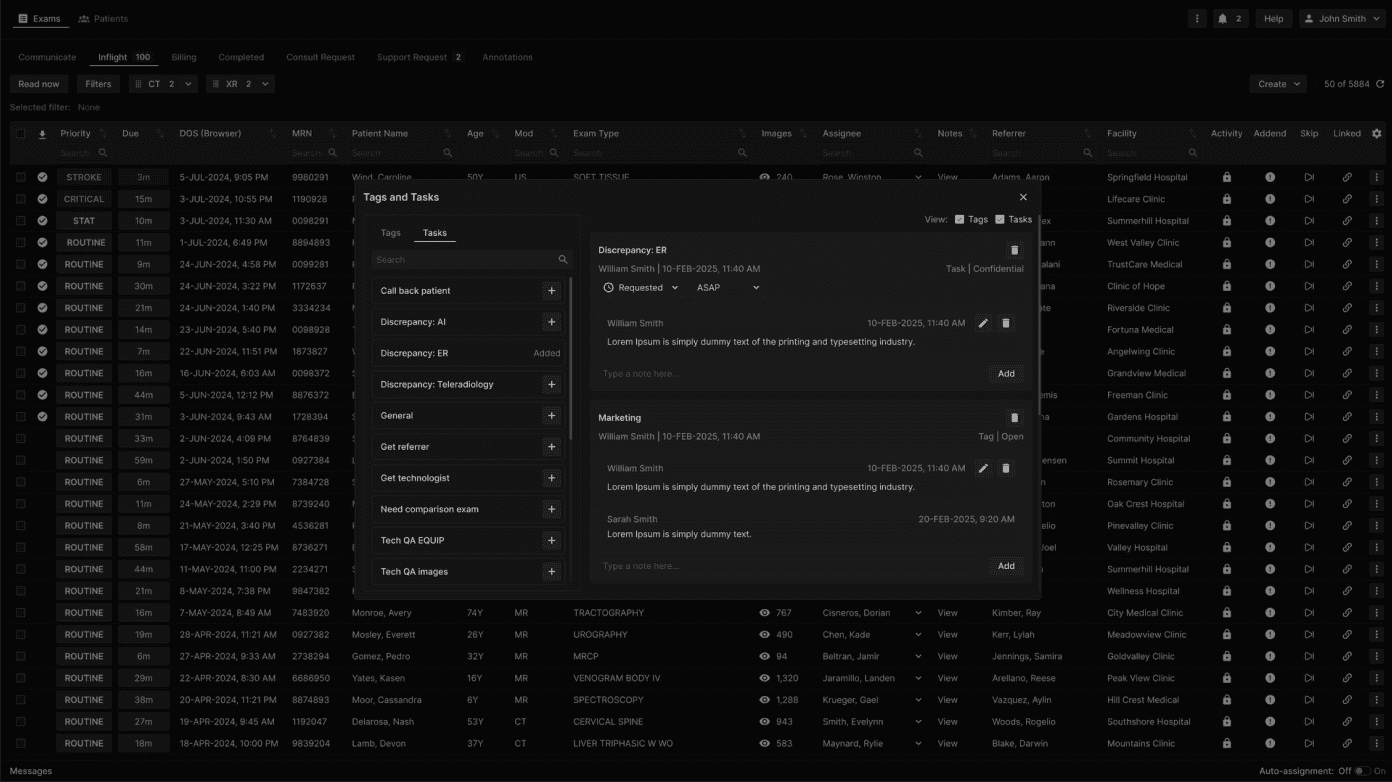
The Tags and Tasks window appears. | |
|---|---|
 |
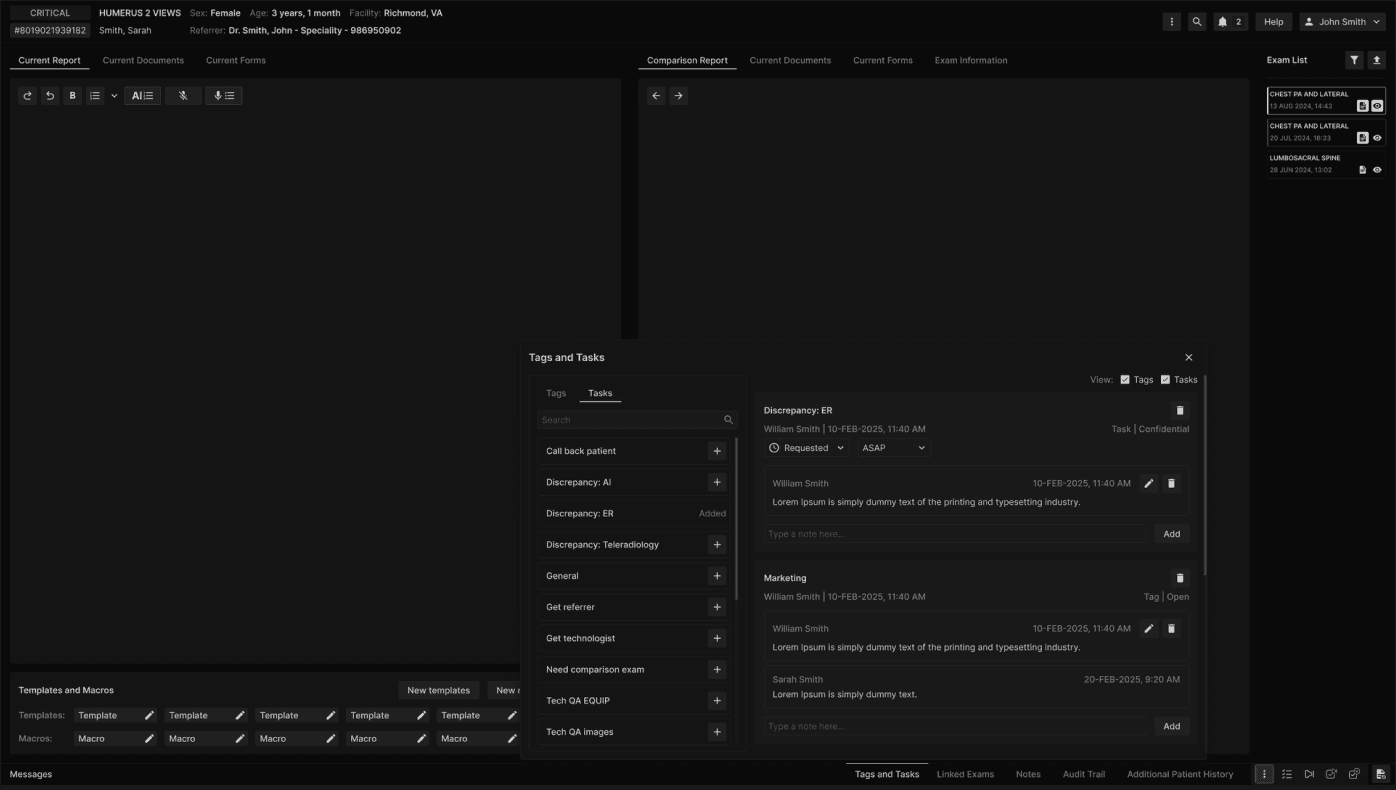
From the Reporting Screen, select Tags and Tasks from the bottom ribbon to open. | |
|---|---|
 |