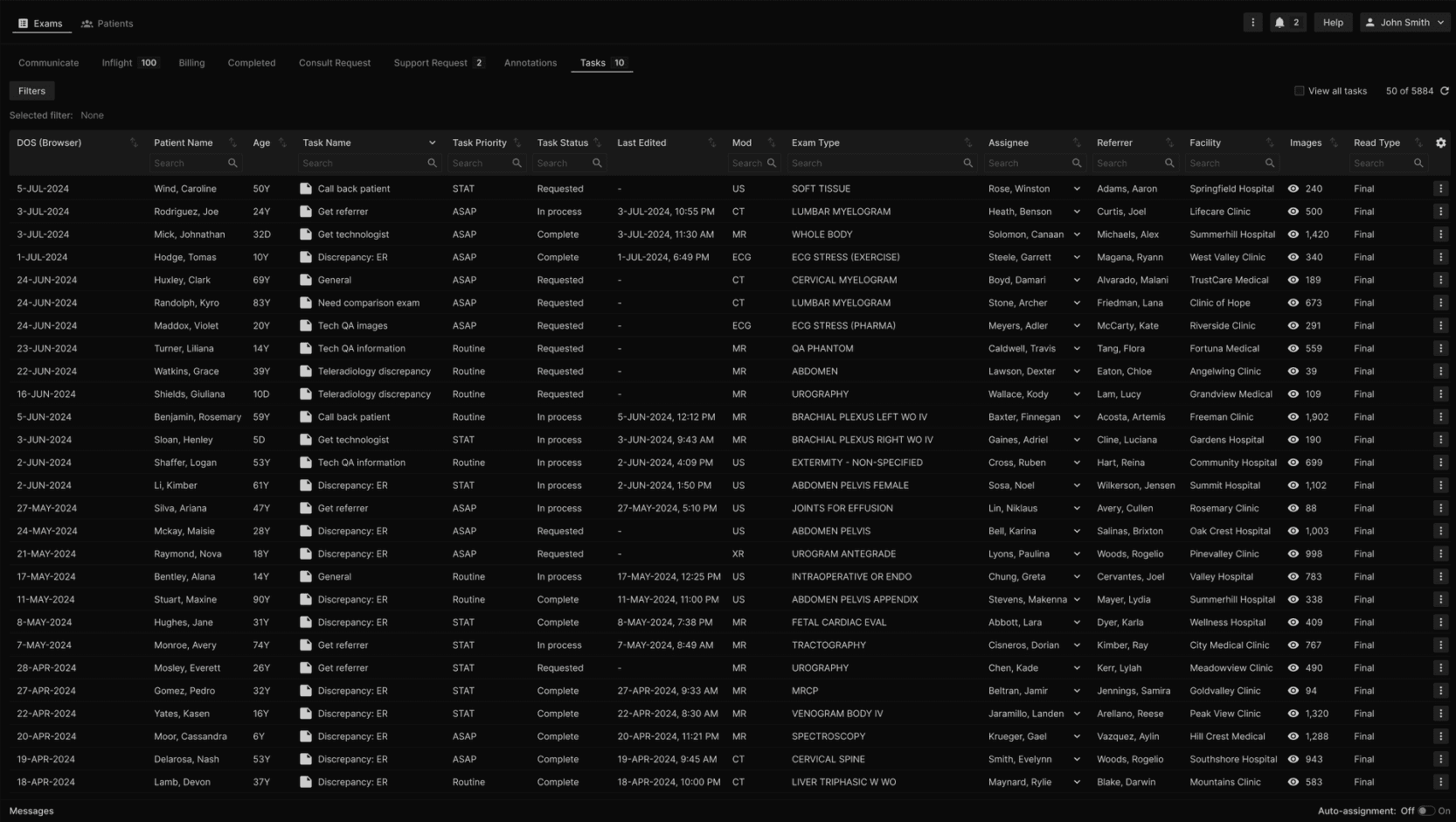
Within the Exams section, click on the Tasks tab. | |
|---|---|
 |
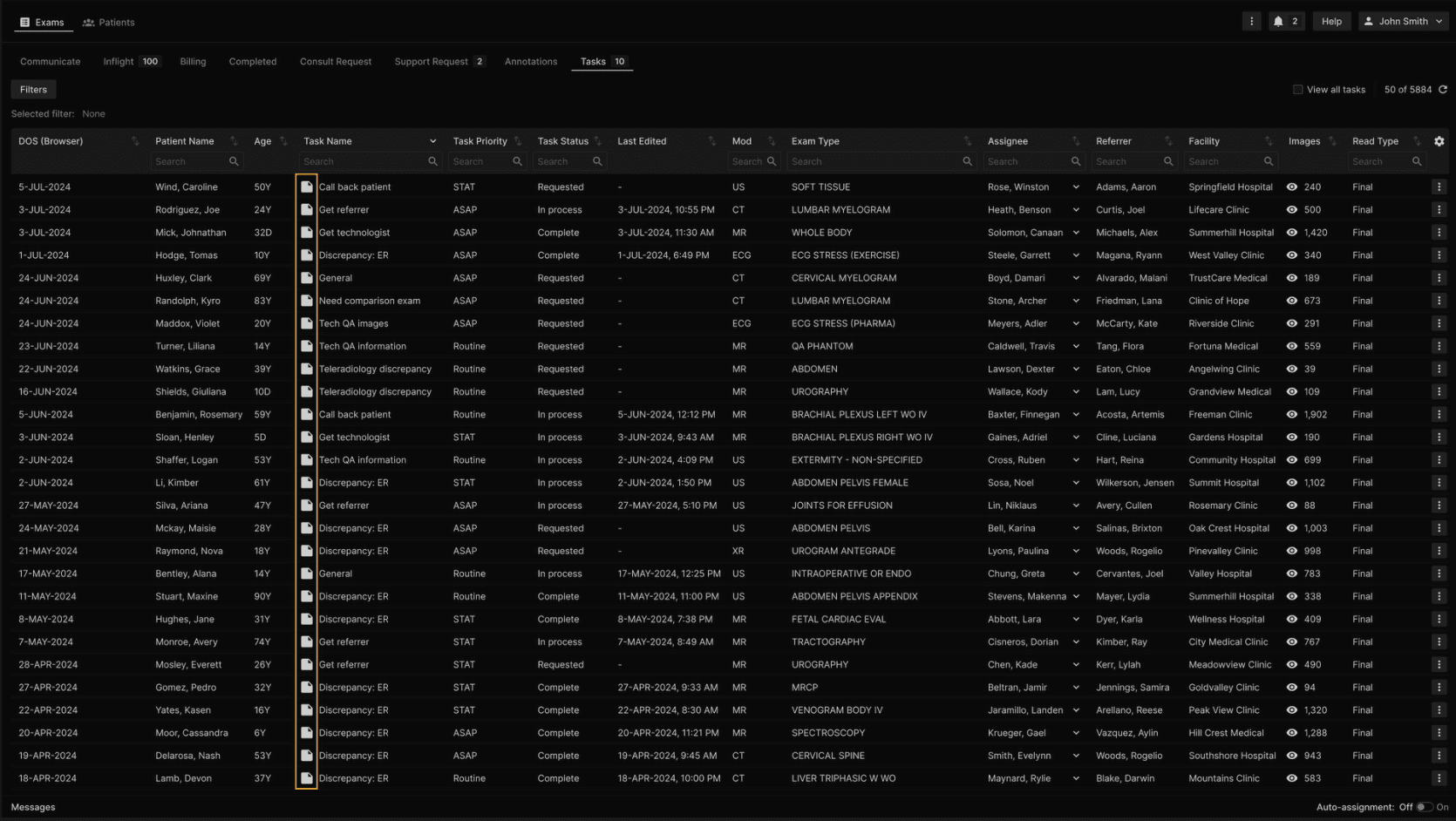
To process Tasks, select on the icon in the “Task Name” column. | |
|---|---|
 |
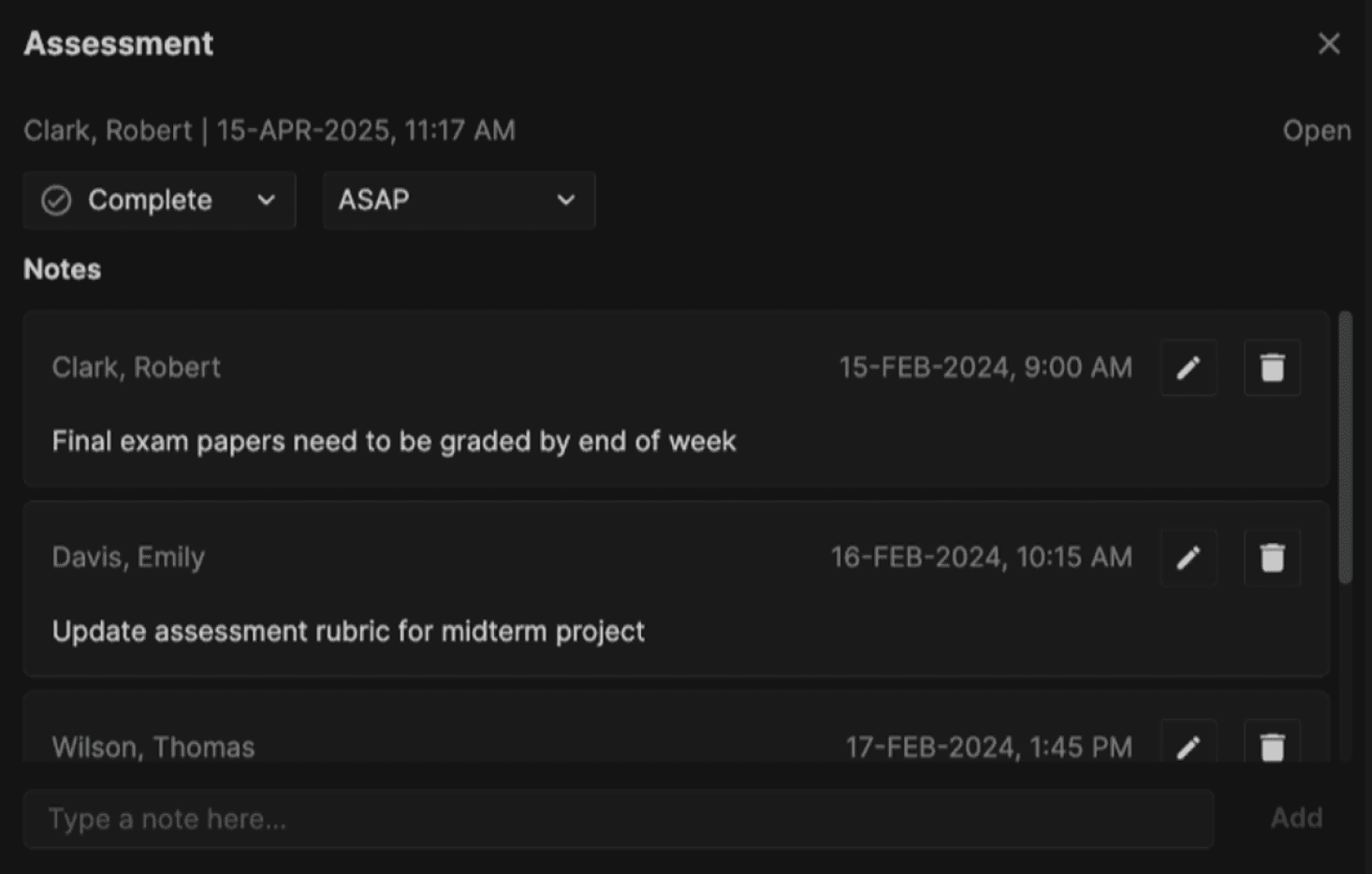
This dialog appears after clicking the icon in the "Task Name" column. | |
|---|---|
 |
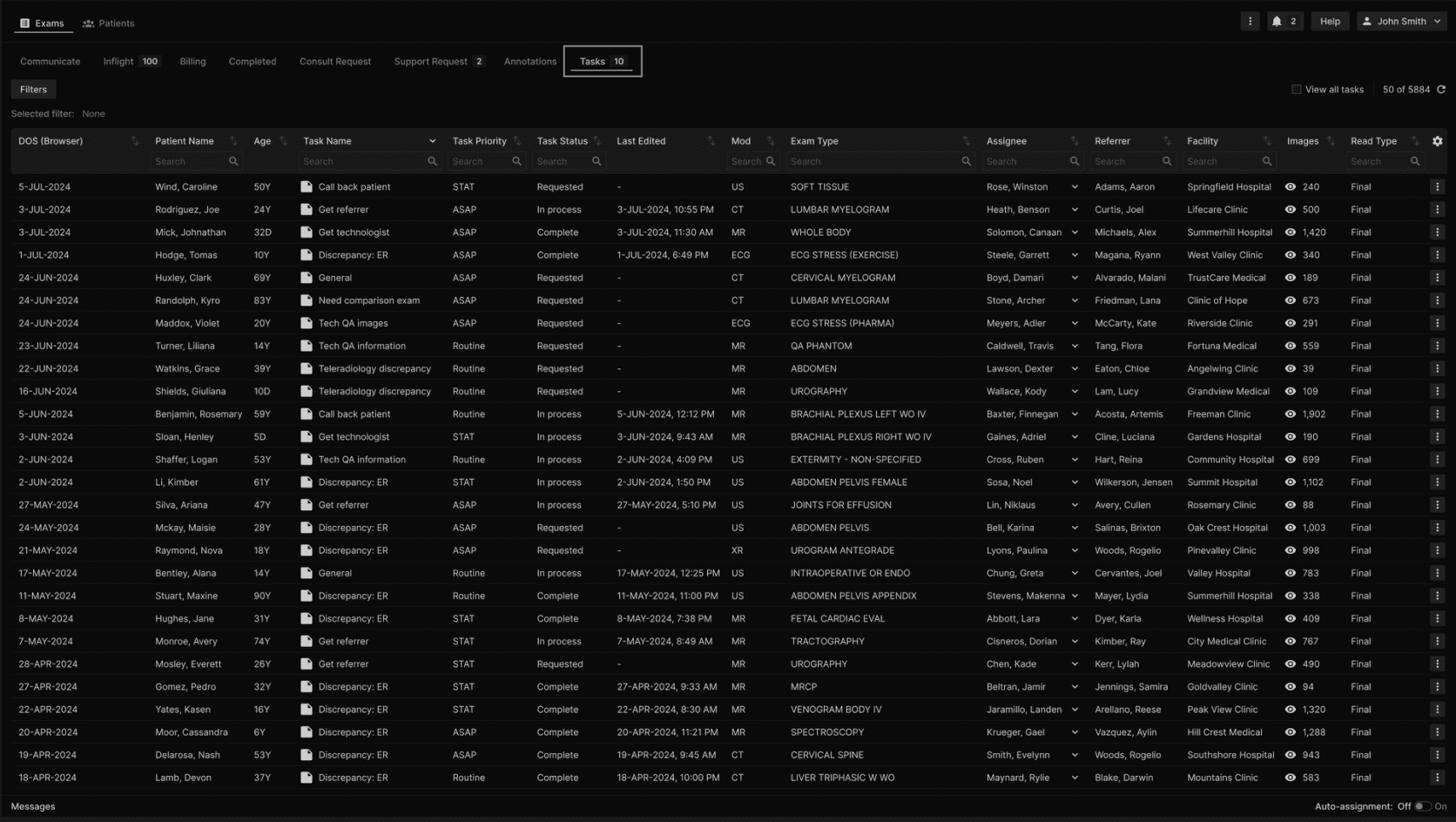
A counter in the Tasks tab indicates the amount of tasks that are "Requested" and "In Process", based on each user's visibility. | |
|---|---|
 |