Power wheel default OFF | ||
|---|---|---|
Opportunity: The Power Wheel tool was previously active by default, which could disrupt workflows for users not intending to use it. | ||
Solution: Power Wheel now defaults to OFF when an exam loads.
| ||
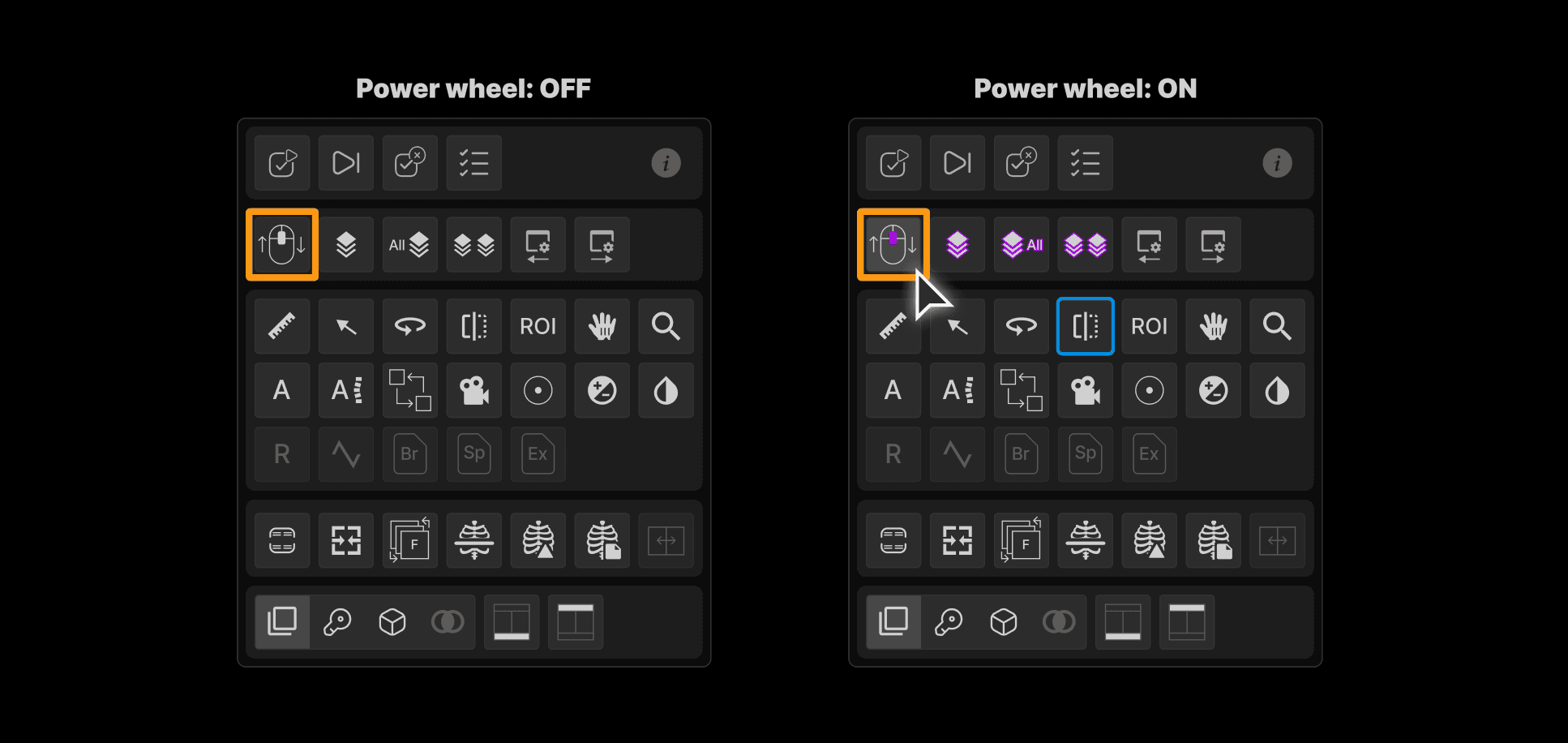 |
New keyboard shortcuts: Localizer lines and thumbnail bar | ||
|---|---|---|
Opportunity: Lack of keyboard shortcuts for key viewer tools slowed down navigation and efficiency. | ||
Solution: Two new shortcuts have been added:
|
Limit tomo on prior mammograms | ||
|---|---|---|
Opportunity: Displaying all tomos from prior mammograms cluttered the viewer and slowed down comparison workflows. | ||
Solution: Only the most recent prior tomos are now shown during comparison. This streamlines the viewing experience and enhances usability for mammography review. | ||
 |
Double-click or wheel-click to enlarge by cursor position | ||
|---|---|---|
Opportunity: Users lacked intuitive controls to quickly enlarge relevant images based on cursor location. | ||
Solution: New interaction behavior added - Double-click or wheel-click near image borders enlarges both images side-by-side. | ||
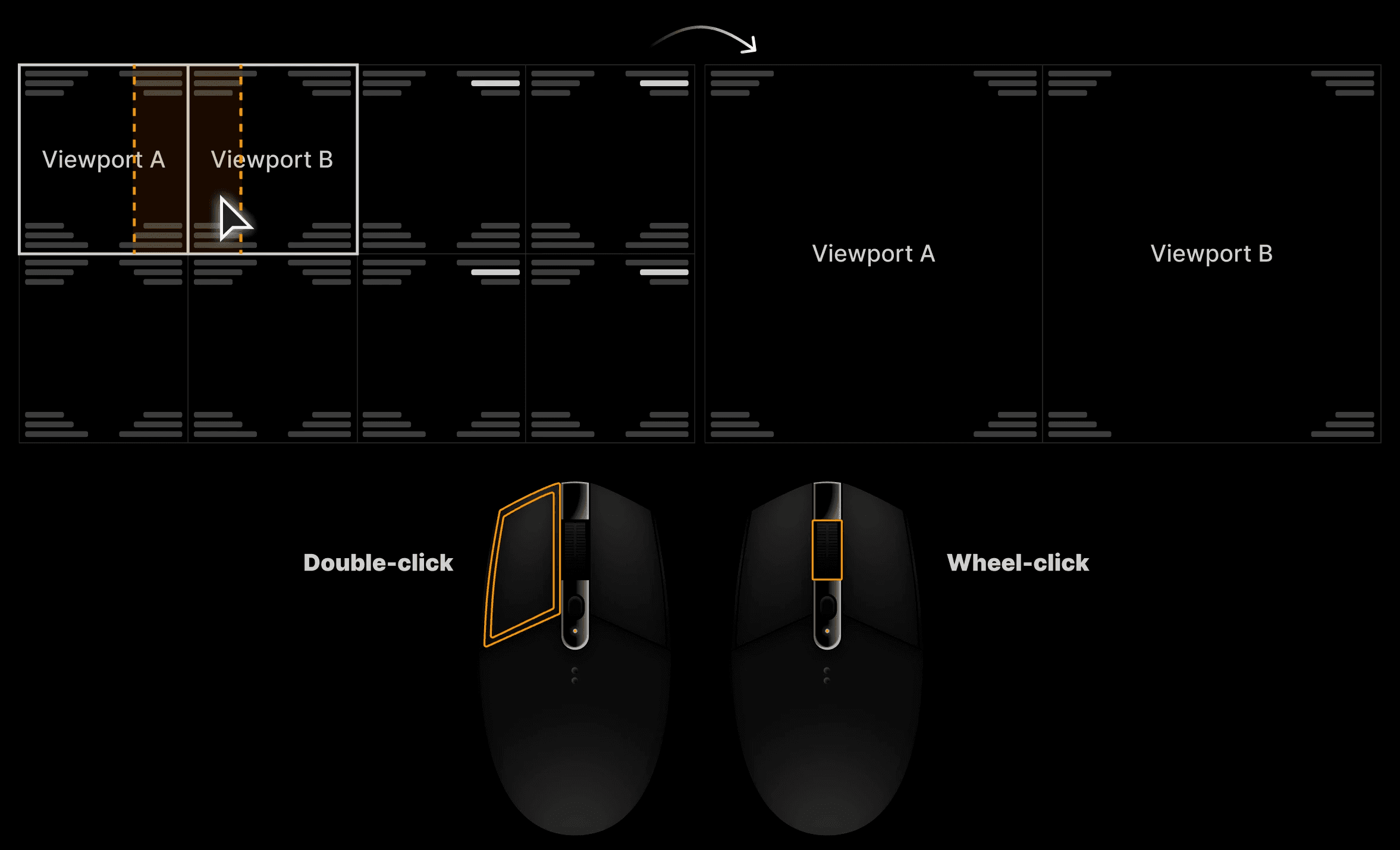 | ||
Alt + double-click or Alt + wheel-click: Sends the clicked image to the opposite panel. Orientation is preserved (left/right or top/bottom). This mirrors familiar behavior from DR Unity and enhances image navigation. | ||
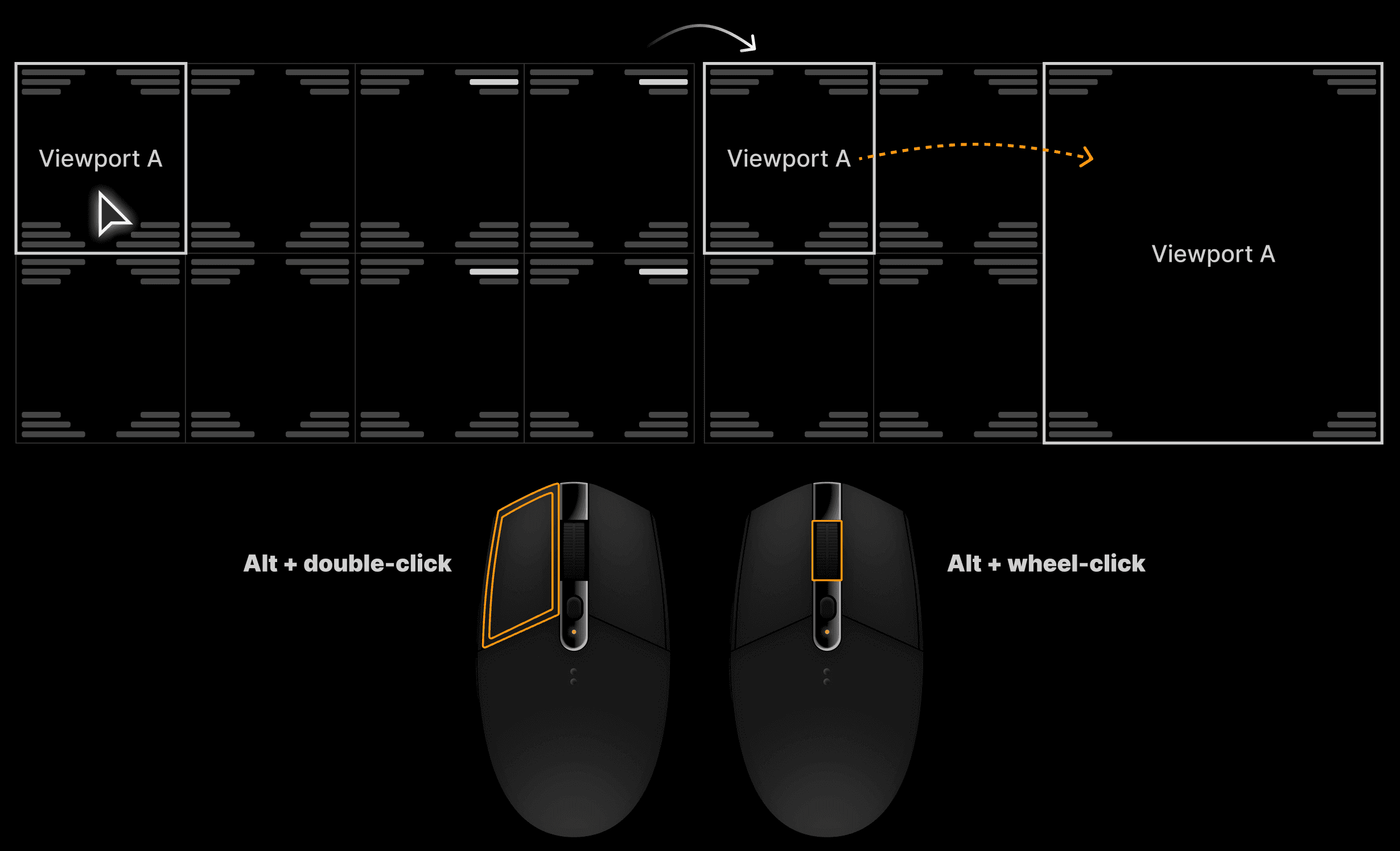 |
Indicate mammogram laterality and view position | ||
|---|---|---|
Opportunity: Reading physicians need clear visual indicators for both breast laterality and view position on mammogram images to support accurate interpretation. | ||
Solution: Added clearly defined visual markers for breast laterality and view position on all mammogram images, improving accuracy during image review. | ||
Coming soon: New mammography presentations will be available in hanging protocols. |