Improvements to Mammography CAD Findings | ||
|---|---|---|
Mammography CAD findings have been improved: | ||
| ||
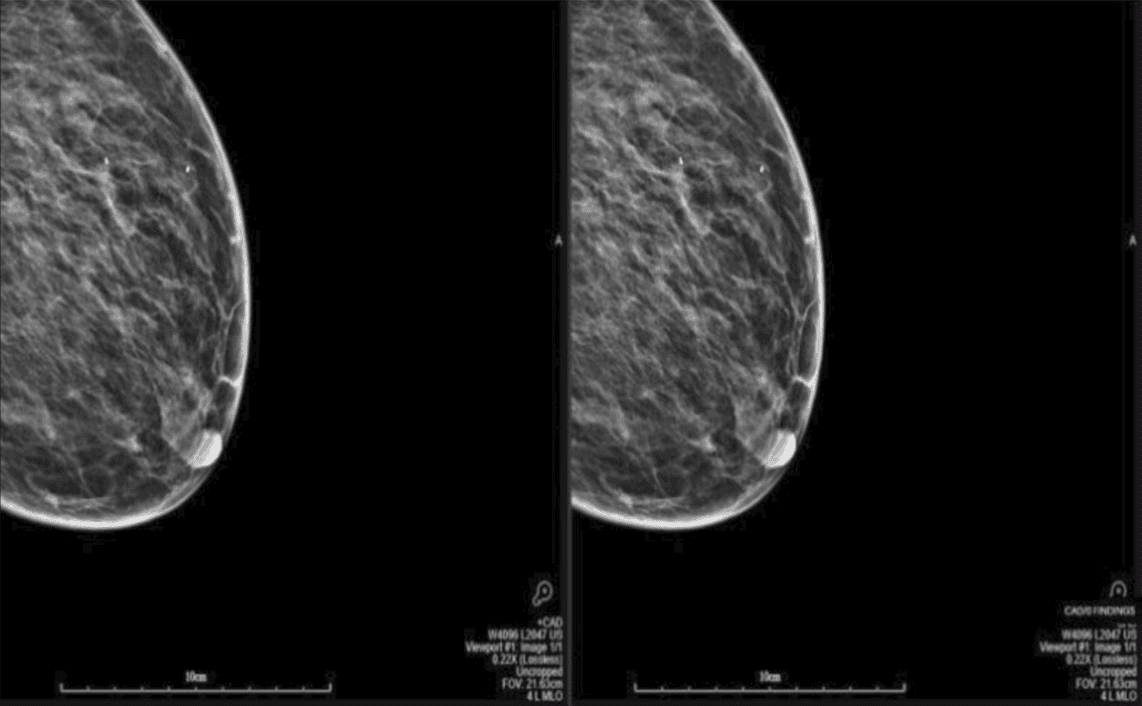 |
Image and Series Deletion | ||
|---|---|---|
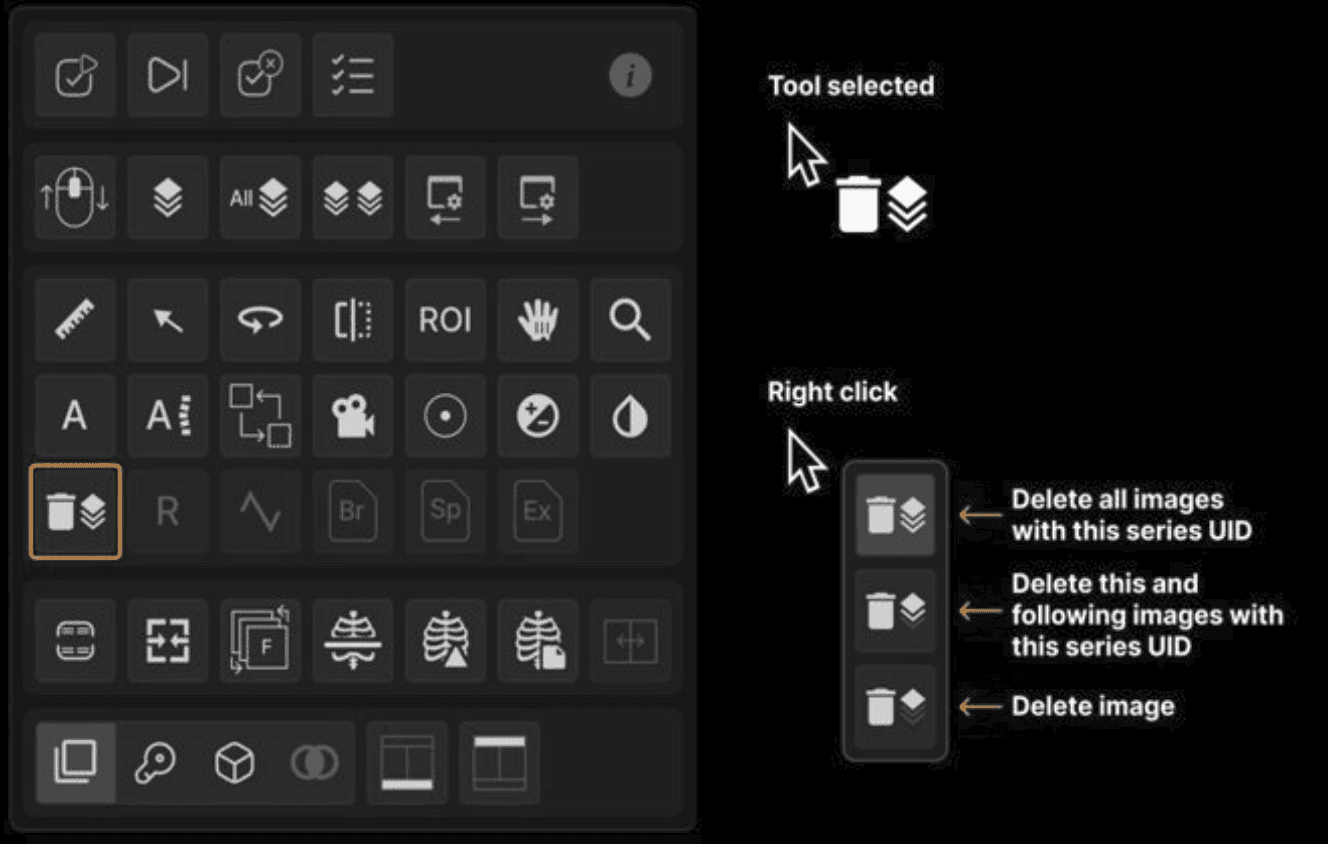
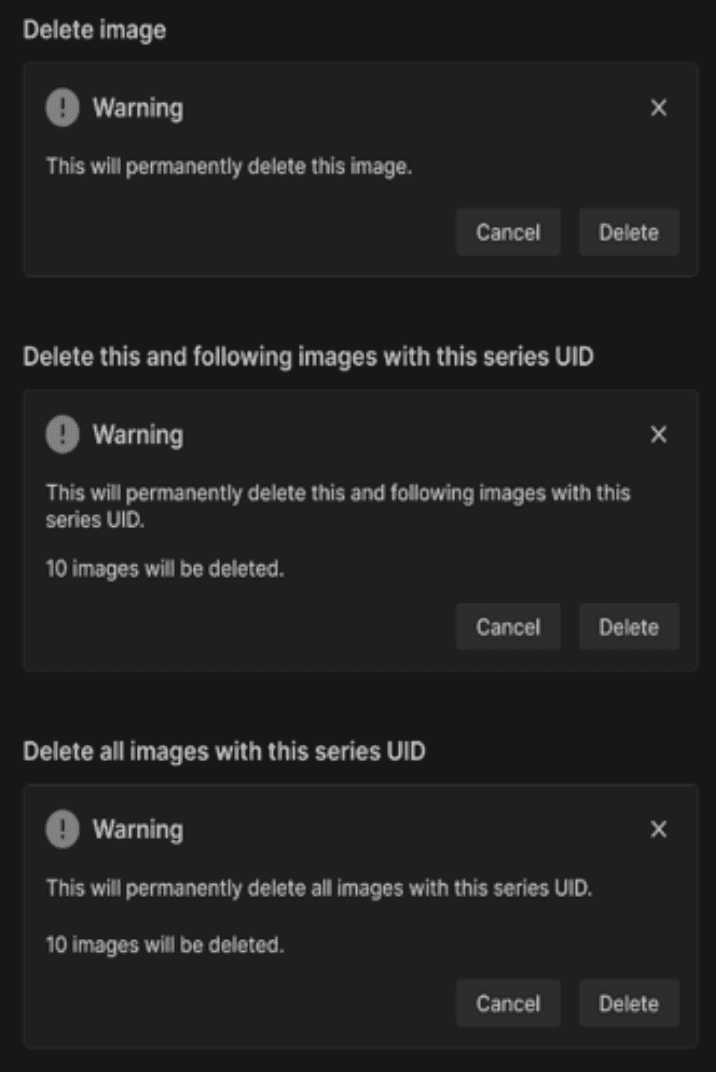
Images and series can now directly be deleted through Vision: | ||
Users with appropriate permissions, can delete with the following options:
| ||
Deleted images are removed from the viewer and series list, with the numbering updated when you re-open the exam. | ||
 | ||
 |
Series Order Preferences | ||
|---|---|---|
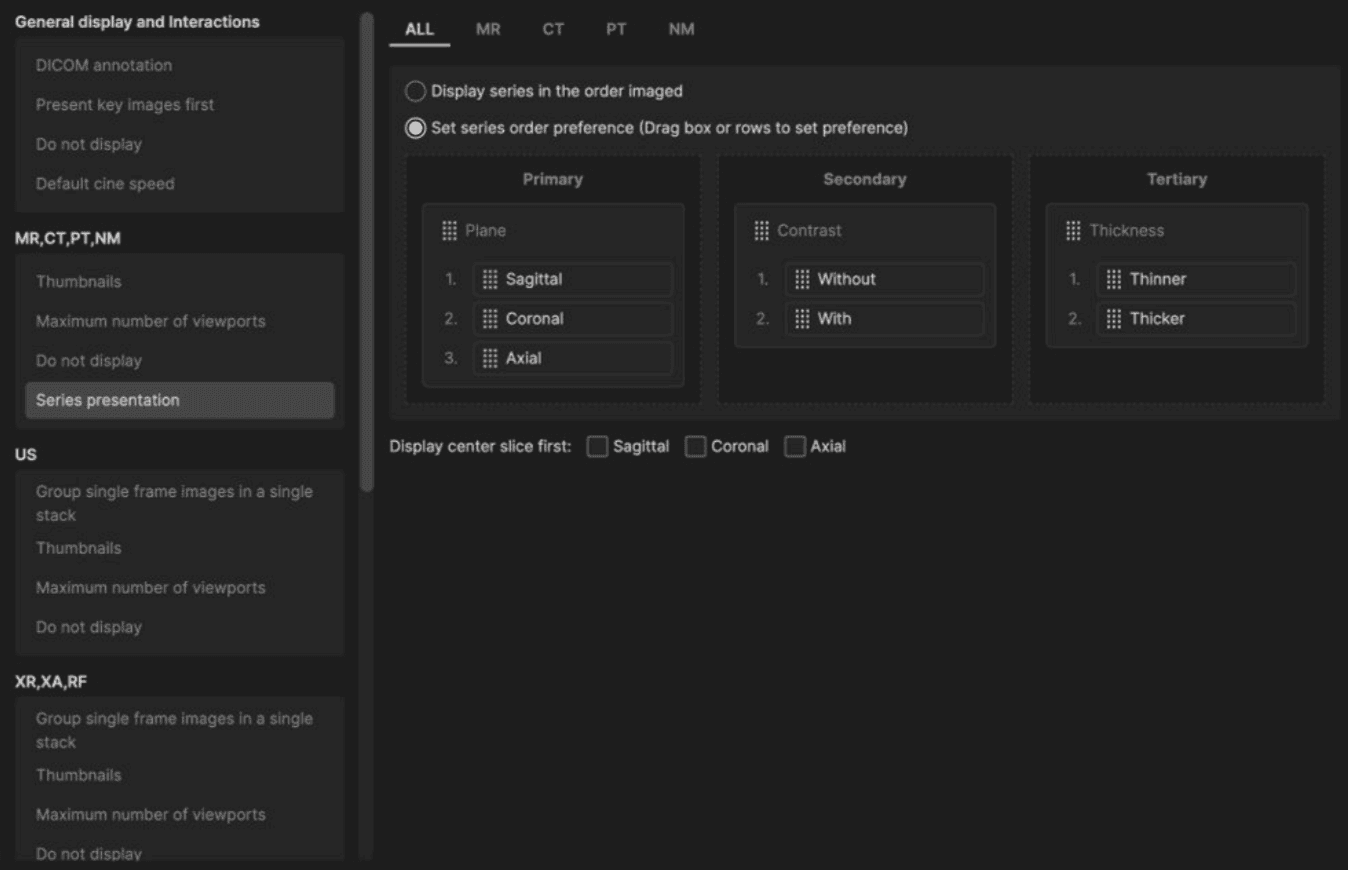
By default, exams will display series in the order they were acquired. However, users now have the option to configure series order preferences across MR, CT, PT, and NM exams: | ||
Define the sort priority using drag-and-drop controls across primary, secondary, and tertiary levels. Organize series based on key attributes including: | ||
| ||
Users also have the option to display the center slice first for sagittal, coronal and/or axial plane with the central image in focus. | ||
 |
DICOM Overlay Font | ||
|---|---|---|
DICOM overlay font size can be adjusted directly within the exam to improve readability on high-resolution monitors through the following: | ||
| ||
These preferences will be saved to the workstation. |