|
|---|
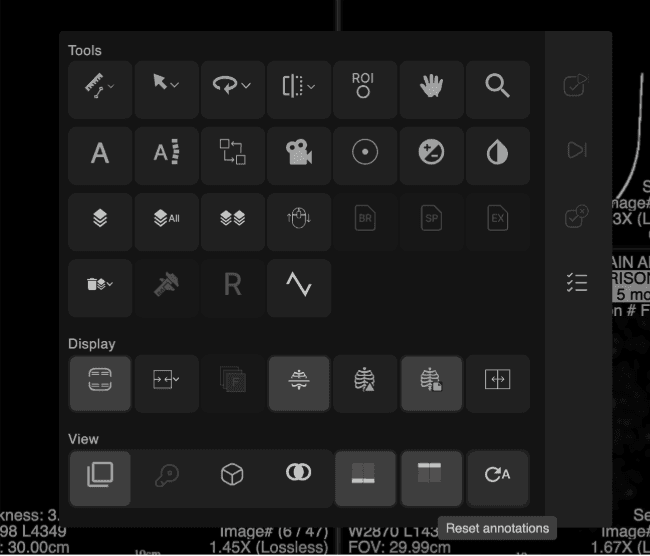
The Reset Annotations tool removes all annotation overlays created during the current user session, without changing how images are displayed or arranged. When selected, all session-based annotations from the current exam are cleared in a single action, including:
If the tool is triggered using a keyboard shortcut, a confirmation dialog appears before the annotations are removed. |
What is not affected: Reset Annotations does not affect:
Note: Only annotations added during the current active session are removed. Persisted or previously saved annotations remain unchanged. |
 |
|
|---|
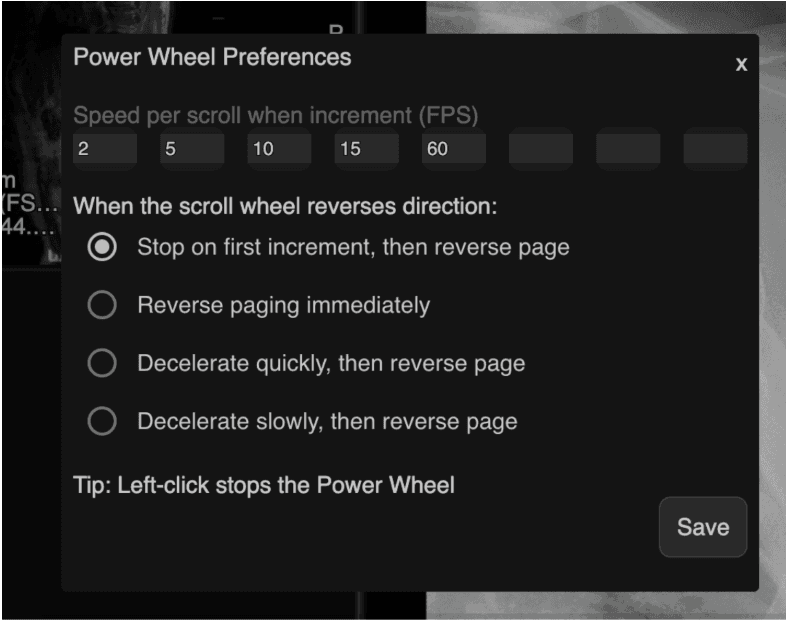
The Power Wheel allows users to customize scrolling speed and define how scrolling behaves when the direction is reversed. These preferences are saved and applied automatically in future sessions. |
Accessing Power Wheel Preferences When the Power Wheel is visible:
|
Speed Settings
|
Reverse Direction Modes When scrolling reverses direction, one of the following behaviors applies:
|
Unchanged Behavior
|
 |