Release notes: Workflow and reporting
Workflow and reporting: Version 3.0.0
"To-Do" list | ||
|---|---|---|
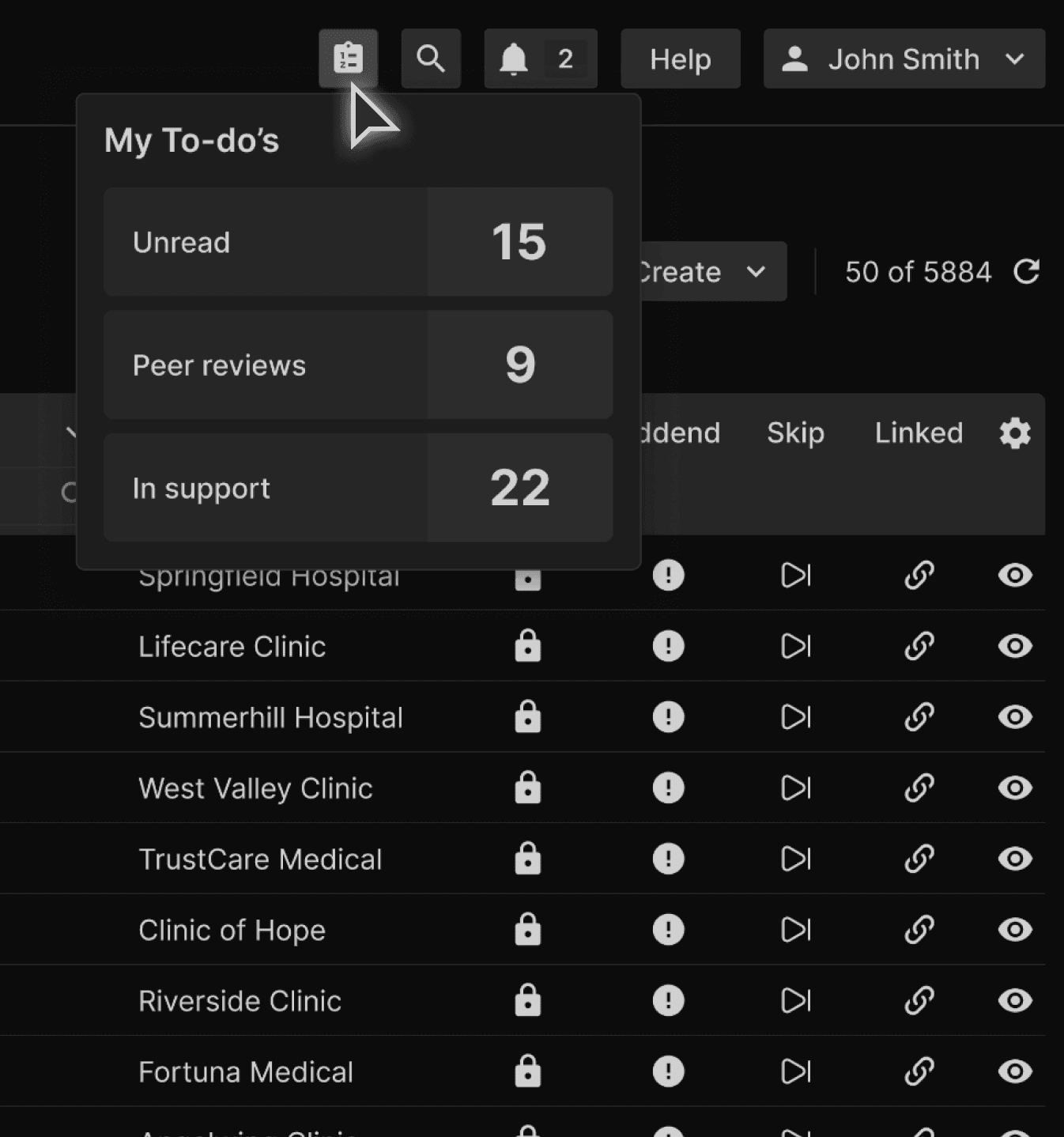
Opportunity: Reading physicians often navigate across multiple tabs in the UI during their workflow, making it difficult to maintain visibility into pending tasks such as unread exams, peer reviews, and support requests. This lack of centralized task awareness can lead to inefficiencies, missed actions, and a suboptimal user experience. | ||
Solution: To enhance usability and streamline task management, a new "To-do" button has been introduced in the top ribbon of the UI, accessible from any tab. This feature provides RADs with a quick, centralized view of their pending actions:
| ||
 |
Document inverter | ||
|---|---|---|
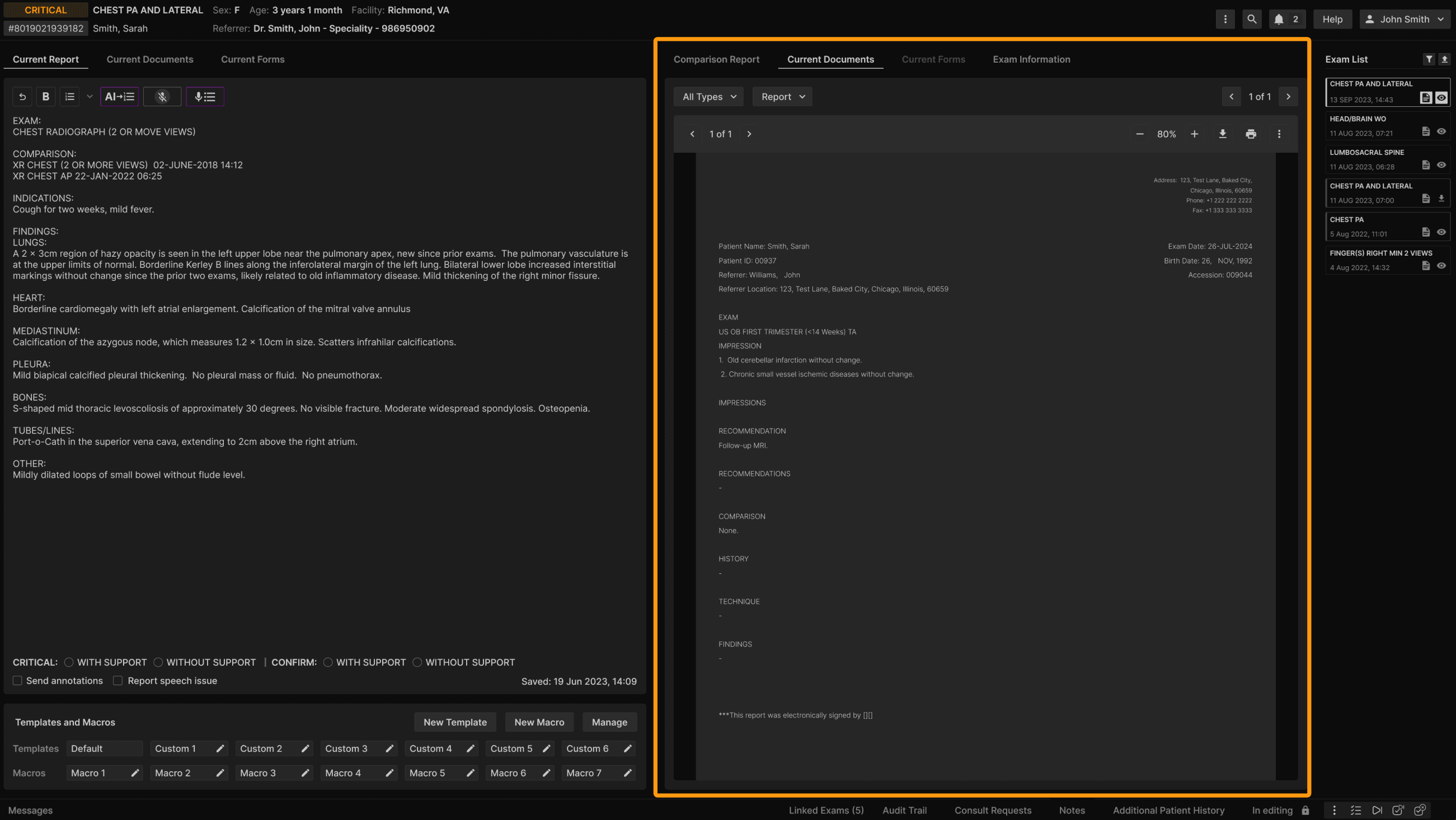
Opportunity: Uploaded documents in the Comparison Report and Current Documents tabs were displayed in bright mode, creating a visual inconsistency with the platform’s dark mode design and impacting user experience. | ||
Solution: A new dark mode PDF viewer has been implemented:
| ||
 |
User-level vocabulary editor | ||
|---|---|---|
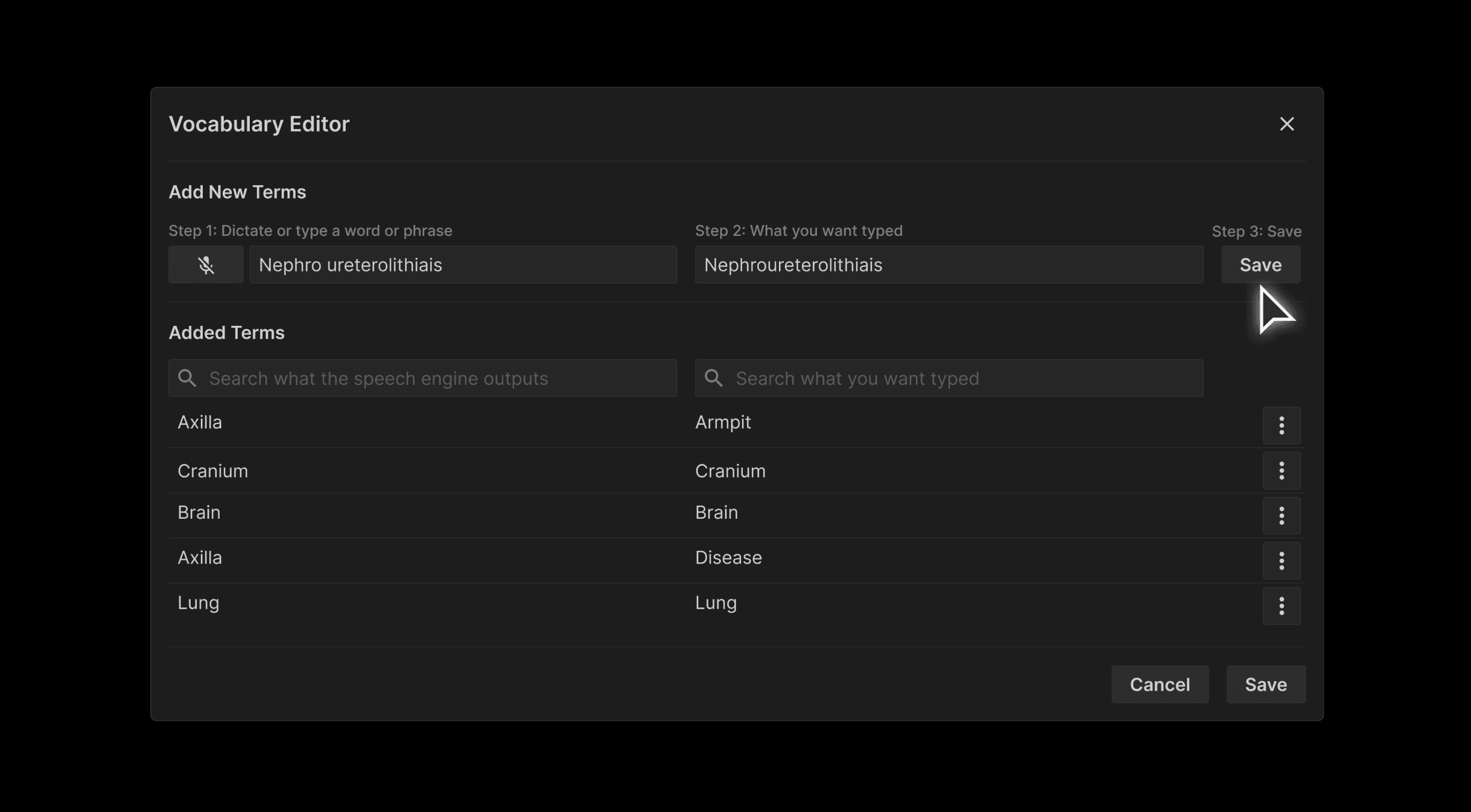
Opportunity: Radiologists need personalized control over speech-to-text output to improve dictation accuracy—especially for unique pronunciations, accents, or specialty terms. Current global vocabulary settings don’t offer user-specific customization. | ||
Solution: Introducing the User-Level Vocabulary Editor in the default speech engine:
| ||
 |
Creation of a new filter in Completed - Signed Datetime (SDT) | ||
|---|---|---|
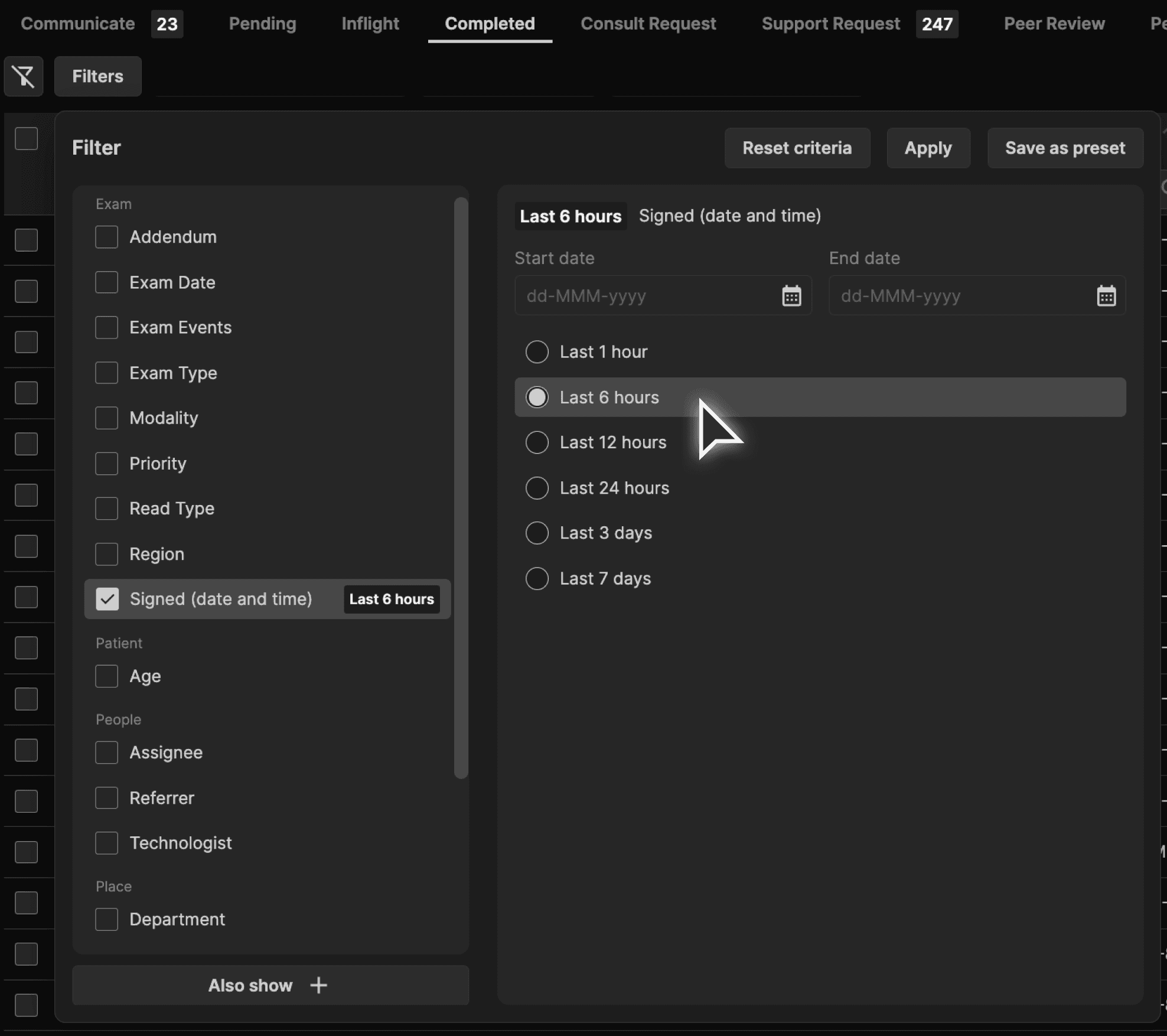
Opportunity: Reading physicians currently lack the ability to filter completed cases by the Signed Date & Time (SDT), making it difficult to efficiently locate and review previously signed reports. | ||
Solution: A new "Signed (date and time)" filter has been added to the Completed tab in the exam worklist:
| ||
 |
Allow viewing of raw HL7 from Reporting Screen | ||
|---|---|---|
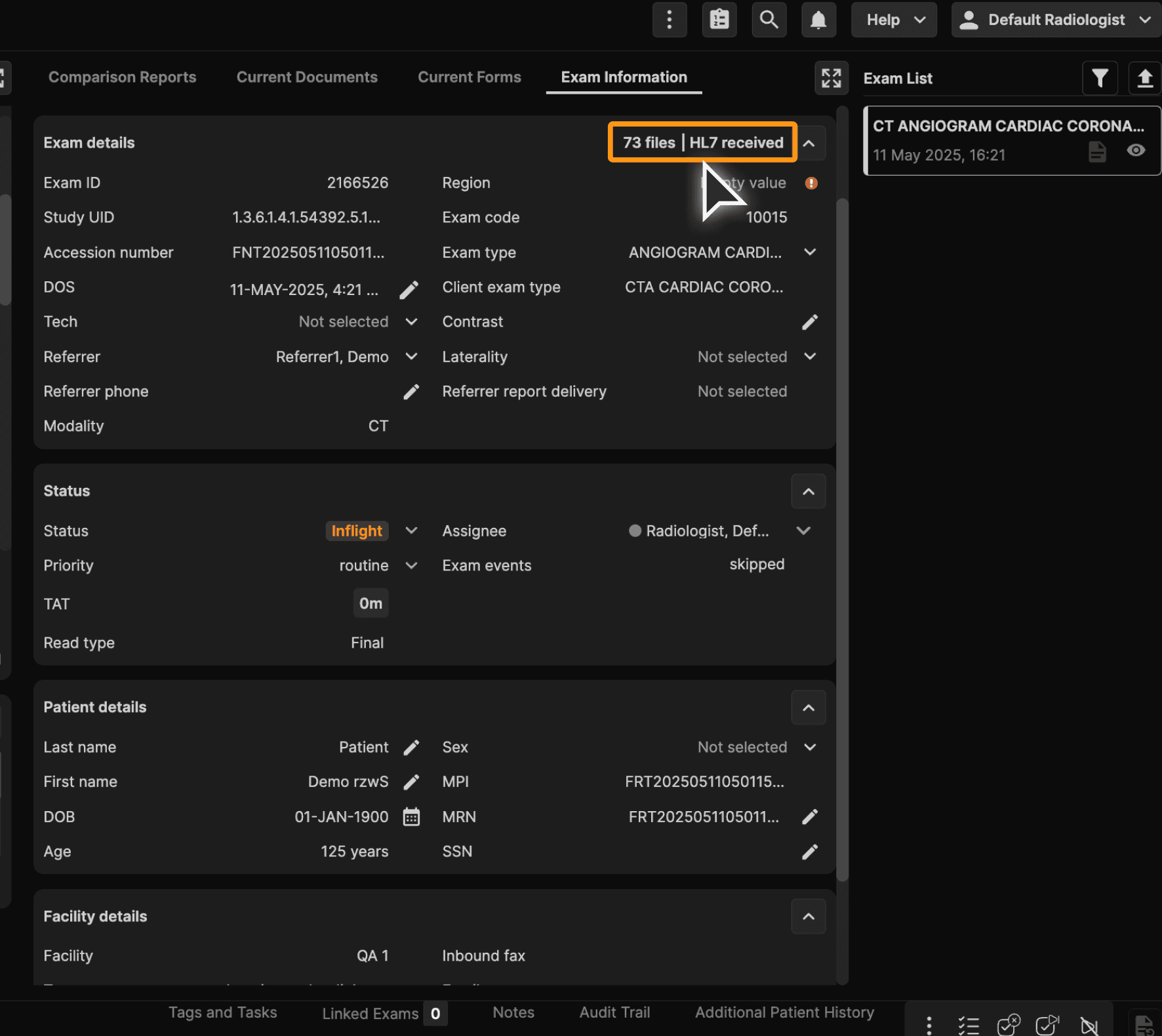
Opportunity: Support teams and technologists lack direct access to HL7 messages within the Core platform, making it difficult to troubleshoot data discrepancies or confirm message receipt for exams. | ||
Solution: A new HL7 Message view has been added to the Exam Information tab -> Exam details section:
| ||
 |
Report panel configuration | ||
|---|---|---|
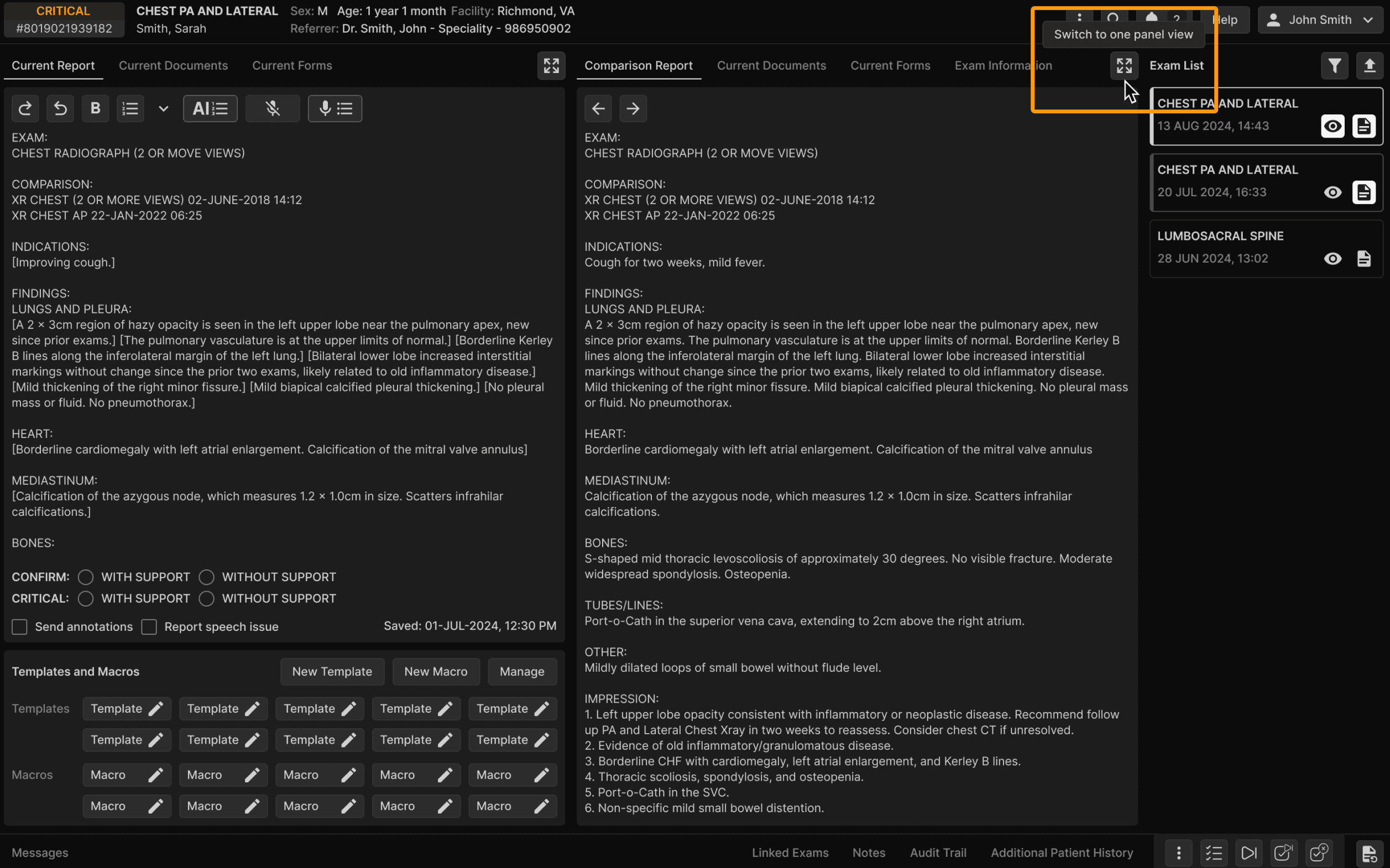
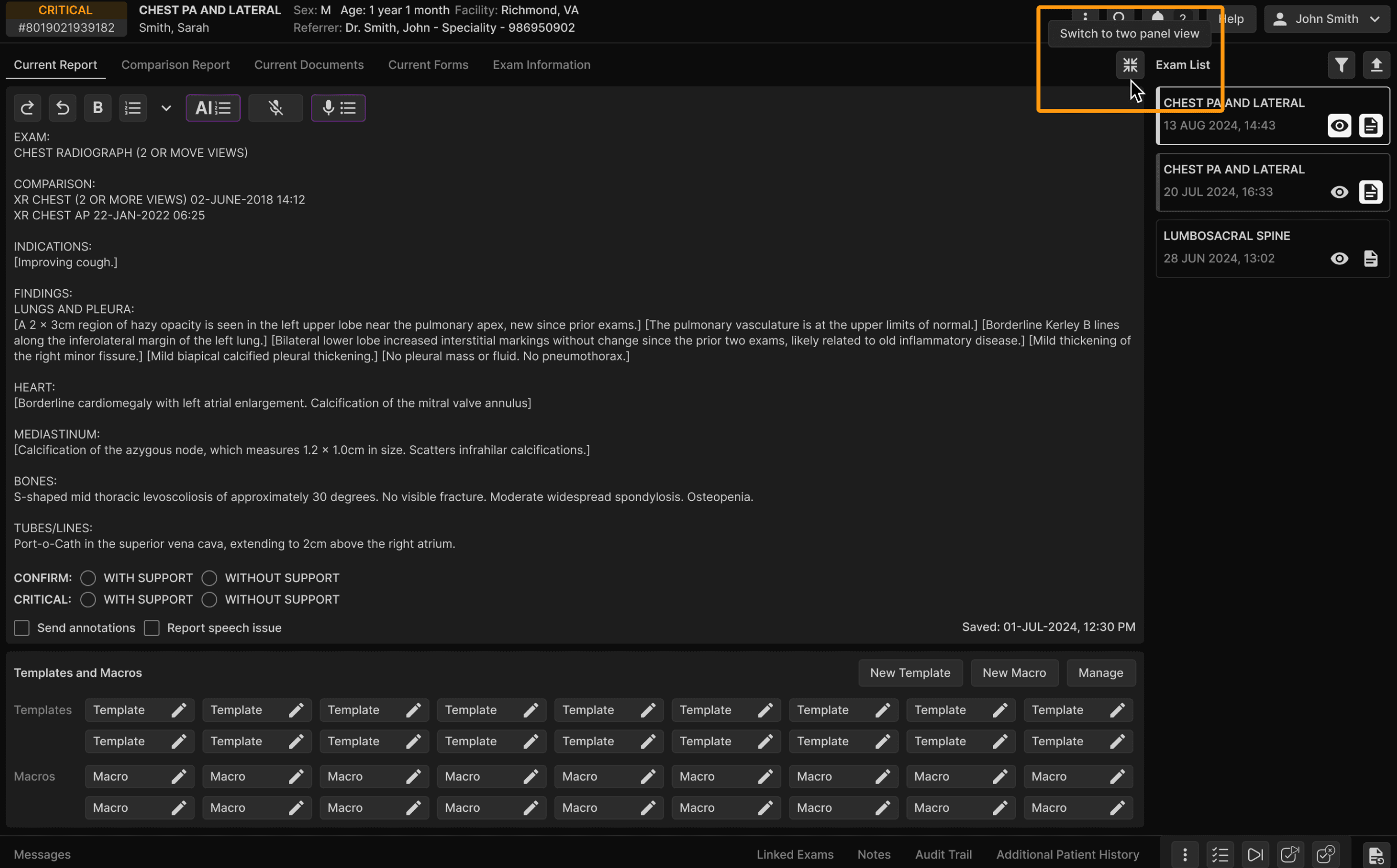
Opportunity: Users who frequently work with forms and/or reports in the exam details screen need a more flexible layout to view more data at once. The current double-panel view limits visibility and efficiency. | ||
Solution: The reporting screen now supports a toggle between single and double-panel views, allowing users to choose their preferred layout. Additionally, the Notes tab has been redesigned as a modal pop-up, enabling easier reading and interaction without disrupting workflow. | ||
 | ||
 |
New admin feature: Unlock orders | ||
|---|---|---|
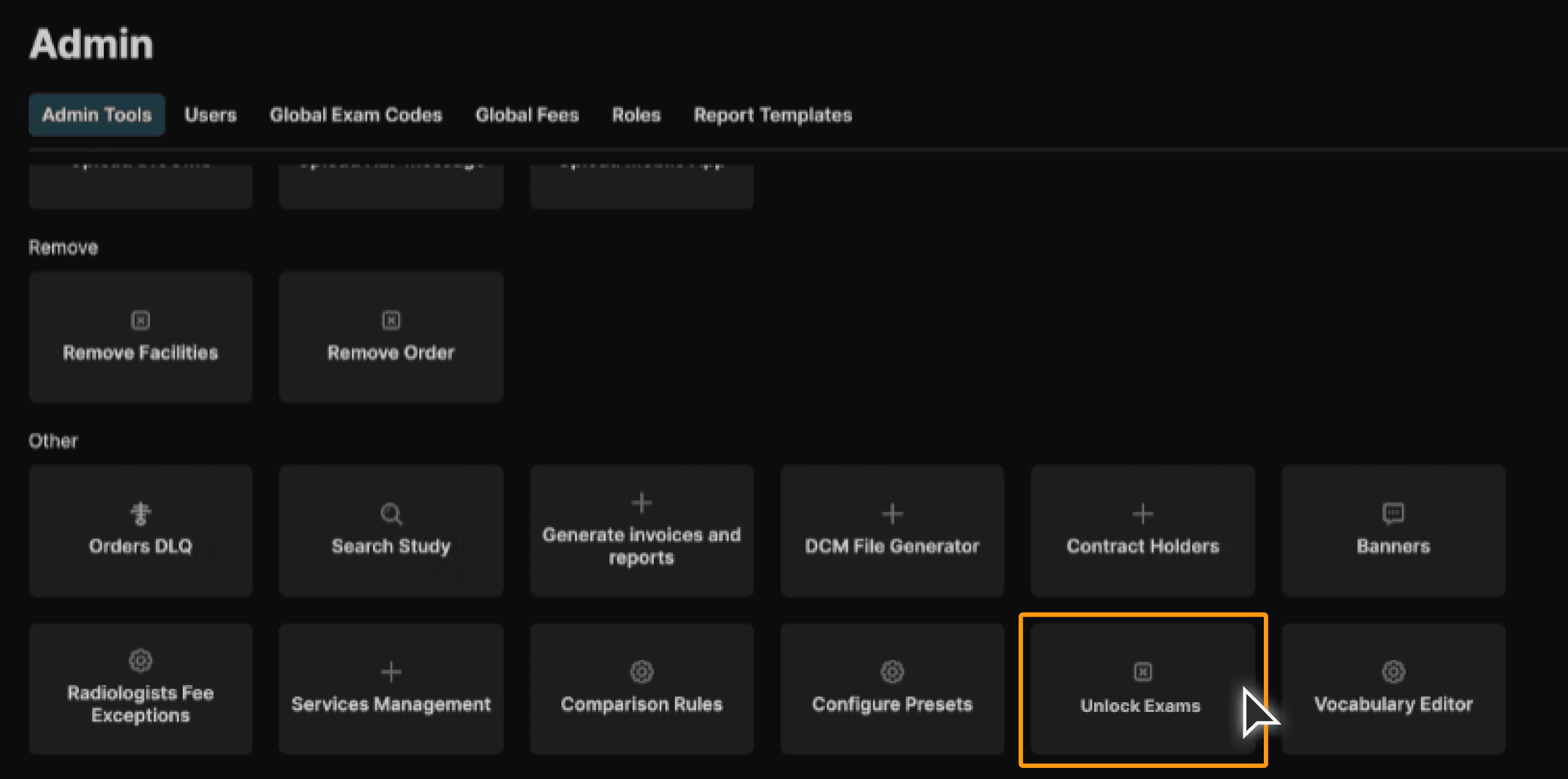
Opportunity: A better tool was required to unlock exams inadvertently locked by users. The existing “Drop All Reading Users” tool was unreliable and required manual intervention to unlock exams. This created inefficiencies for the Triage and Admin teams when managing locked exams. | ||
Solution: A new “Unlock Exams” tool has been added to the Admin Panel, allowing authorized users to unlock individual exams by entering the Order ID:
| ||
 |
Default message for users | ||
|---|---|---|
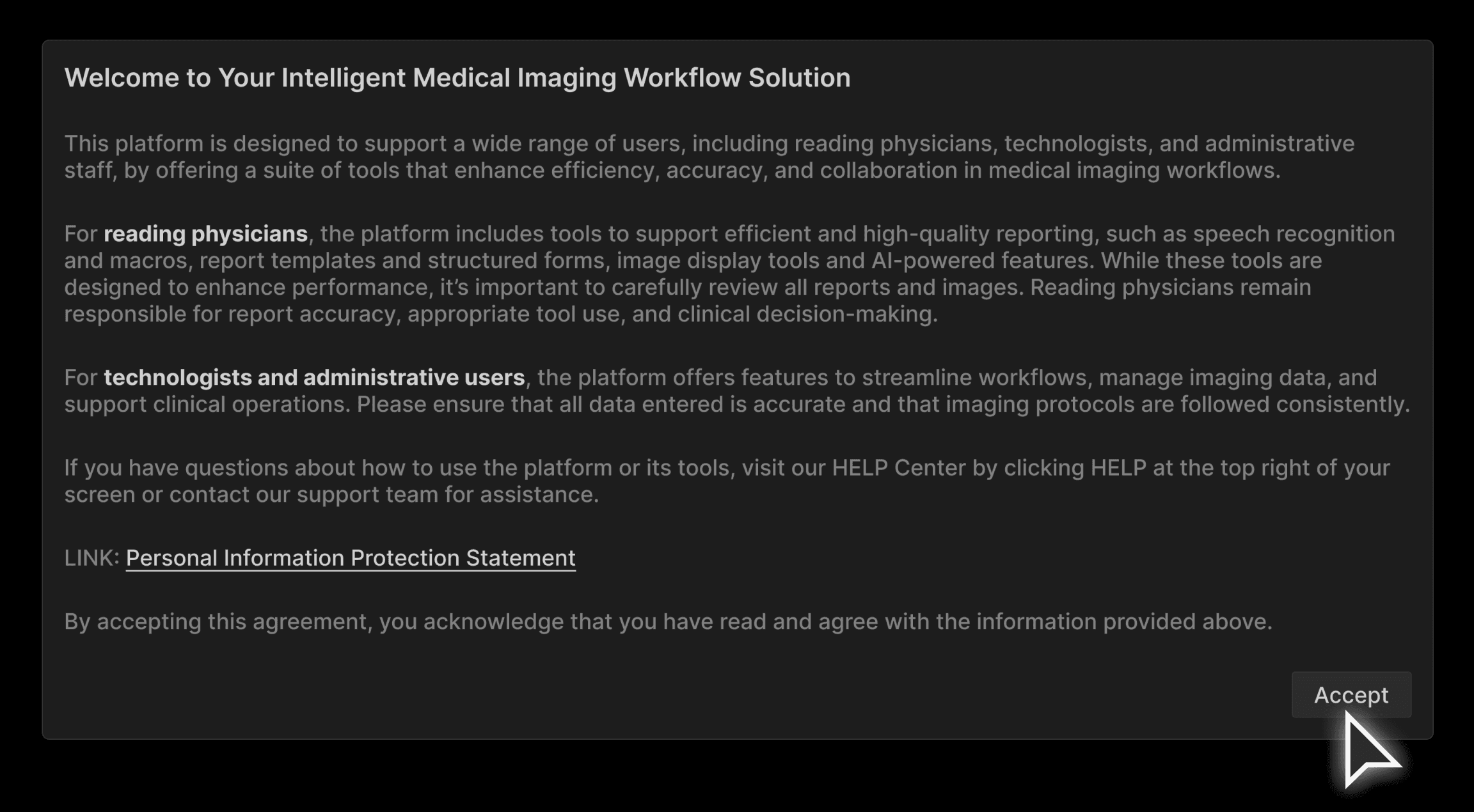
Opportunity: The platform currently lacks a formal acknowledgment of user responsibilities and privacy statements when using the platform. This can lead to misunderstandings about the impact of their actions and the importance of data accuracy and clinical decision-making. | ||
Solution: A new User Awareness Pop-Up has been introduced to reinforce platform responsibilities (This feature promotes accountability and ensures users are informed about their role in maintaining data integrity and clinical quality):
| ||
 |
Improvements to single sign on - Add setting at facility level | ||
|---|---|---|
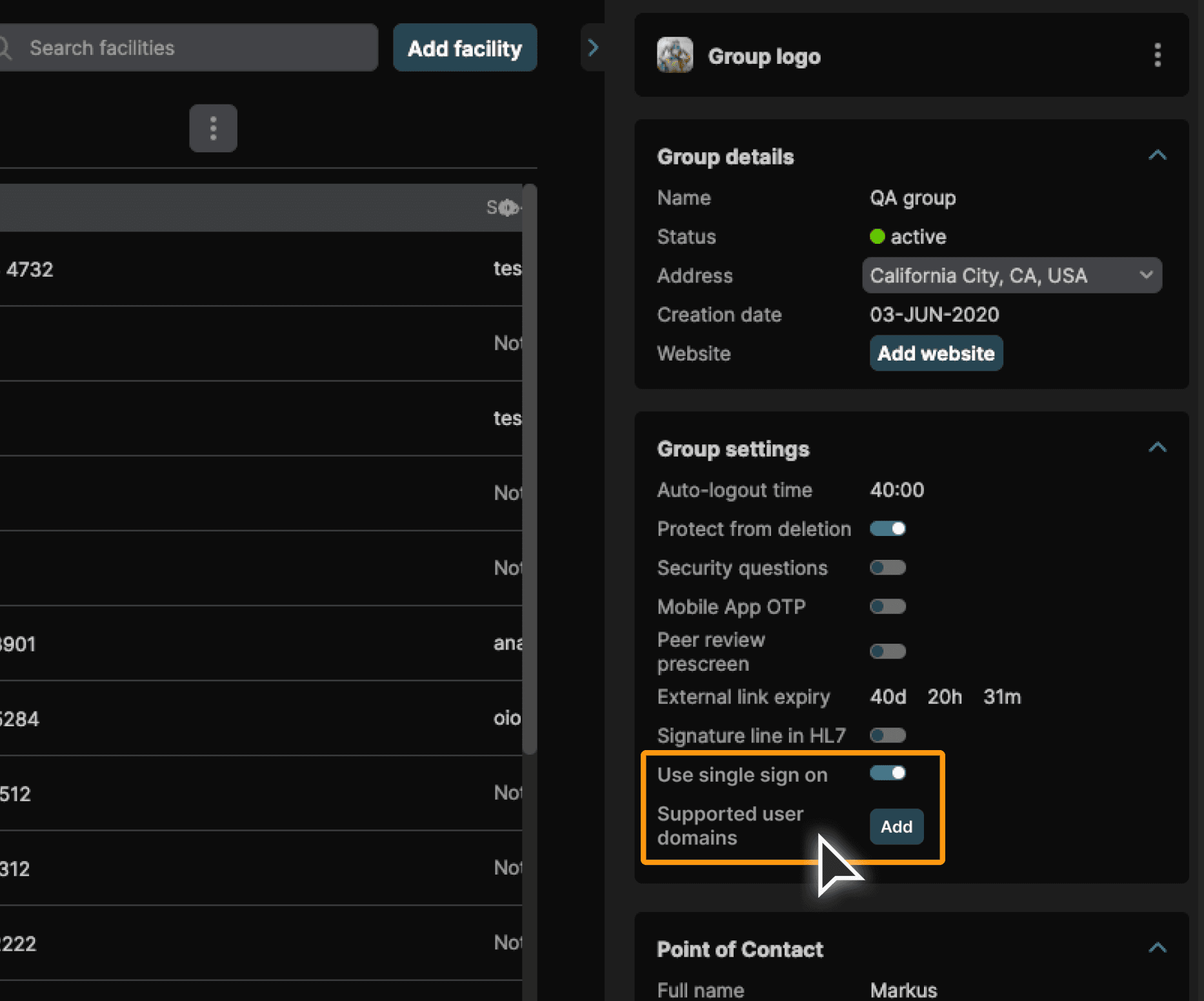
Opportunity: System administrators managing multiple facilities under a single group need flexibility in configuring authentication. The current group-level-only SSO setup limits the ability to meet individual facility requirements and security policies. | ||
Solution: Support for facility-level external authentication has been added:
| ||
 |
Assignment - Confirmation message for radiologists when an exam is assigned upon opening | ||
|---|---|---|
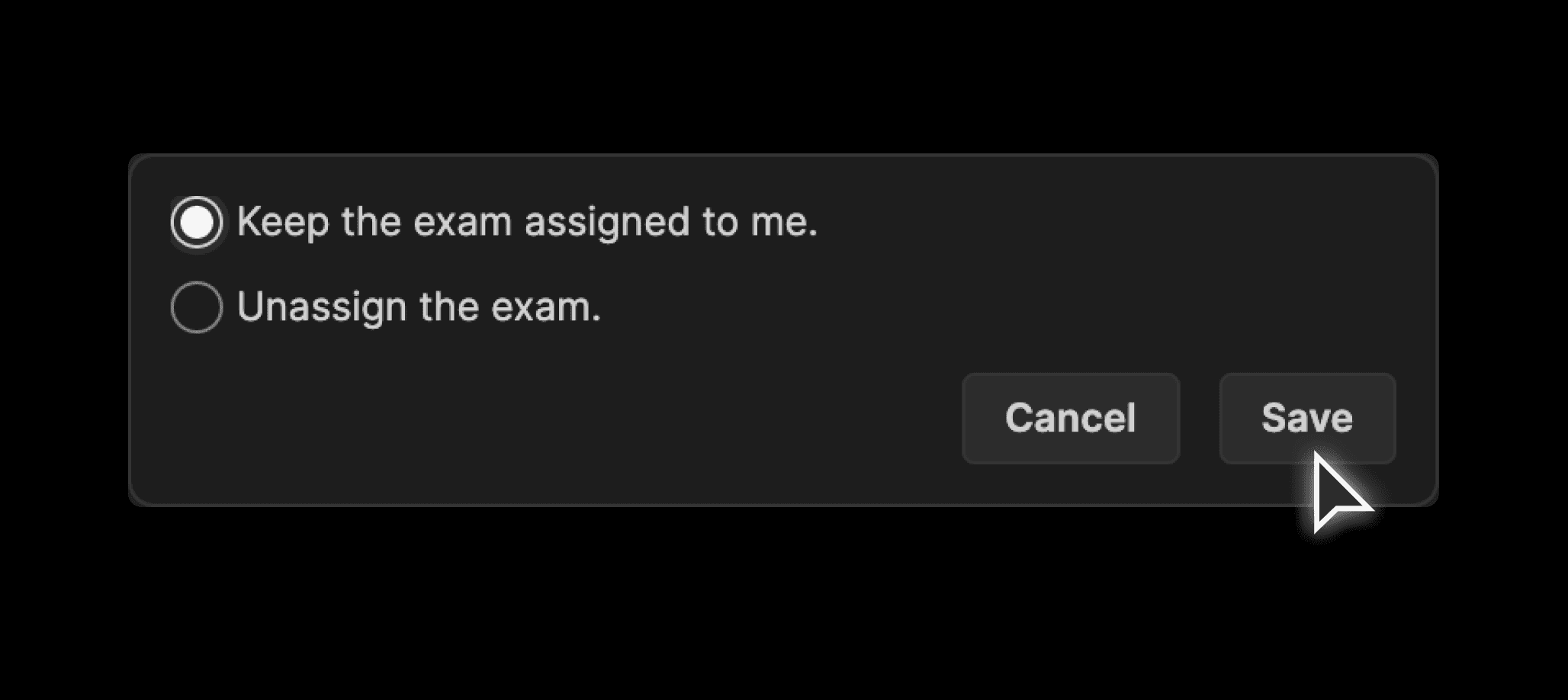
Opportunity: Reading physicians working from open worklists often have exams automatically assigned when opened—even if no changes are made. This can lead to unintended ownership of exams and confusion in collaborative workflows. | ||
Solution: A new confirmation dialog has been introduced to give radiologists control over auto-assigned exams:
| ||
 |